INSTALLATION PROCEDURES
FOX615Installation 65
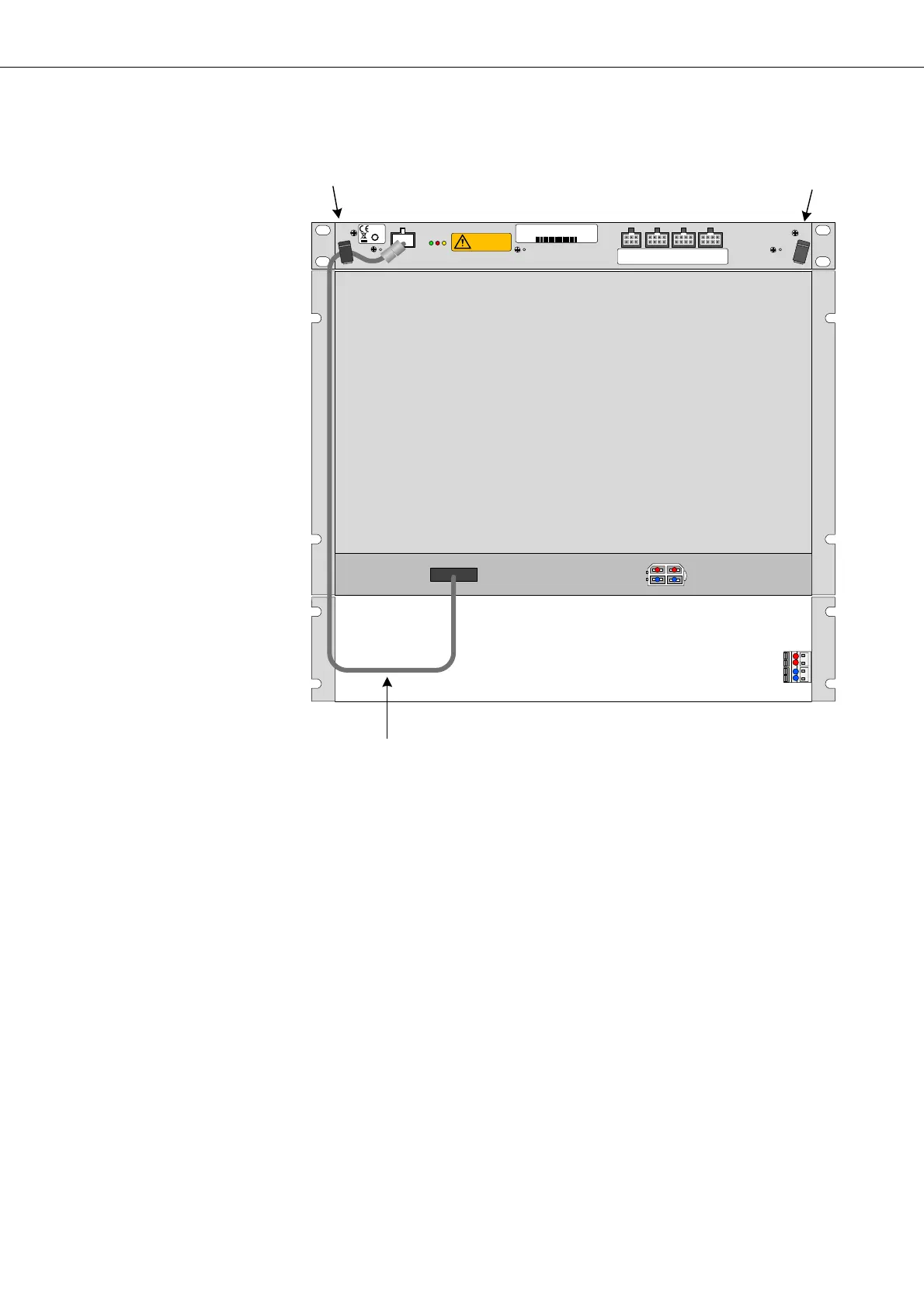
Figure 36: Installation of the FAMO1 or FAMO1-F power and alarm
cable
Connection of the FAMO1 or
FAMO1-F power and alarm
interface
Proceed as follows:
1. The subminiature-D connector has been connected to the P
2
interface of
the FOX subrack before the subrack installation (refer to section Install-
ing the FAMO1 or FAMO1-F power and alarm cable (optional) (on
page 55)).
2. Tie the FAMO1 or FAMO1-F power and alarm cable (31) from the cable
tray along the left bracket of the subrack up to the FAMO1 or FAMO1-F.
3. Plug the Molex connector to the F1 interface of the FAMO1 or FAMO1-F.
4. Secure the FAMO1 or FAMO1-F power and alarm cable in cable clamp
(21).
5. Check the lock of the Molex connector for safe fit.
6. Arrange the cable in such a way that it does not block the fixing slots for
the subrack front cover in the brackets.
End of instruction
F3: Alarm inputs
1-4
F4: Alarm inputs
5- 8
F5: Alarm inputs
9- 12
F2 : Al arm output
1- 2
50
moving fans
refer to handbook
F1
21 22
P
2
31
fan 48 V DC 19 " 1U
37970003
R2A
2111743473
2011 W 44


 To Next Page