INSTALLATION PROCEDURES
62 FOX615Installation
3. Plug the TYCO connector firmly to the fast-on contacts on the subrack.
4. Align the power cable as appropriate inside the cable tray.
5. Check the power connection for firm fit.
End of instruction
3.6.4.3 Dual power supply (DUPF1 option)
The following installation description applies for FOX615 installations with
DUPF1.
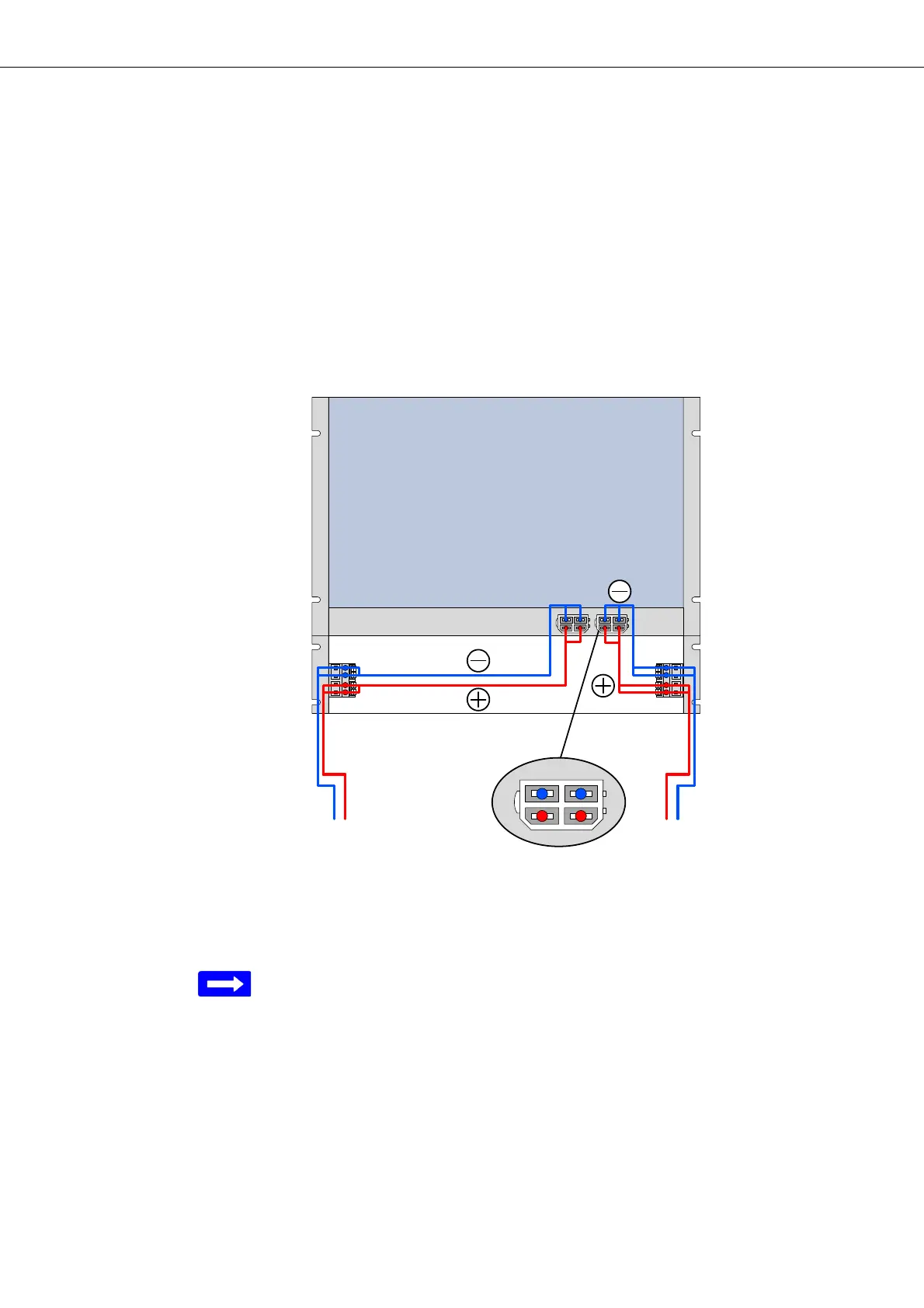
Figure 34 shows the principle of power supply via two power supply circuits:
Figure 34: Principles of two circuits power supply
Legend:
PSC 1 Power Supply Circuit 1
PSC 2 Power Supply Circuit 2
Power supply with 2 supply circuits (dual power supply) requires the
DUPF1 option!
Two connector blocks “S
1
” and “S
2
” for 2 external supply circuits are
installed inside the right and left side of the cable tray (refer to section Install-
ing the DC power supply (on page 43)).
The DUPF1 option on the FOX subrack provides 2 power interfaces “D
1
” and
“D
2
” which are connected via the 2 power cables “C
1
” and “C
2
” to the con-
nector blocks “S
1
” and “S
2
”.
The blue conductors (-) are on top when plugging the cable “C
1
” and “C
2
” to
the power interfaces “D
1
” and “D
2
” of the DUPF1.


 To Next Page