INSTALLATION PROCEDURES
FOX615Installation 55
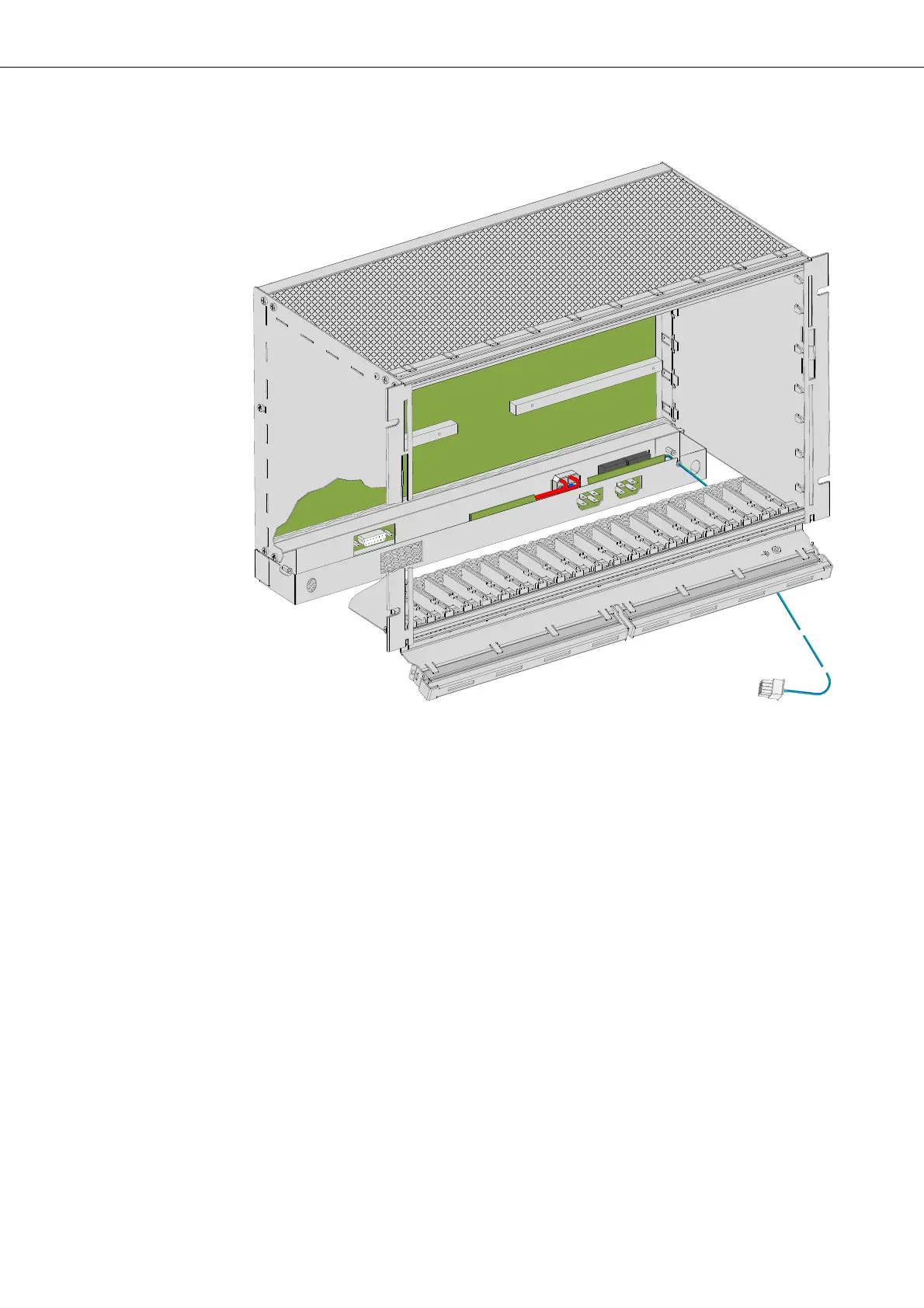
Figure 30: FOX subrack with DUPF1 installed
This concludes the mechanical installation of the DUPF1. The DUPF1 alarm
interface cable connects to the FAMO1 or FAMO1-F.
For details, refer to section Interfaces and connectors (on page 66).
3.6.2 Installing the FAMO1 or FAMO1-F power and alarm cable
(optional)
The Figure 31 shows the installation of the FAMO1 or FAMO1-F power and
alarm cable to the FOX subrack.
You must install the FAMO1 or FAMO1-F power and alarm cable before the
FOX615 subrack is installed in the rack. The installation is independent of
the DUPF1 option.


 To Next Page