MNR-310 System Administrator’s Manual
100
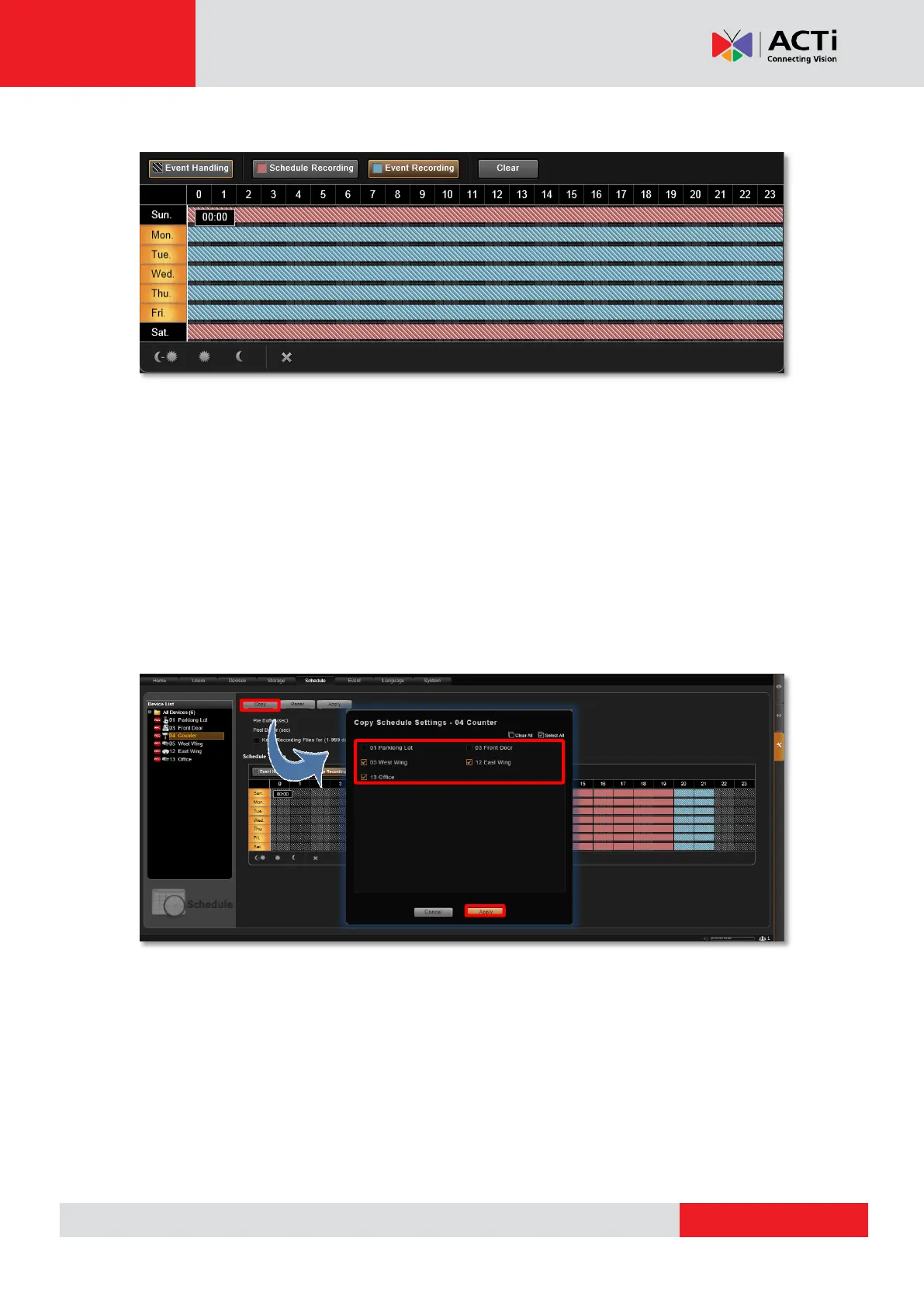
2. As you drag any settings over the time track, it will not apply to those shielded days.
Copy an Existing Schedule to Others
With plenty of devices in your system, it happens that you want to apply the same schedule to
multiple devices. After creating a schedule for one device, you can copy it to other cameras.
1. Go to Setup page Schedule tab, on Device List, select the device from which you
want to copy the schedule settings.
2. Click the “Copy” button.
3. On the popup window, select target devices to which you want to copy the schedule
settings.
4. Click the “Apply” button.



 To Next Page