MNR-310 System Administrator’s Manual
108
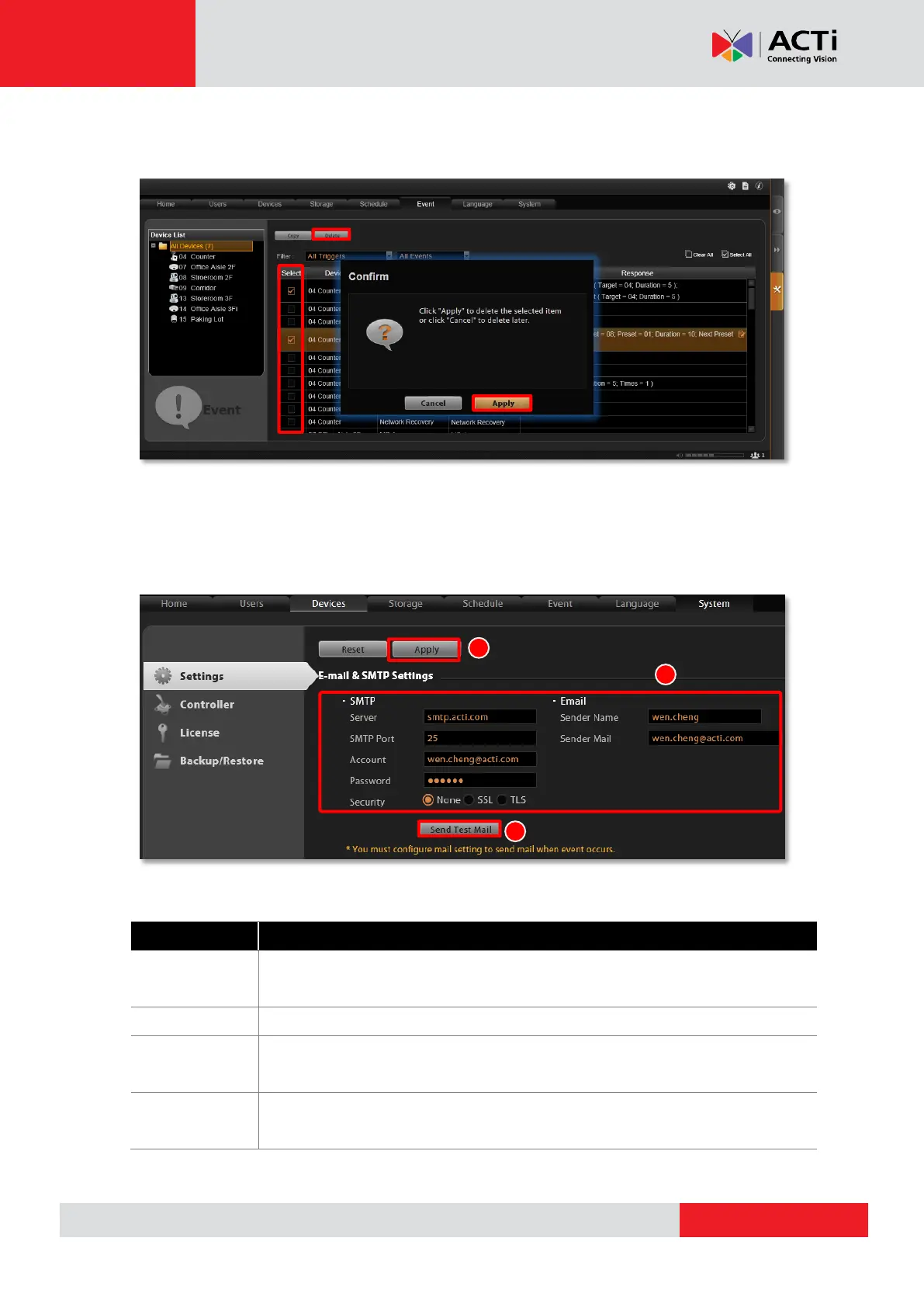
Delete the Event Rules
On Event List, select the rules you wish to delete, and then click “Delete” to clear this rule.
How to Setup SMTP Settings for Event Rules
The NVR 3.0 system supports email notification for Event Handling sent through an SMTP
server. You can specify the email and server settings here.
1. Go to Setup pageSystem tabSettings Email& SMTP Settings.
2. Fill in each of the following fields.
Input the sender’s SMTP server address. Only alphabets, numbers, and the
symbols (.), (_), (-) are valid.
Set the SMTP port. The allowed value is from 1~65535, and default is 25.
Input the name of the SMTP server account. Only alphabets, numbers, and the
symbols (@), (.), (_), (-) are valid.
Input the password of the SMTP server account. Only alphabets and numbers
are valid.



 To Next Page