MNR-310 System Administrator’s Manual
115
Set Hard Drives for the Recorded Files Deletion Rule
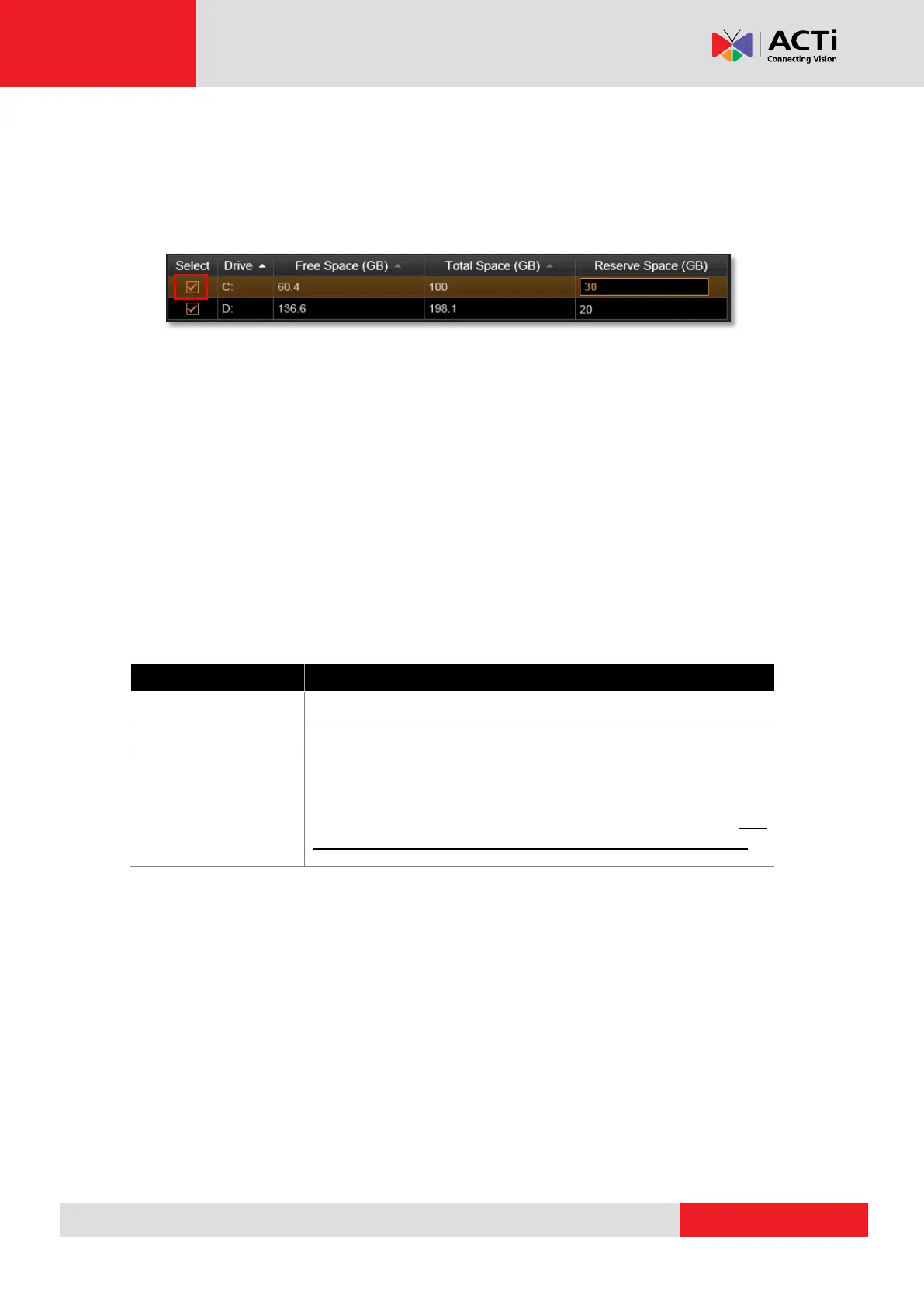
1. Disk Drive List displays the detected hard drives in the NVR server. You may select the
storage location of the recording files and set the deletion threshold. By default, the NVR
server will select C drive as storage location. It is strongly recommended that, for
MNR-310, you select other hard drives as the storage disks rather than Drive C.
2. After selecting the disk drive, please set the deletion rule. There are two ways to delete
recordings, and when both are active, the NVR server will start to delete old files when any
of the criteria is met.
(1) Reserve the recordings for a number of days, and delete files older than this period by
1 GB at a time. Please go to Setup page Schedule tab to set it.
(2) Reserve the recordings until the disk is almost full, and then delete the earliest
recording files by 1 GB at a time. The NVR server will delete old files when available space
is lower than Reserve Space you set in Disk Drive List.
When setting the deletion rule, please input a number in Reserve Space which should be
smaller than your current Free Space.
3. When finishing settings, click “Apply”.
Currently available space of the chosen disk drive.
The total volume of the chosen disk drive.
This is the amount of space to be reserved for the whole system.
Once the free space is used up as to reach the limit of reserved
space, the system will delete the earliest recordings. The
“Reserve Space” should always be smaller than “Free Space”



 To Next Page