MNR-310 System Administrator’s Manual
123
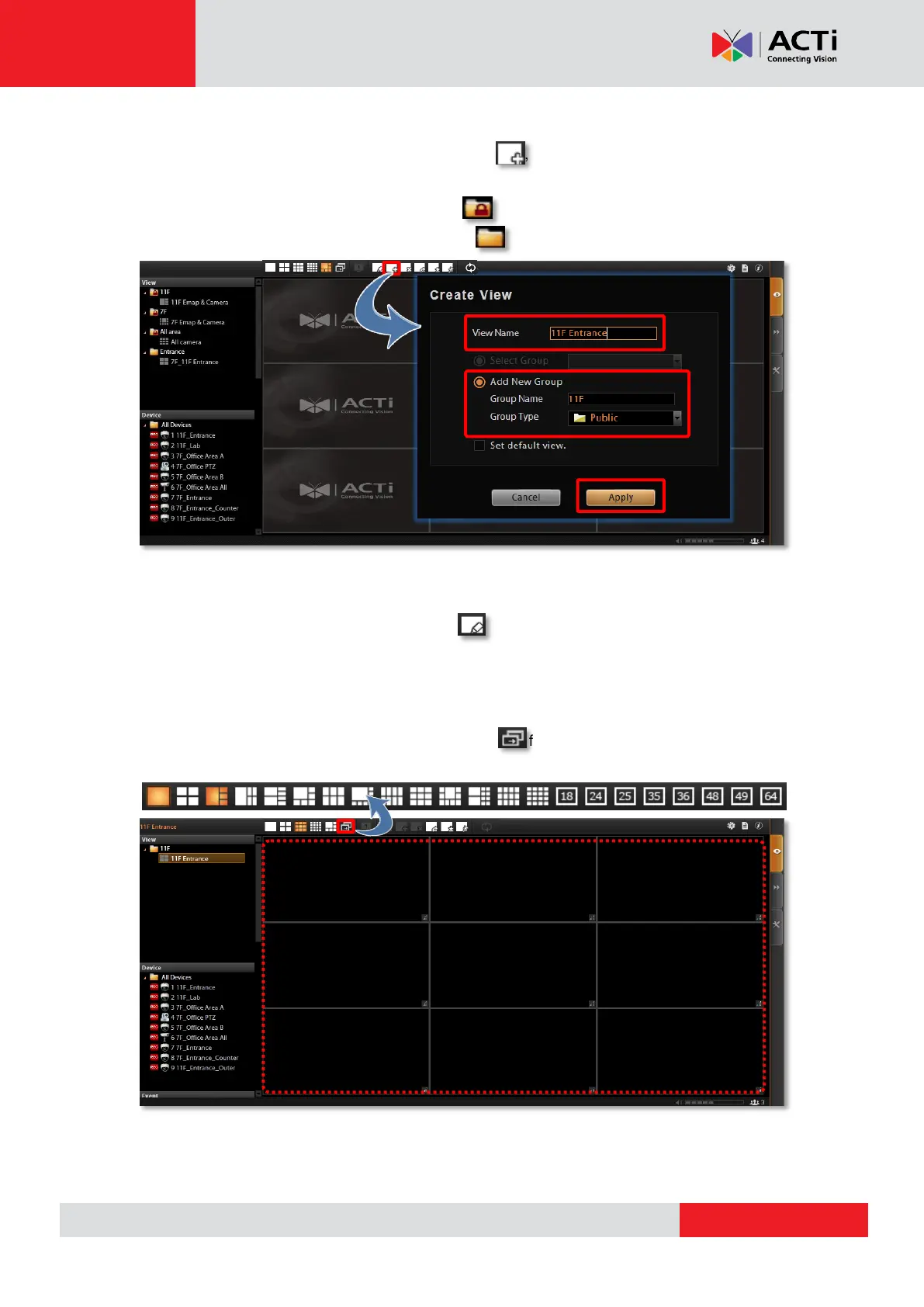
Step 1: Create a New View
On View Toolbar, click the Create View button , input the View Name, add a New
Group for this View and decide whether this group is to be Public or Private, and then click
“Apply”. The views under Private View Group are only available to the user who creates
them, while the views under Public View Group are open to every user.
Step 2: Enter Edit Mode
On View Toolbar, click the Edit View button , and this view will turn into edit mode. In
edit mode, you may add a video source to a channel, and adjust the channel size.
Step 3: Select a Layout
On Layout Selection Bar, click the Expand button for all provided layout styles. Select a
layout that is perfect for your required channel number and ideal arrangement.



 To Next Page