MNR-310 System Administrator’s Manual
95
Schedule Recordings
Unlike the traditional analog surveillance system, the IP surveillance system provides a
target-oriented recording schedule for devices; the view of each device can be recorded based
on your required time segments and event types. For example, you may have a camera
installed on the office ceiling do continuous recording during work hours, and record only upon
the triggers (incidents that detected by system) at night. In this way, the system does not waste
disk space storing meaningless parts, and you save much effort browsing playback for specific
events.
For the device’s recording schedule, the NVR 3.0 system supports Schedule recording and
Event recording modes, which are set up on a week-based timetable; the event-handling
schedule can also be configured on it. This section describes how to set up the recording
schedule for the IP cameras / video servers.
Configure the Recording File Properties
Before setting the recording schedule, you may define (1) where the recordings are stored, (2)
how long an event recording is and (3) how long a recording file will be kept in the system.
1. To set the saved recordings folder, go to Setup pageStorage tab, and make sure you
have assigned the disk drives to store recorded files. For related recording settings, please
refer to Storage Management on page 114.
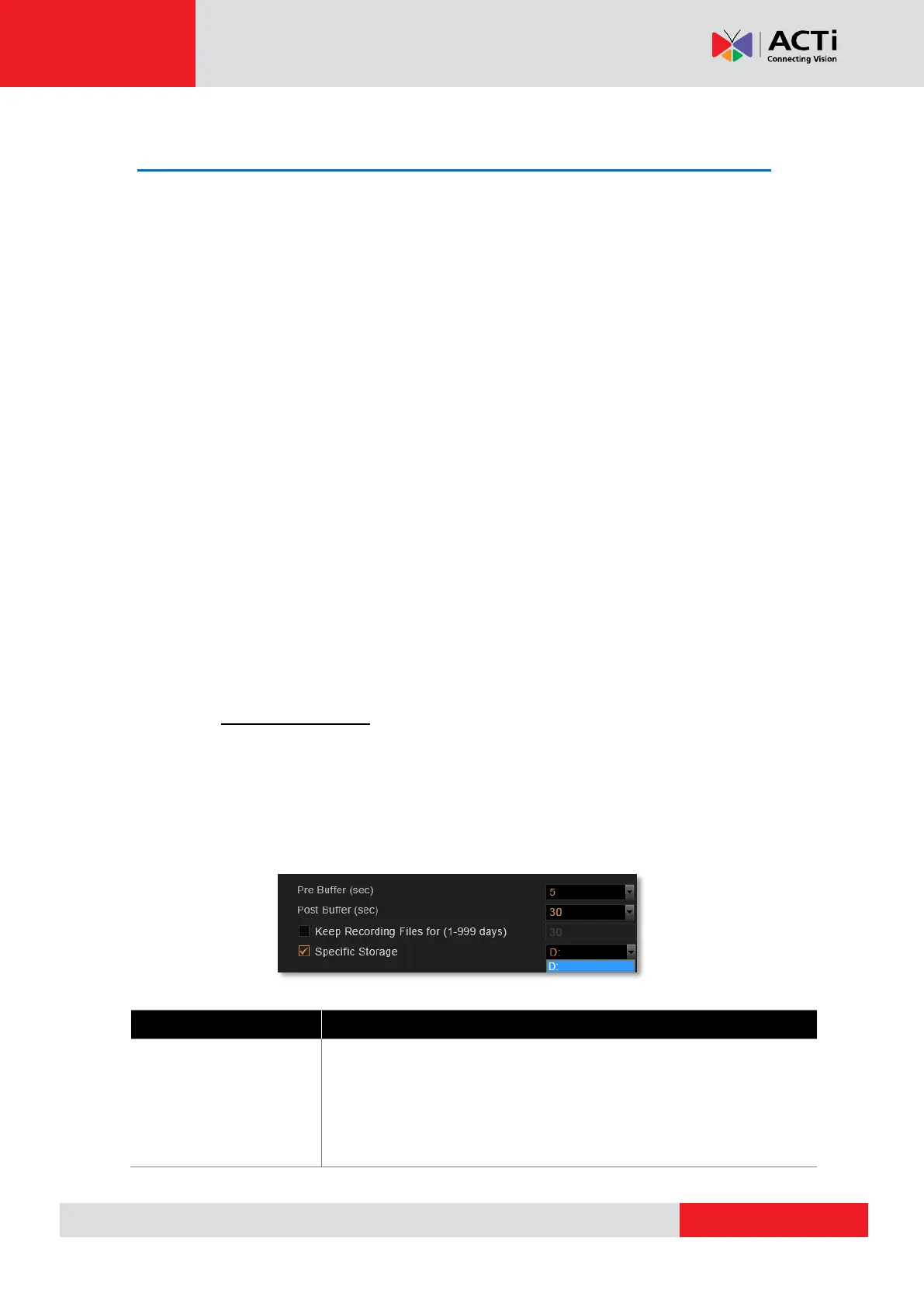
2. To define how long an event recording is and the recording’s lifecycle, go to Setup
pageSchedule tab, and select the device from Device List, and then a week schedule
will appear on the right. Configure the recording file related settings. The settings below
will make an event recording as long as 5+30 seconds, which will be kept on server for 30
days.
Attributes Explanation
Pre-event Recording
Buffer (sec):
The NVR server keeps a short cache of video received from the
devices. If an event is triggered, the NVR server will automatically
store the pre-event buffer along with the recording of the event itself.
Available choices are 0, 3, 5 seconds.



 To Next Page