MNR-310 System Administrator’s Manual
18
4G/LTE Module Installation (Optional)
For your standalone NVR, you may have purchased the additional 4G/LTE module that can
provide your NVR with 4G/LTE mobile connectivity. When installing, please make sure your
device is turned off, and follow the steps below:
Step 1: Remove the MNR’s chassis cover
Loosen and remove the six screws on the top cover. Lift up the cover to reveal the main board.
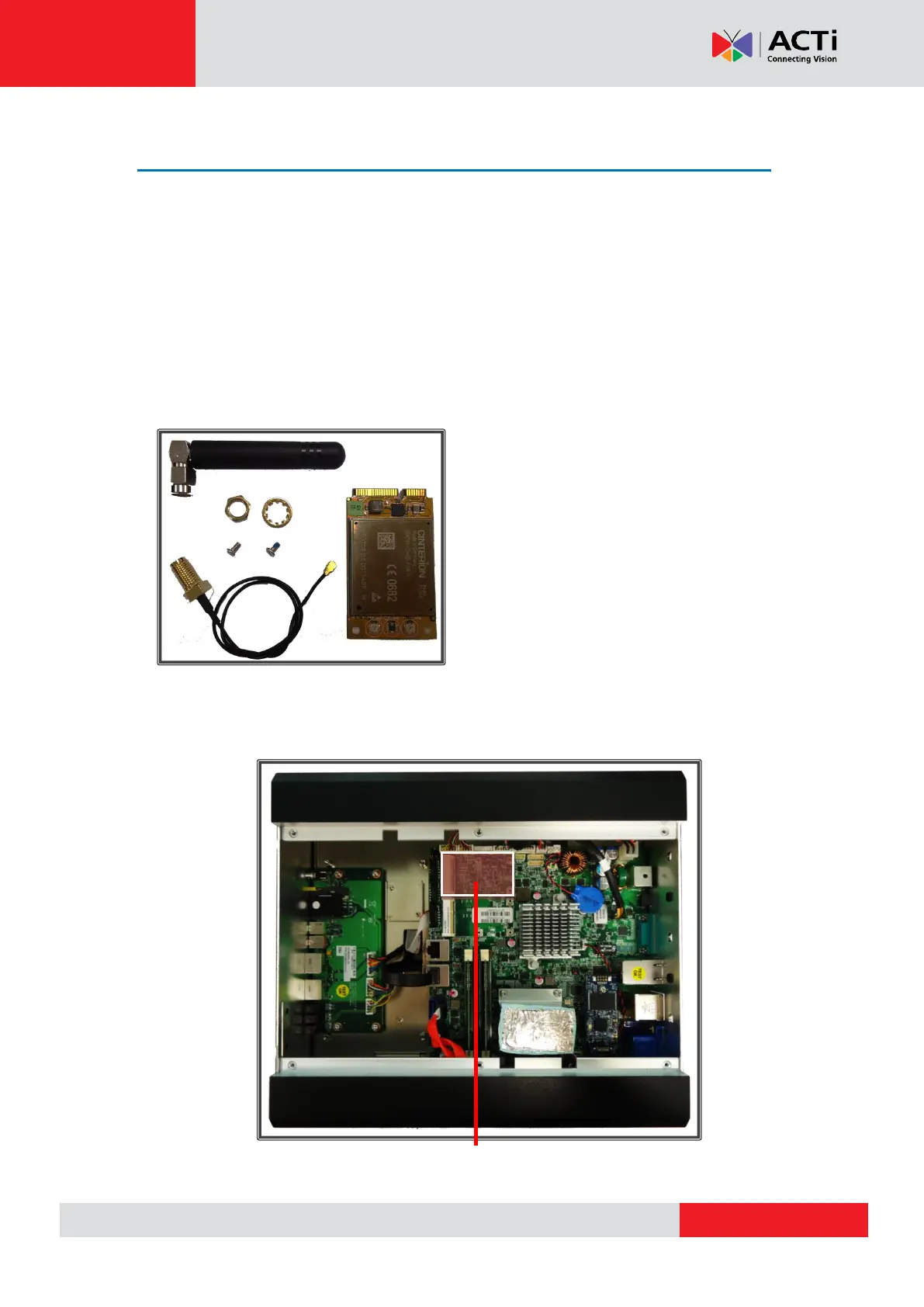
Step 2: Prepare all parts provided for your 4G/LTE module
Step 3: Locate the slot for your 4G/LTE module
4G/LTE Module x 1
Antenna x 1
RF Cable x 1
2 Rings (1 Hexagonal, 1 Circular)
2 Mounting Screws



 To Next Page