MNR-310 System Administrator’s Manual
19
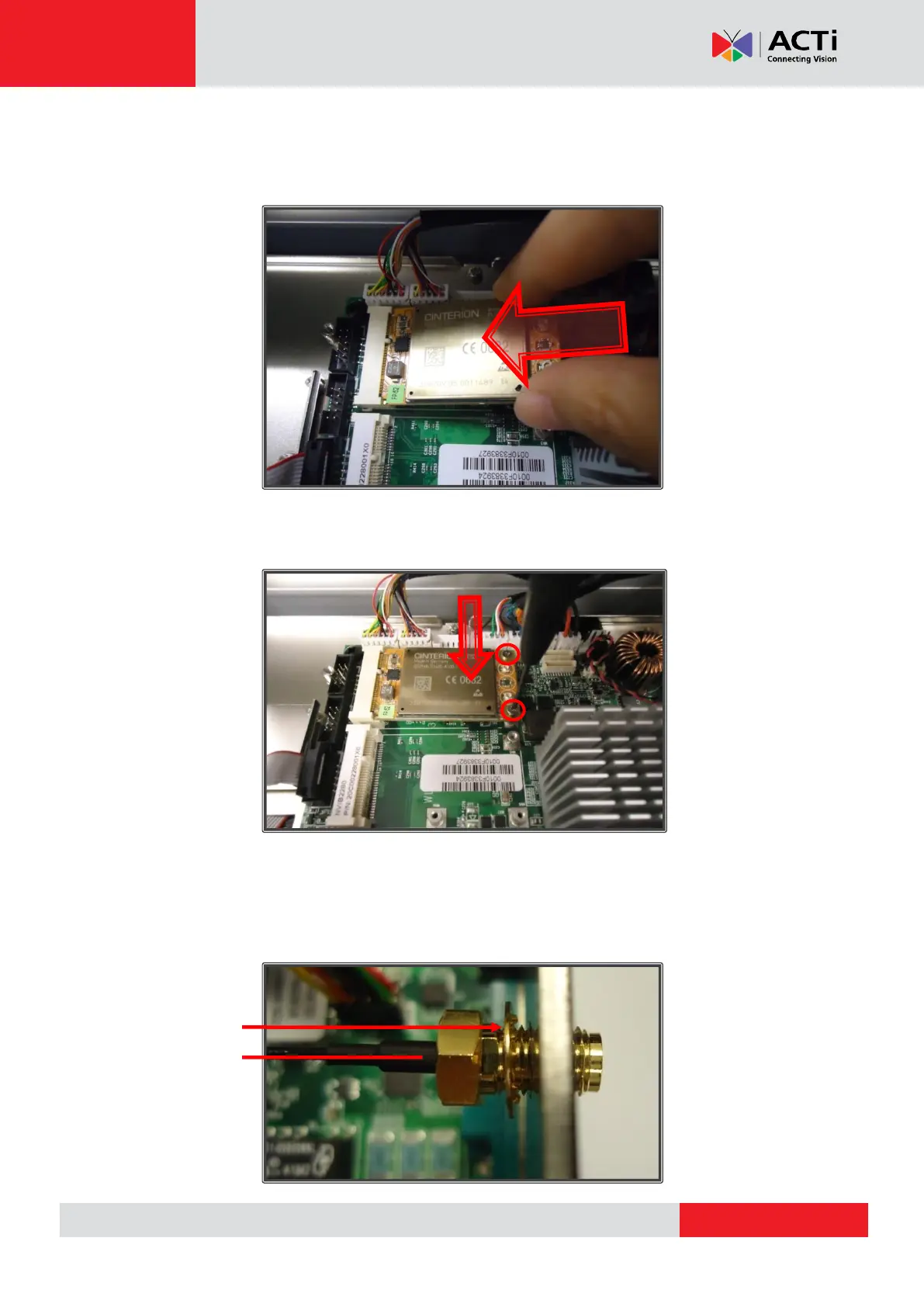
Step 4: Insert 4G/LTE module into the slot
After locating the slot for 4G/LTE, insert your module into the slot at a 45-degree angle until the
gold-plated connector on the edge of the module disappears into the slot:
Step 5: Secure the module with mounting screws
Push the module down and secure it with the two mounting screws provided:
Step 6: Insert antenna jacks into the antenna holes
Remove one of the antenna hole covers. Place the circular ring on the antenna jack of the RF
cable and insert the antenna jack into the antenna hole. Make sure the flat side of the antenna
jack is facing upwards, to slide smoothly into the antenna hole:



 To Next Page