MNR-310 System Administrator’s Manual
135
Customize System Language
The NVR server supports multiple languages for user interface display. There are already 10
translated language files in the server system. Each language is open to customization based
on your own needs. This section will describe how to choose or customize language strings for
your site.
System Languages List
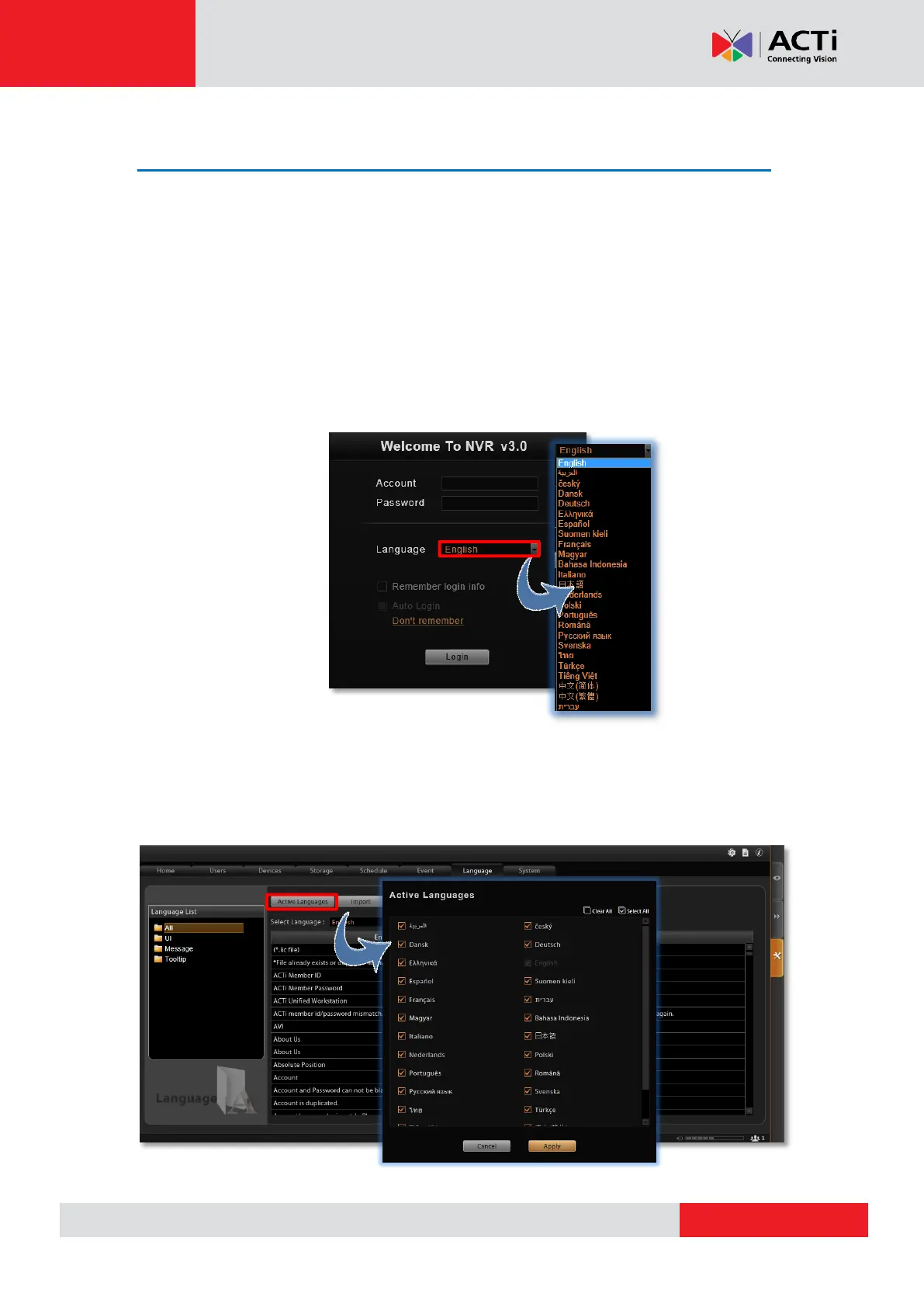
You may decide which languages to be selectable on Login screen. The chosen languages will
appear on the “Language” dropdown list.
Go to Setup page Language tab, and click “Active Languages”. On popup window, check
the languages you need, and click “Apply”. By default, all languages are selected, as the
default system language, English and Traditional Chinese are not removable from this list.



 To Next Page