MNR-310 System Administrator’s Manual
122
Customize Views
After all devices are configured, you may start customizing the views for different users and
purposes. This chapter will teach you how to add video sources, arrange the channels and
manage live view layouts.
In the NVR 3.0 system, a View refers to the layout where the live images of Cameras or Maps
are placed in the proper positions to suit the monitoring purpose. This is very similar to a
camera group, which often consists of cameras in the same physical location. For example, a
View named 11F Emap & Camera may contain the 11F floor plan and the cameras actually
installed on 11F.
On NVR Live View, a saved View remembers (1) layout style, (2) which channel to display
which camera, and (3) the fisheye view mode (for fisheye cameras only).
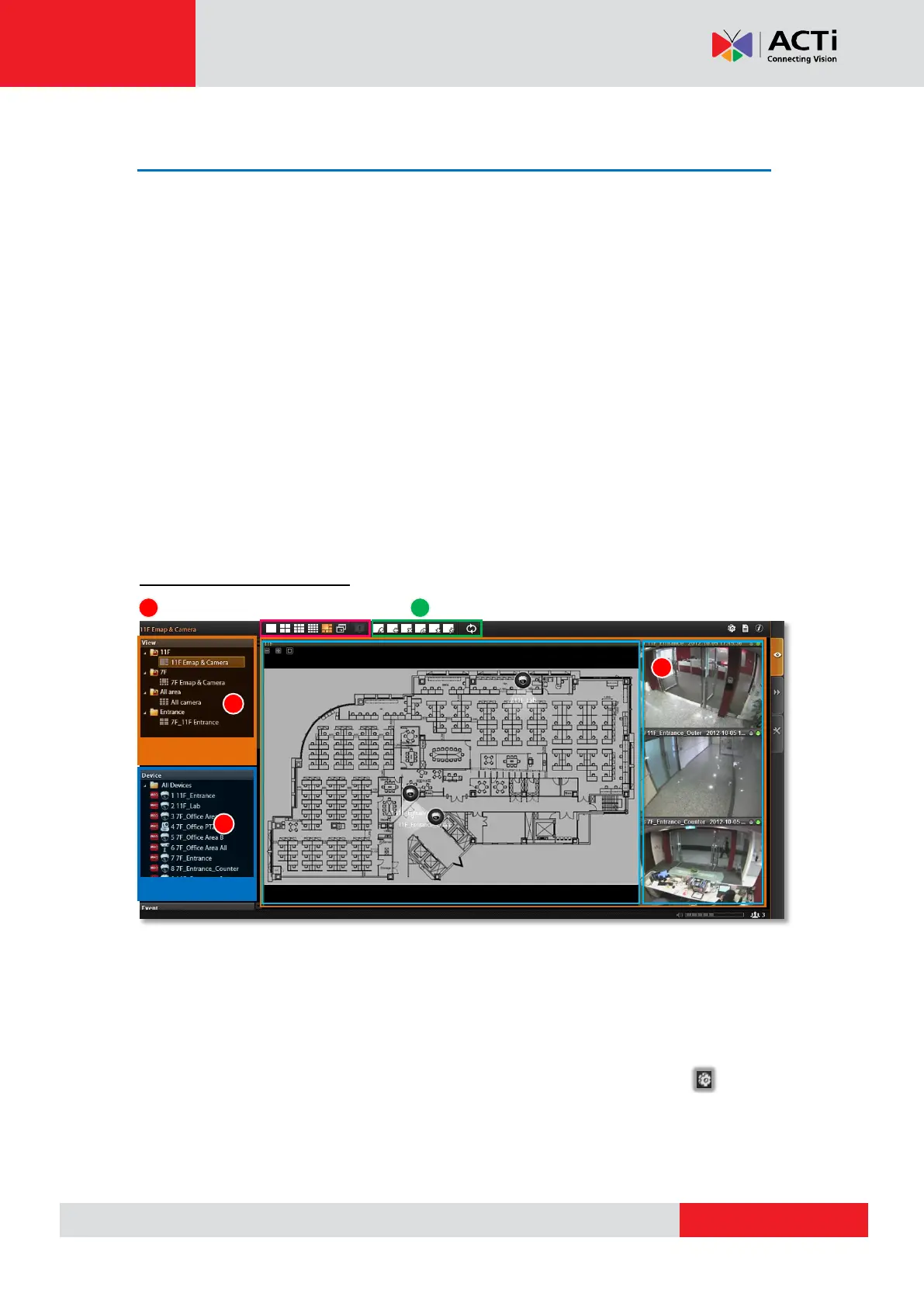
Live View interface overview
1. Layout Selection Bar: There are 24 options for layout styles.
2. View Toolbar: Choose the function keys for editing the layout.
3. Channels: Each channel window may display a camera view or a map. In edit mode, you
can adjust the channel size at will.
4. View List: All the saved Views are shown here. On Live View, you can go to
“View Manager” to group and manage these views (refer to Manage the Views on page
130).
5. Device List: In edit mode, drag the camera from here to your desired channel.
L
L
a
a
y
y
o
o
u
u
t
t
S
S
e
e
l
l
e
e
c
c
t
t
i
i
o
o
n
n
B
B
a
a
r
r



 To Next Page