MNR-310 System Administrator’s Manual
130
Manage the Views
Each View belongs to a specific View Group. With the group management, the NVR 3.0
system makes it easy to deal with Views you create for multiple users.
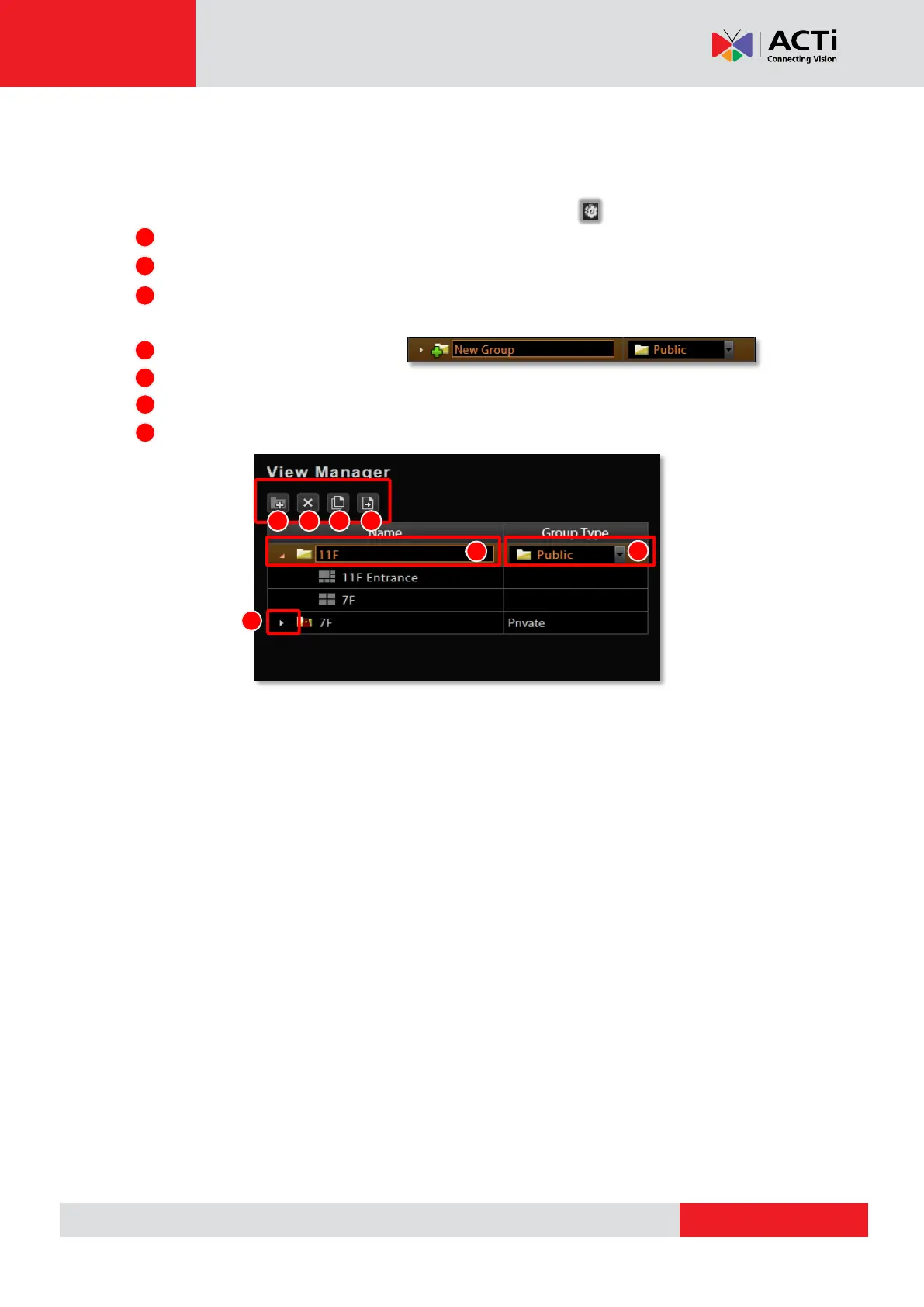
After you create and save the Views on Live View screen, click View Manager.
1. Click on the right arrow icon in front of a group folder to reveal its Views.
2. By selecting a View, you may directly modify its name in Name field.
3. You may change a group’s Group Type. Upon the change, for example, by changing a
group from “Private” to ”Public”, all the views belonging to it will be open to every user.
4. Click this icon to add a new group.
5. Click this icon to delete a selected group.
6. Click this icon to copy a selected group to another group.
7. Click this icon to move a selected group to another group.



 To Next Page