MNR-310 System Administrator’s Manual
107
Manage the Event Rules
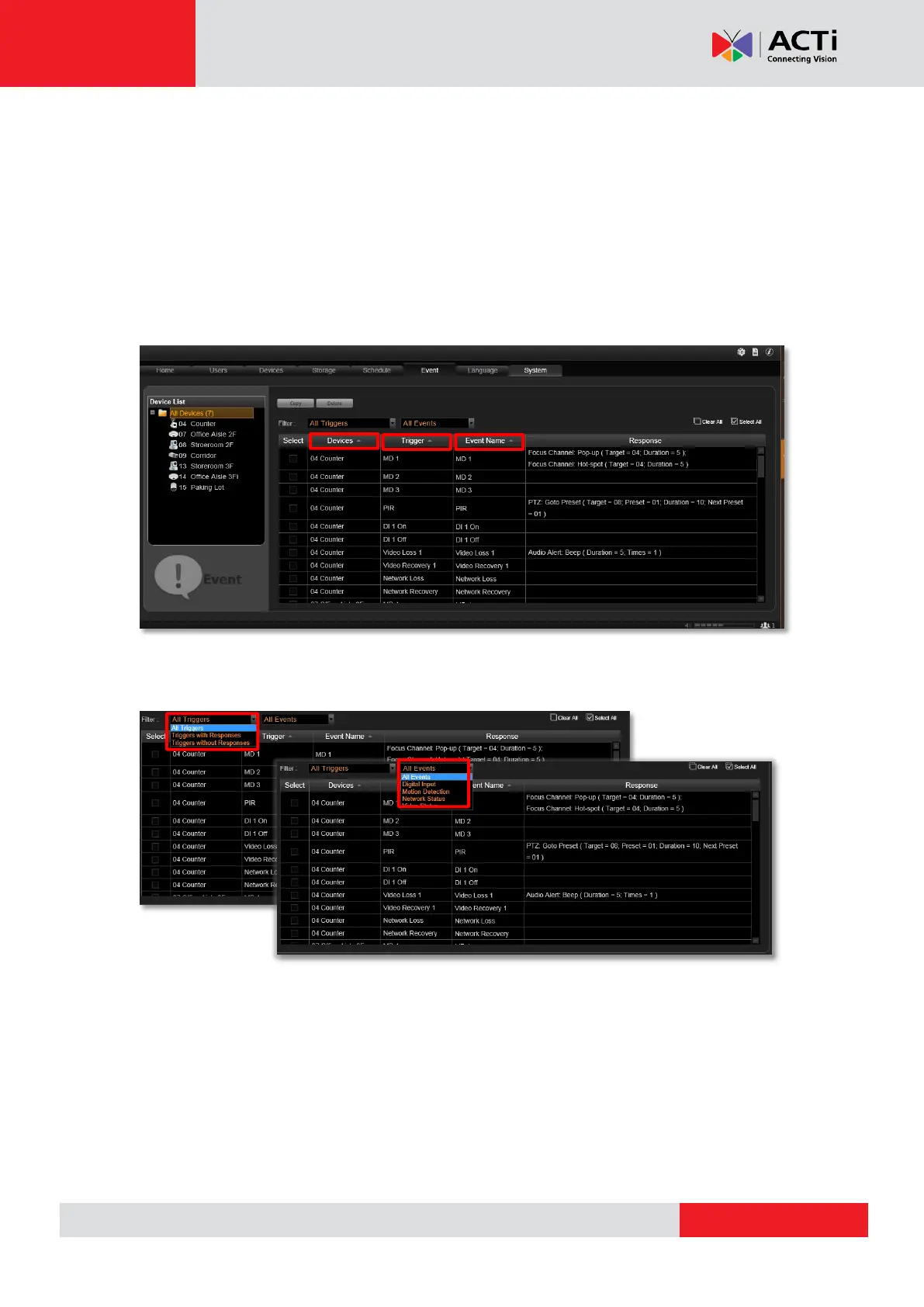
Event List panel gives an overview on event rules set on the NVR server. Go to Setup page
Event tab select All Devices on the left. As the entire available rules of all devices are
listed here, you may want to sort out some of them from the long list.
View the Event Rules
To sort by Device name, Trigger type or Event Name, click the titles to list the entries in
ascending or descending alphabetic order.
To filter out the configured events, select from the “All Triggers” dropdown list; or filter by the
event type by selecting from the “All Events” dropdown list.



 To Next Page