MNR-310 System Administrator’s Manual
101
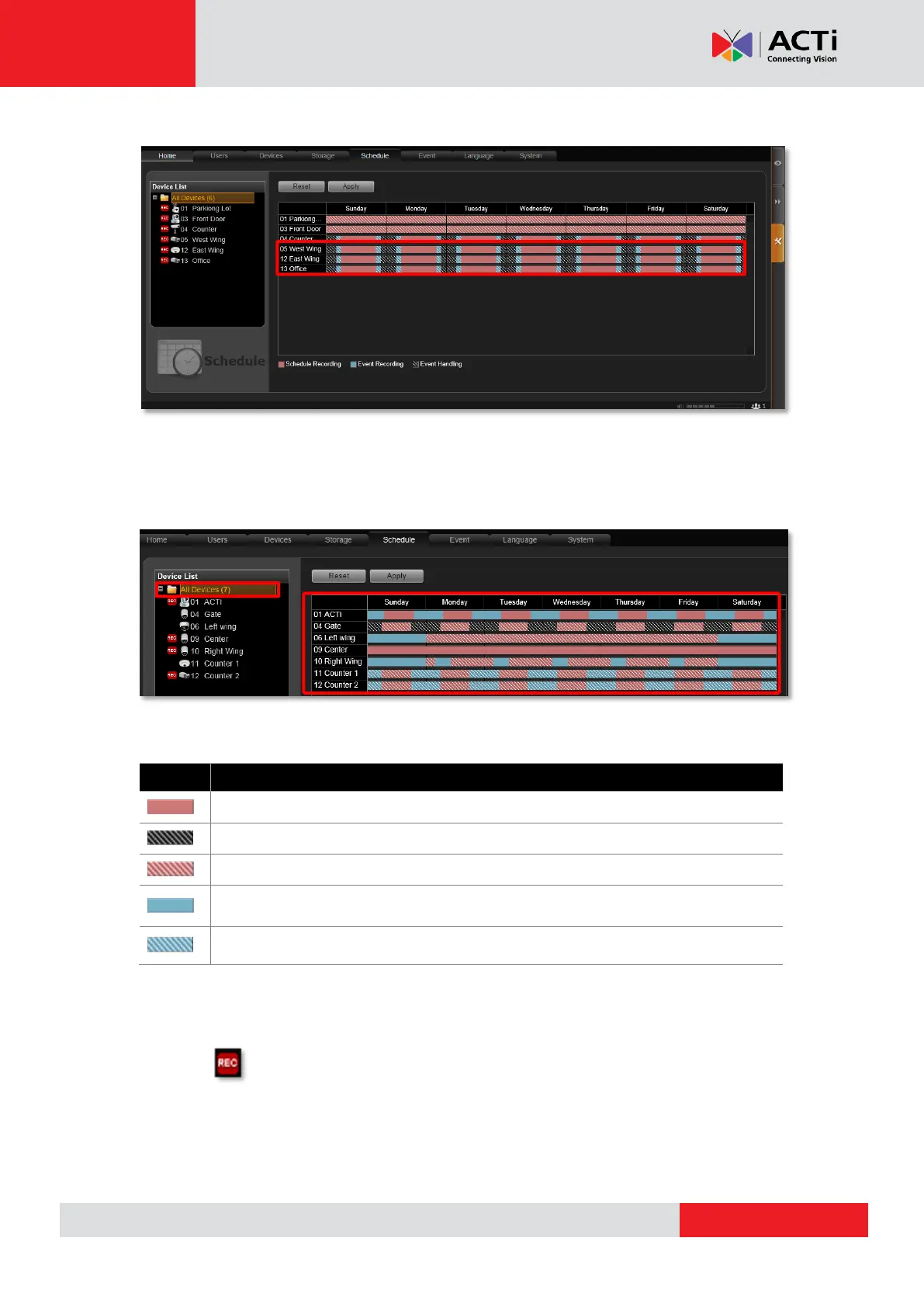
To check the result, go to Schedule tab, and click All Devices on Device List.
View the Entire Recording Schedule
On Setup page Schedule tab, click All Devices on Device List, and an overview of all
devices’ schedules will be listed on the right.
The below list explains the status of different bar patterns:
How to Know if the Recording is Proceeding?
As the recording is taking place, you can observe the status on the All Device List. There will
be an icon appearing in front of the device. In Playback, you can drag the playback bar to
current time position to check the latest recording.
Recording Function Description
Schedule recording. During this period, the system will record continuously.
Event handling. During this period, the event rules you configured are active.
Schedule recording and Event handling are both active during this period.
Event recording. During this period, only detected events (e.g. Motion/PIR ) will
be recorded .
Event recording and Event handling are both active during this period



 To Next Page