MNR-310 System Administrator’s Manual
103
How to Edit an Event Rule
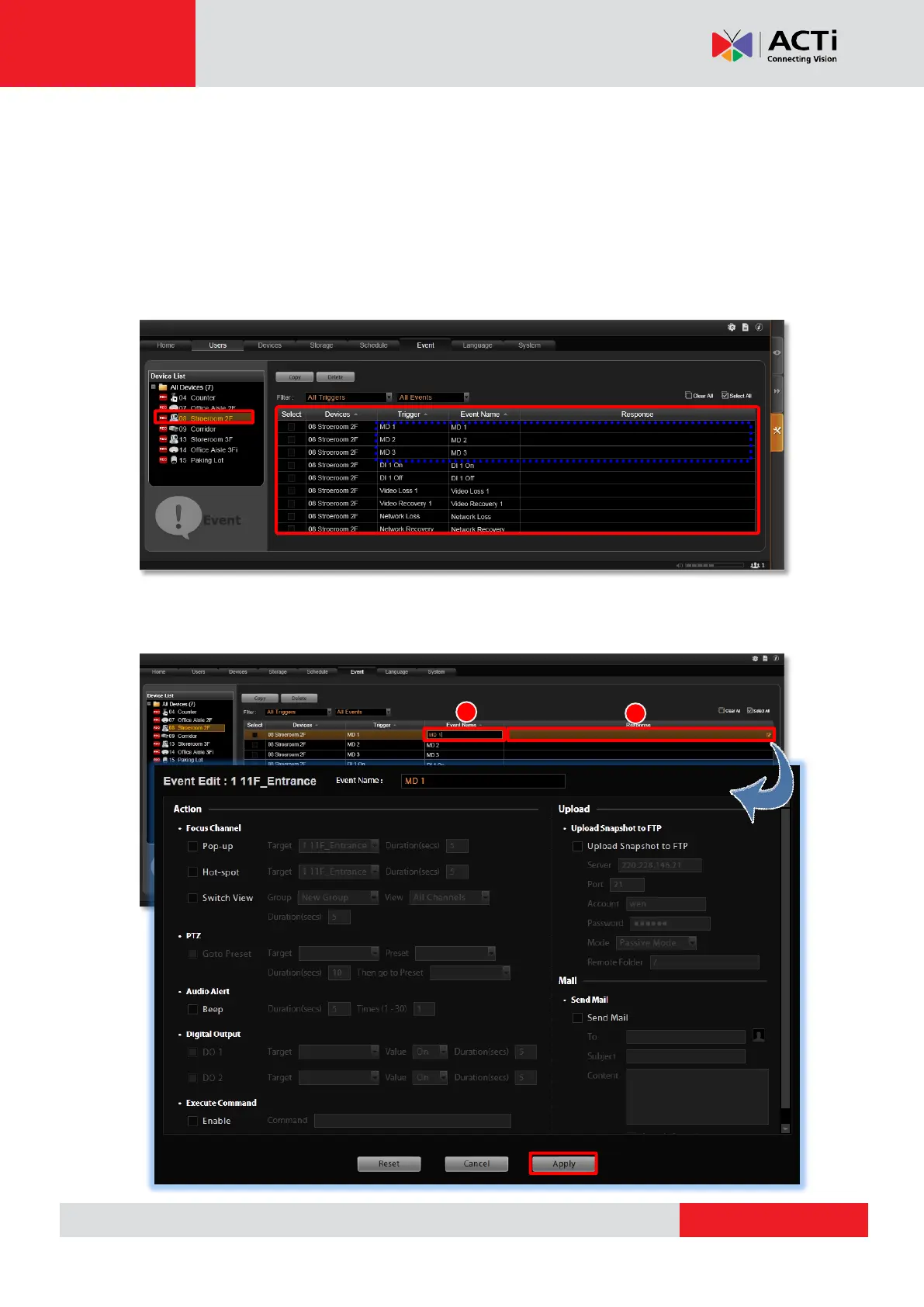
1. Go to Setup page Event tab. All the editable event rules are listed in the device ID
order.
2. Select a device from the Device List on the left. Based on the trigger types this device
supports, the corresponding events rules are listed accordingly on the right. In this
example, this selected camera model supports three motion detection regions, and hence
three MD trigger event rules are available.
3. Highlight the rule you wish to edit. Click in the “Event Name” column to edit the event
name, and then double-click the “Response” column to edit the response action.



 To Next Page