MNR-310 System Administrator’s Manual
87
Address ID represents the identity of the device, only analog devices or speed
dome cameras require this configuration. Please refer to the Address ID of the
device and choose exactly the same baud rate setting also in the NVR server.
Available value is from 1~99. By default, ACTi devices will use “1” as Address
ID, it is suggested not to change it.
How to Do Live PTZ Operation
To configure PTZ settings, you need to view the live streaming while manipulating the PTZ
controls simultaneously in this window.
There are two kinds of PTZ navigation:
Optical PTZ Navigation
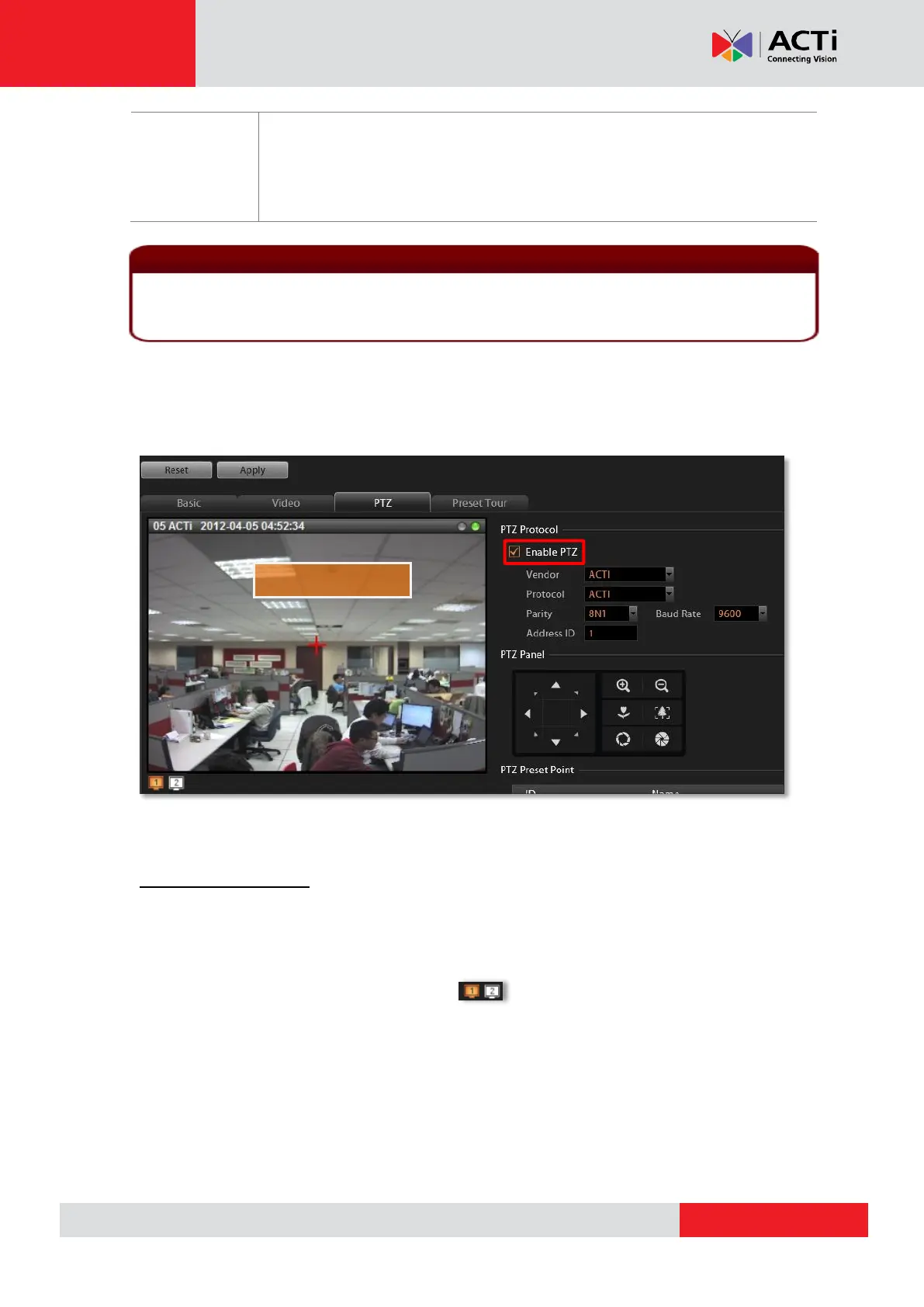
1. Get the live view from Live Preview window:
Make sure the “Enable PTZ” is checked, and a red crosshair will appear on the Live
Preview window. If the device is in Dual Stream mode, this window will always shows the
stream set for live view. You may click on to switch between the streams.
2. Use the mouse to do the following PTZ operations:
To execute optical Panning and Tilting, click anywhere on the live window to allow the
camera to move in that direction. The length of the direction indicator is proportional to
the Pan and Tilt speed. The farther you place the cursor from the center, the faster the
Pan/Tilt movement.
Note that the functions supported for devices connected using ONVIF are live streaming and
adjustments to video image settings.



 To Next Page