MNR-310 System Administrator’s Manual
124
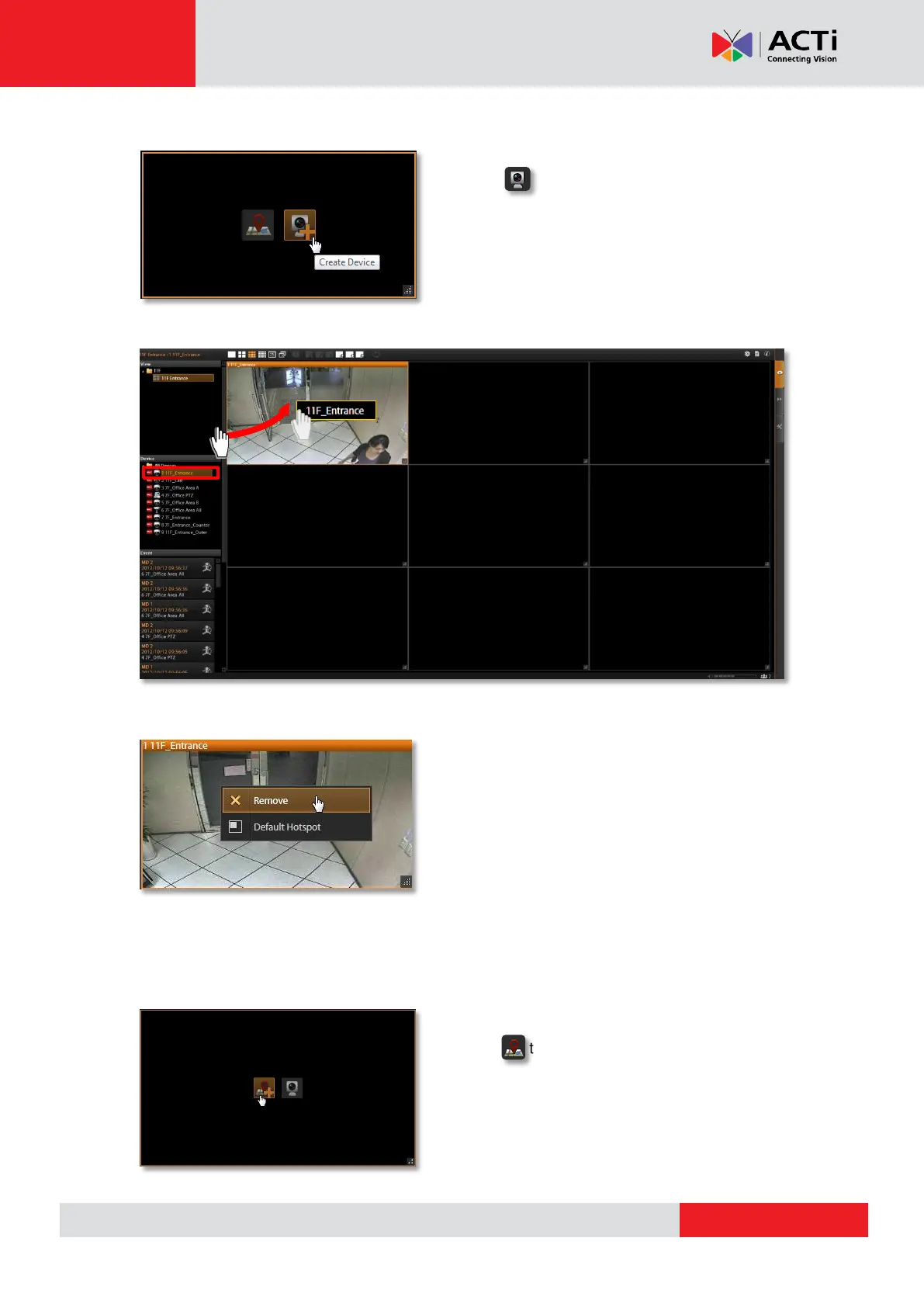
Step 4: Add Video Source
In edit mode, move the mouse over the channel
and click . You may also directly pull a
camera from the Device panel to your desired
channel.
Remove the camera view: right-click on the channel and select “Remove”.
Step 5: Add a Map
By adding a map, you put a picture on the channel, where you may place camera icons to
make it an “e-Map.
In edit mode, move the mouse over the channel
and click to upload a map. Please input the
Map Name, select the image location (file format
must be JPG) and click “Apply”.



 To Next Page