MNR-310 System Administrator’s Manual
109
Certain webmail providers provide the SSL/TLS-encrypted SMTP connections
to secure your data when sending/receiving emails. Please check if the SMTP
connection settings you use (especially the SMTP Port) now require either SSL
or TLS to be enabled.
Input the name or title of the sender. You may input a name different from the
account name.
Input the sender’s email address, and it should the same account you set for
SMTP server.
3. As all necessary information is filled in, click “Send Test Mail” to try sending an email
according to your settings, and then log in to your SMTP server to check incoming emails.
If the test email is sent successfully, the NVR server is ready to send out emails.
4. As the settings are confirmed, click “Apply” to save.
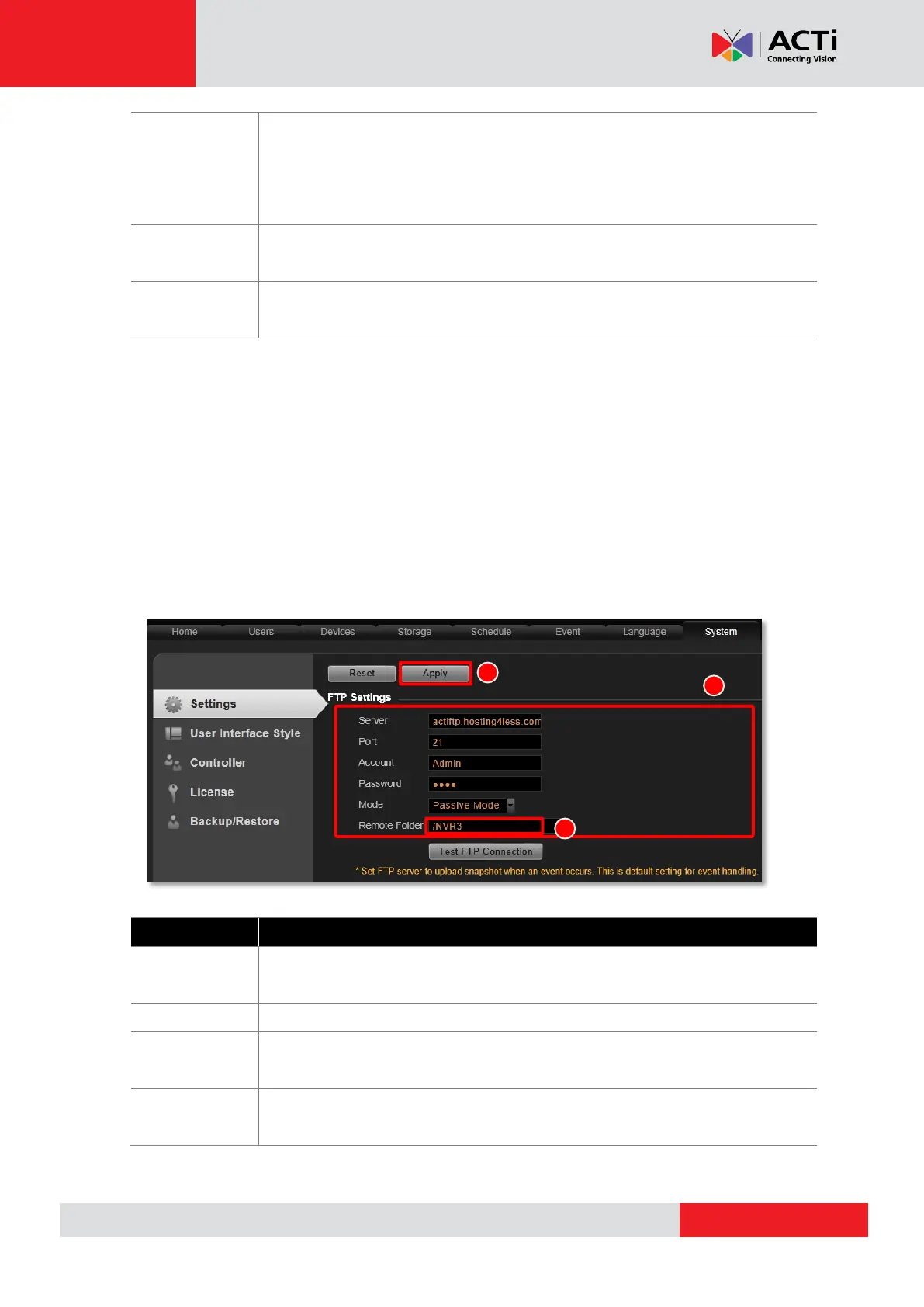
How to Setup FTP Settings for Event Rules
The NVR 3.0 system supports uploading snapshots to FTP servers for Event Handling.
You can specify the email and server settings here.
1. Go to Setup pageSystem tabSettings FTP Settings.
2. Fill in each of the following fields.
Input the FTP server address. Only alphabets, numbers, and the symbols (.),
(_), (-) are valid
Set the FTP port. The allowed value is from 1~65535, and default is 21.
Input the name of the FTP server account. Only alphabets, numbers, and the
symbols (@), (.), (_), (-) are valid.
Input the password of the FTP server account. Only alphabets and numbers
are valid.



 To Next Page