MNR-310 System Administrator’s Manual
111
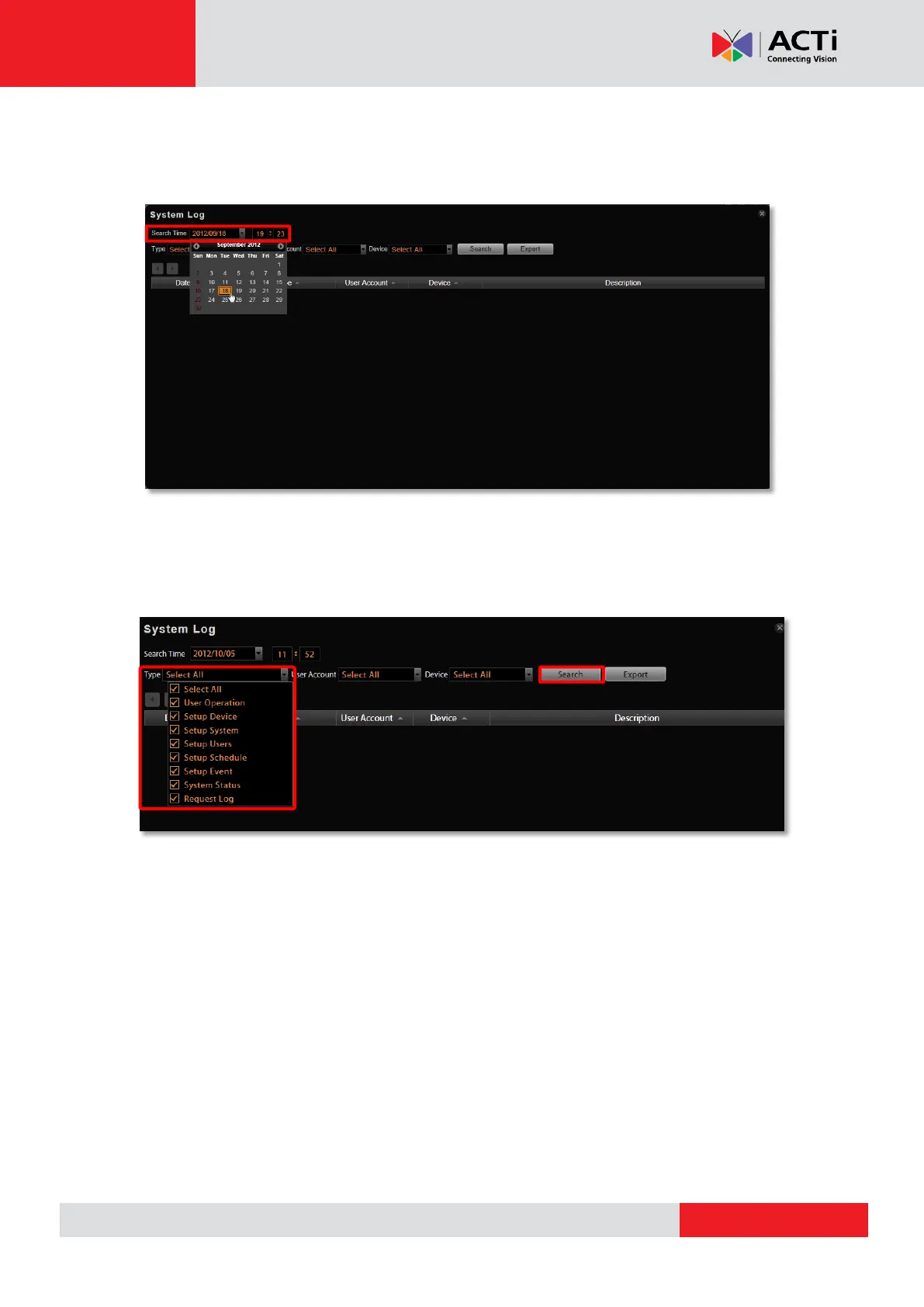
Define Search Time
You need to first define the time of the logs you would like to search for. On Search Time bar,
define the date and time. Default is your current client time.
Choose Log Type
You may filter the logs by Type, User Account, and Device by selecting from the dropdown
list, and then click “Search”. By default, all types are selected.



 To Next Page