MNR-310 System Administrator’s Manual
119
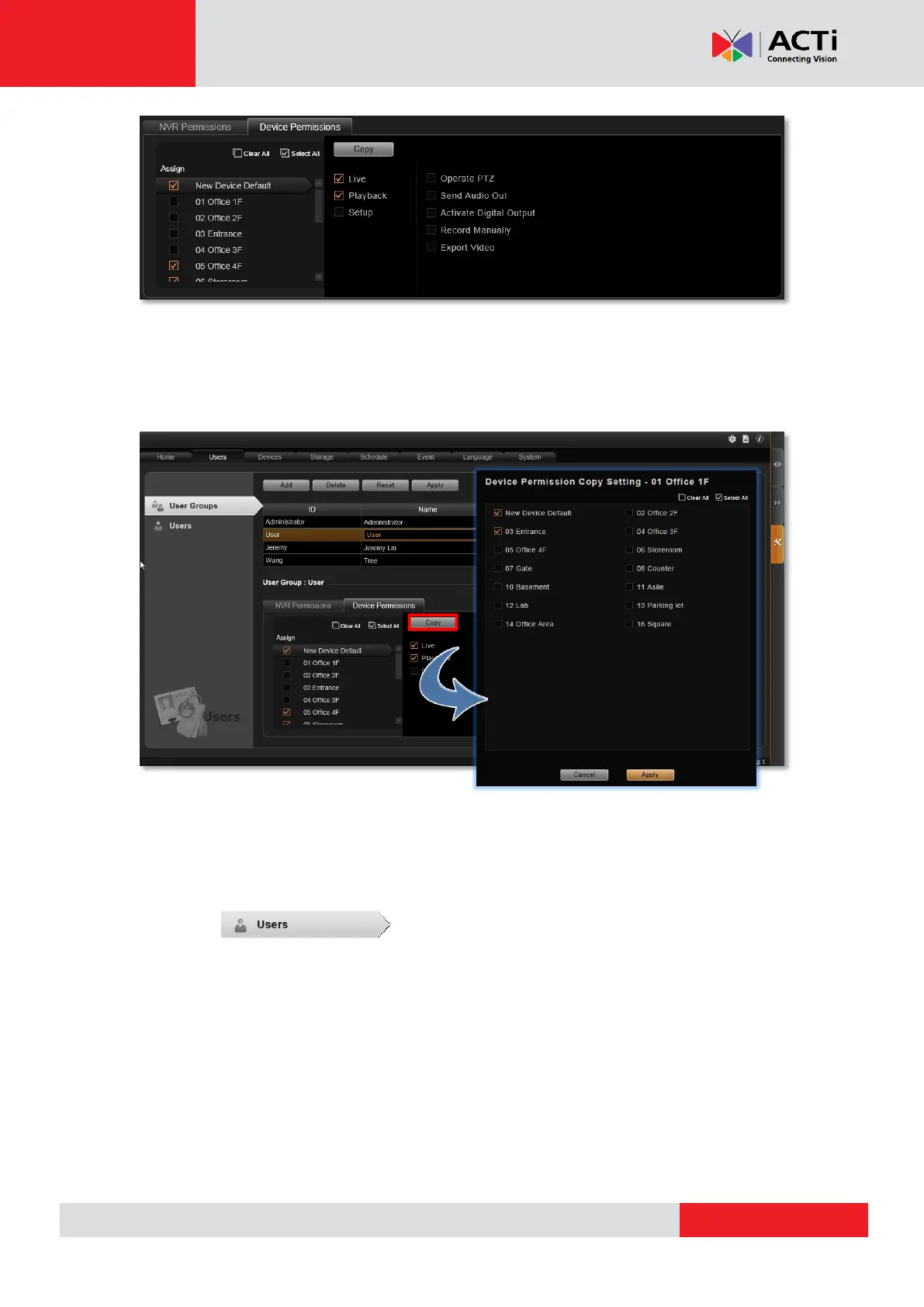
You may copy the Device Permissions Settings to other devices. Click “Copy” under
Device Permissions tab to bring up the target device menu, check the target devices, and
click “Apply”.
Click “Apply” on top to save the settings.
Add Users
To create a user account with on NVR server, please follow the below steps.
1. Select , and click Add button.
2. Choose Customized User or Domain User for the User Type.
Customized User: an account created and managed on the NVR server only. You will
input an account name, its password and email address for this user.
Domain User: an account that already exists in Active Directory database within the
domain. Since this is an existing account in your domain, you will have to select this
account from Account dropdown list.
3. Insert user account, name, password, and the account e-mail (For Customized User).
4. Assign this newly registered user account to a specific user group.
5. After you click “Apply”, this new user will be added to the list on top.



 To Next Page