MNR-310 System Administrator’s Manual
118
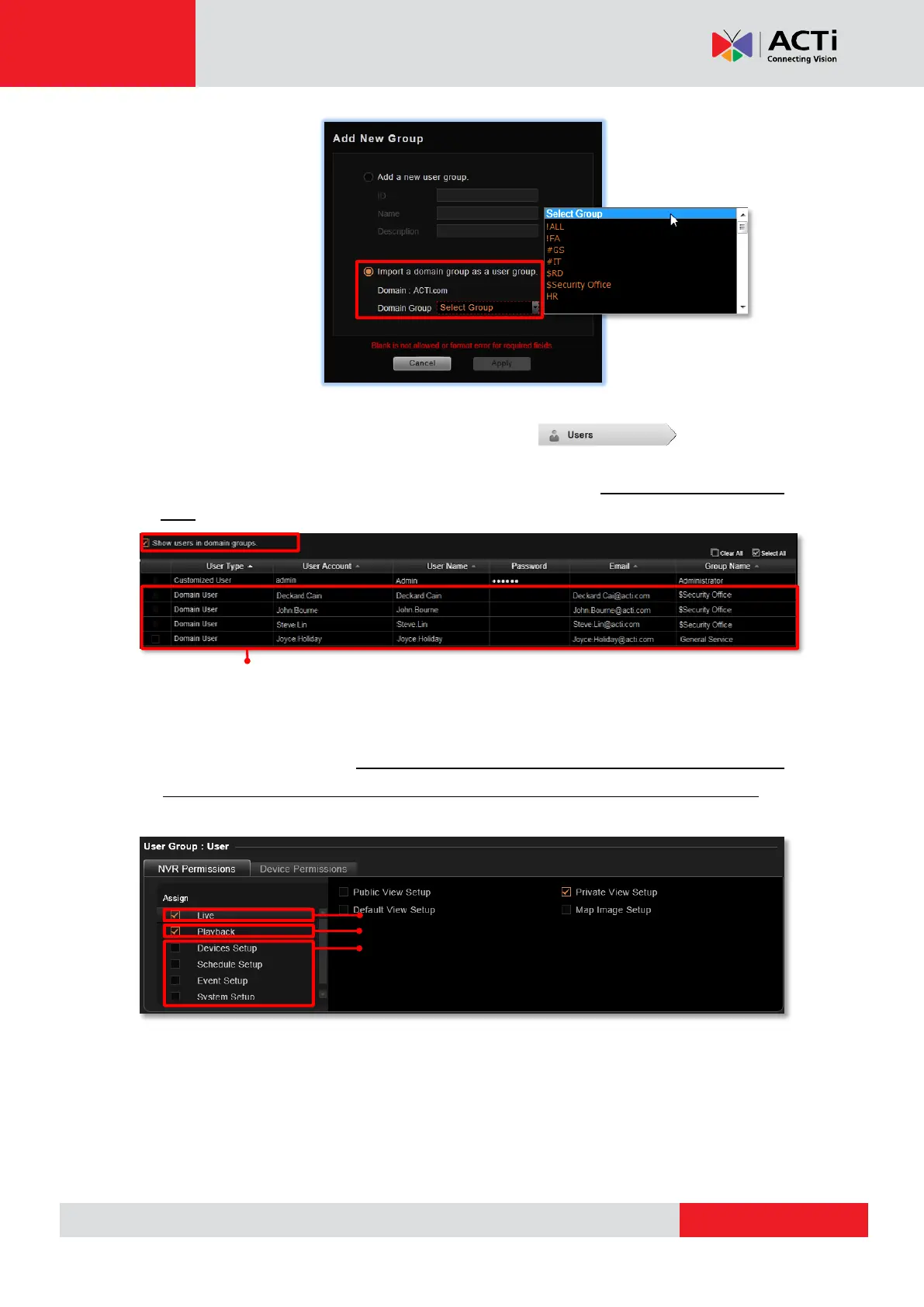
The domain users within that group will all be added to the NVR server at the same time. To
view the whole users within this group, please select and enable the
“Show users in domain groups.” The account information of these domain users, unlike
those user accounts you add one by one to the NVR server, are not editable on Users
page.
2. Assign NVR Permissions for the created group. This will define what functions this user
group is allowed to access. By default, a new user group will initially be allowed to access
only Live View page and Playback page without any permission to any device setting, so
you will have to assign the device permissions later.
3. Assign Device Permissions for the created group. This will define which devices this user
group is allowed to access. If this user group is allowed to access all newly-added devices,
check “New Device Default” and edit the permissions, and these default settings will be
applied to any device added in the future.
Live View page
Playback page
Setup page
Domain users added as a whole group.



 To Next Page