MNR-310 System Administrator’s Manual
31
Hard Disk Installation
For video recordings, you should install at least ONE certified 2.5-inch SATA hard disk. Be sure
to use the hard disk models ACTi has tested to be compatible with MNR-310, and it is strongly
recommended that you use hard disks of the same model and capacity. You may find the
certified models via http://www.acti.com/hddselector.
The actual necessary space depends on the number of devices, recording and event rules
settings. To get an approximate value, you may use ACTi software tool Bandwidth & Storage
Calculator at http://www.acti.com/storagecalculator.
You can install up to 2 disks in to Storage Disk Bays.
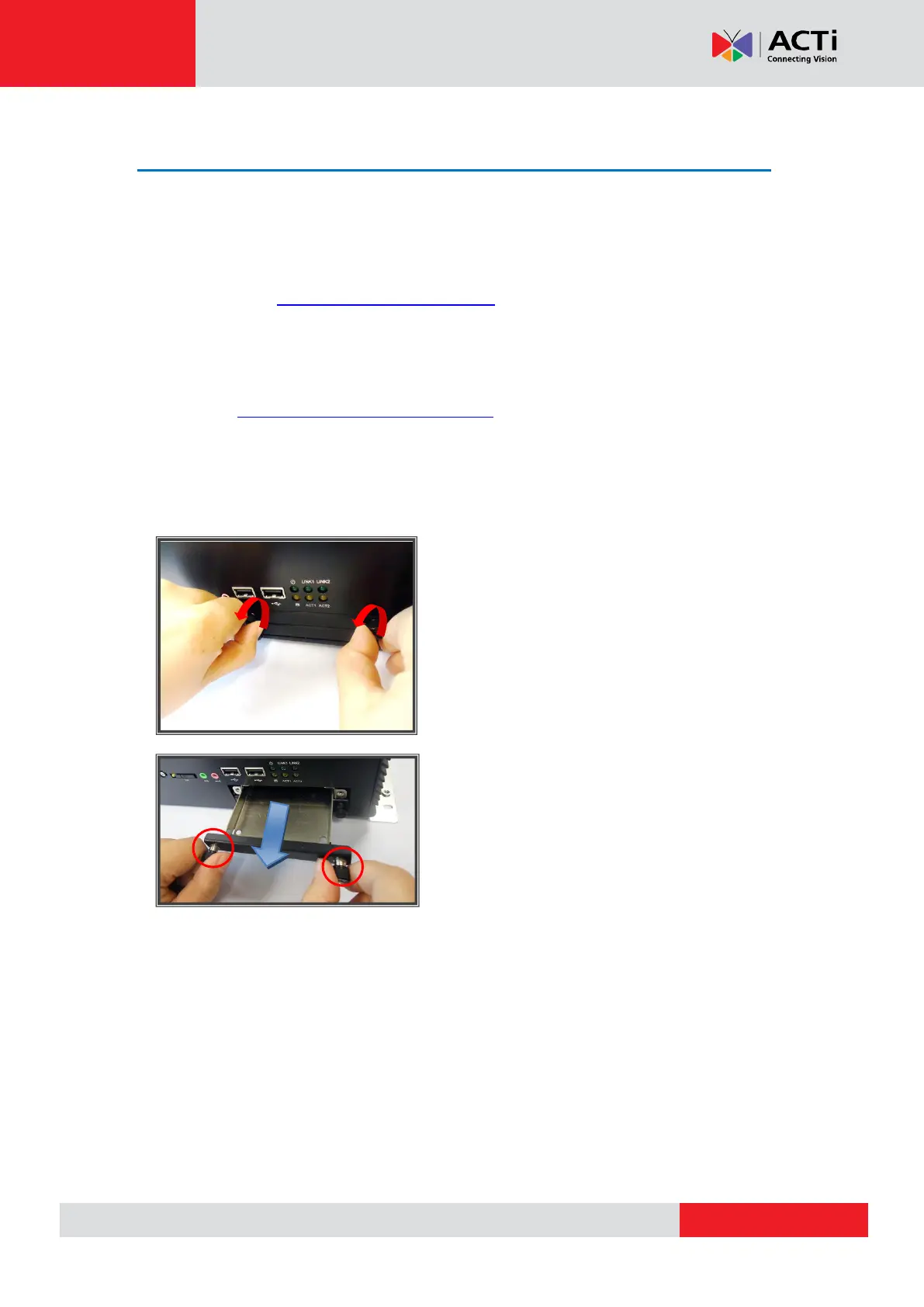
Step 1: Remove the Tray
Loosen the two hand screws by turning them
counter-clockwise
Once they are loosened, pull the empty tray out



 To Next Page