MNR-310 System Administrator’s Manual
149
Restore System Data
Before starting restoring the system, make sure you already have the backup file (.xml).
Please follow the below steps to restore the configuration.
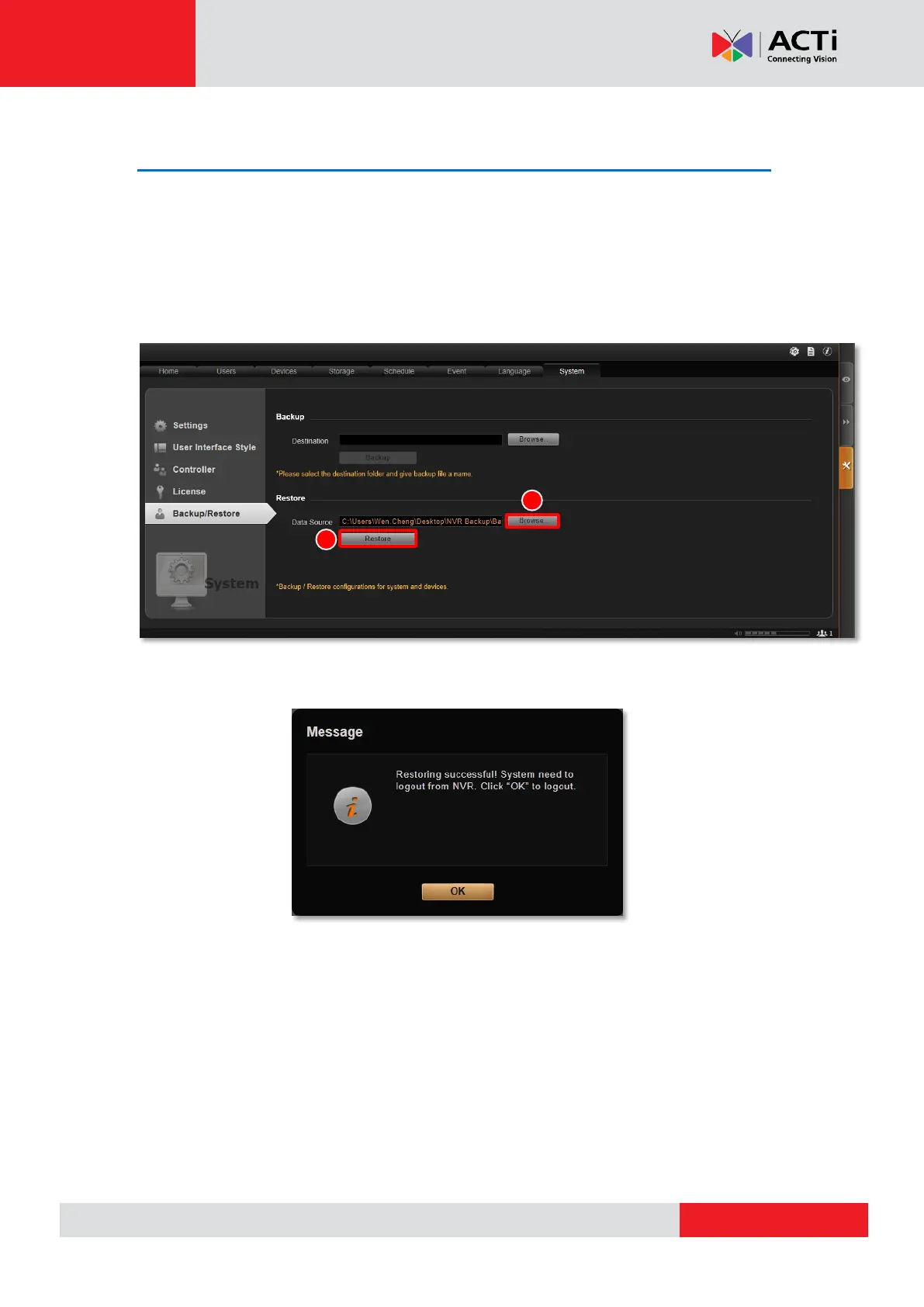
1. Go to Setup page System tab Backup / Restore.
2. In Restore section, click “Browse” to select the backup file, and then click “Restore” to
start restoring the settings.
3. The restoring process requires logging out of the NVR server. After restoring is done, you
may log in using your previous user account properties.



 To Next Page