MNR-310 System Administrator’s Manual
139
Video & Snapshot Export Configurations
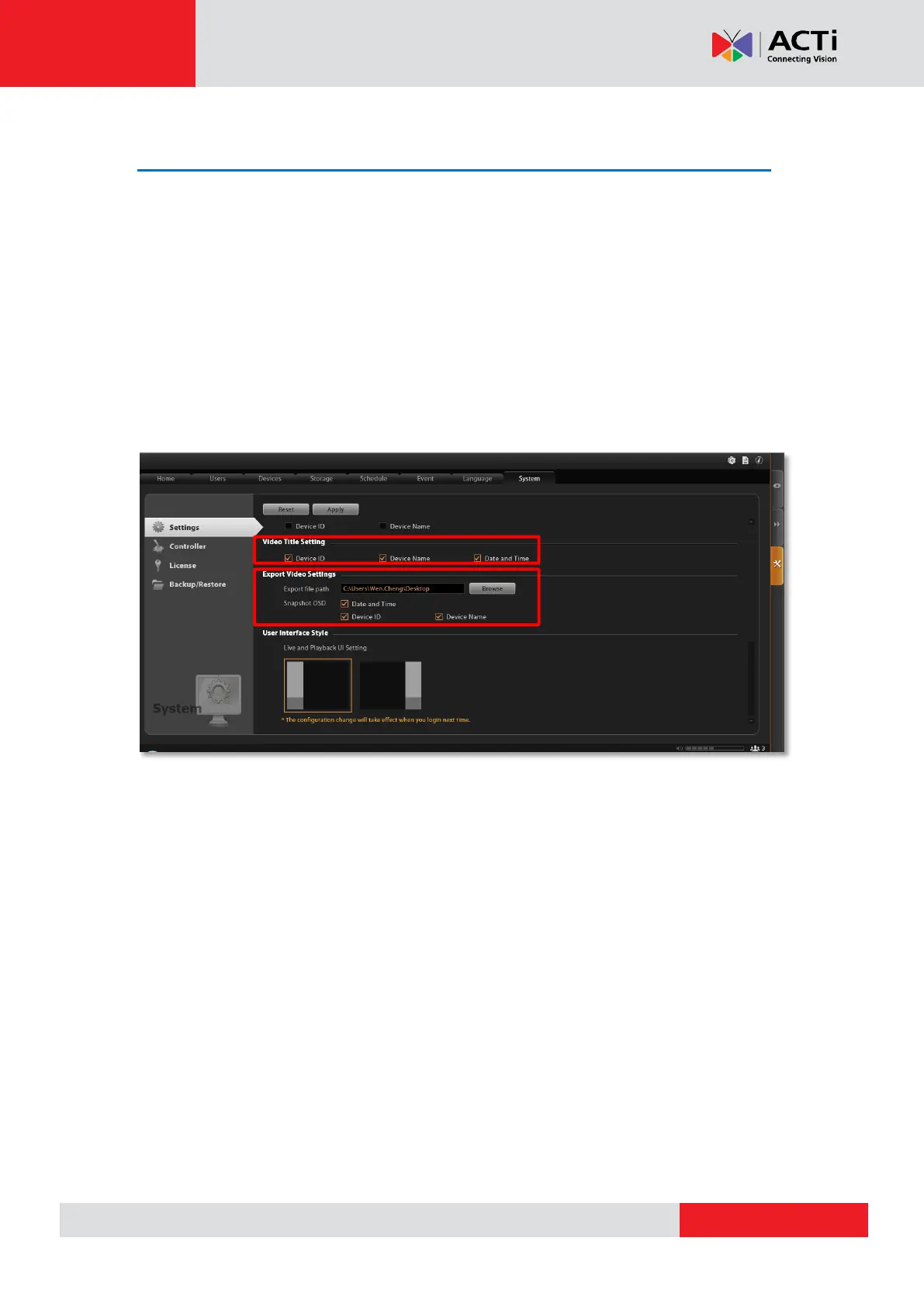
The snapshots taken by users on Live View and all exported video files are saved to a default
file location, and you may configure the destination on the NVR server. Go to Setup
pageSystem tabSettings. In Export Video Settings section, click “Browse” to choose
the Export file path.
You may also want to define what information to be printed on each snapshot by checking the
items Date and time, Device ID and Device Name.
These configurations will take place after you click “Apply”.



 To Next Page