MNR-310 System Administrator’s Manual
97
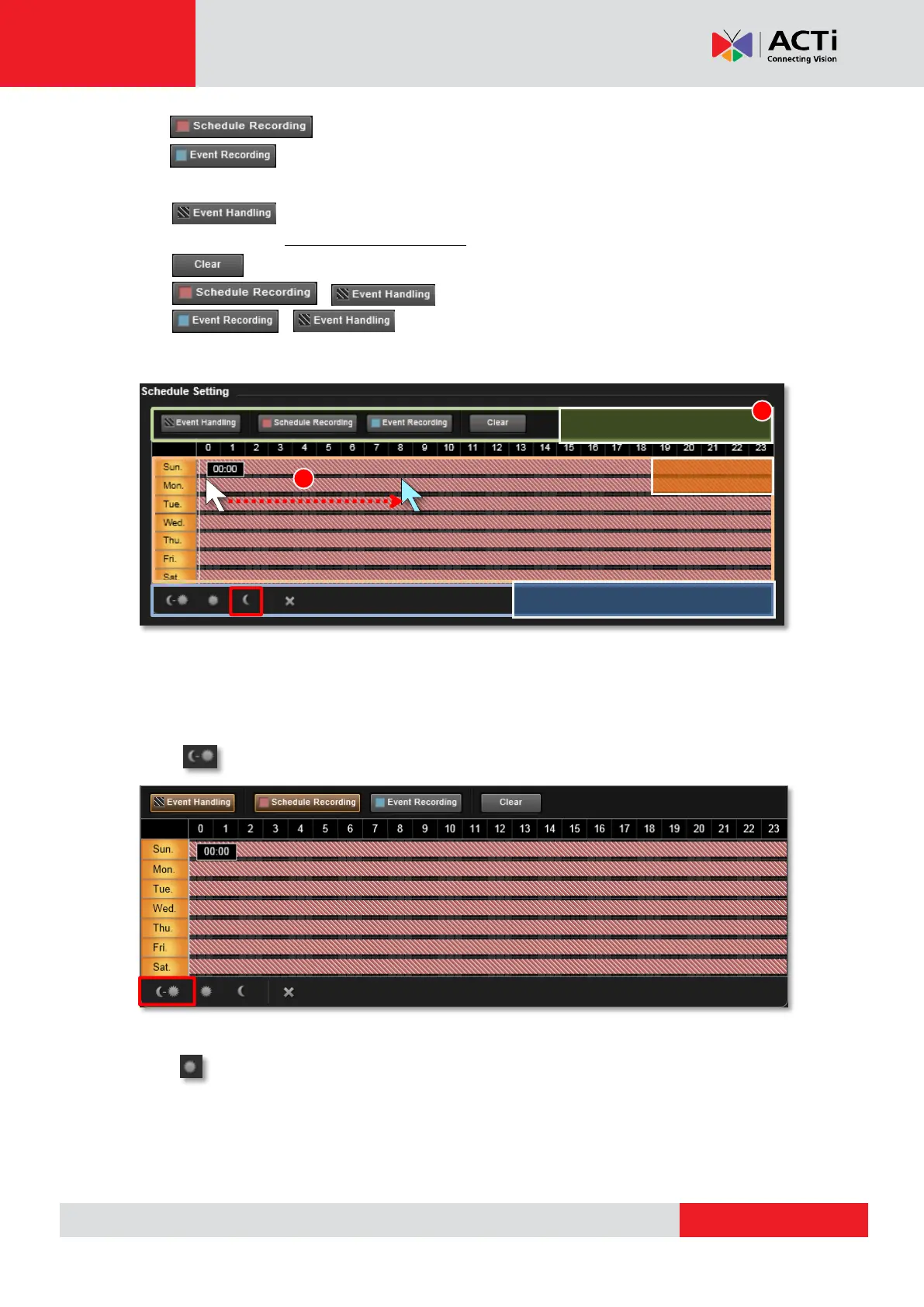
: Continuously record that channel.
: Record a period of the detected motion event. Please make sure you
have configured the motion settings on Setup page Device tab beforehand.
: Event handling is activated.
(Please refer to How to Edit an Event Rule on page 103 for Event Rules settings)
: Clear the setting
+ : Continuous recording with event handling
+ : Event recording with event handling
2. Click and drag over the “Time Track” to set time period.
Use Time Setting Quick Buttons to Set the Time in One Click
Select the recording mode, and then click one of these buttons to apply the mostly-used time
settings.
Click to apply schedule for all day.
Click to apply the schedule from 06:00 to 18:00 every day with the settings for the rest
of the time track being cleared.
Time Setting Quick Buttons



 To Next Page