MNR-310 System Administrator’s Manual
112
Read the Log
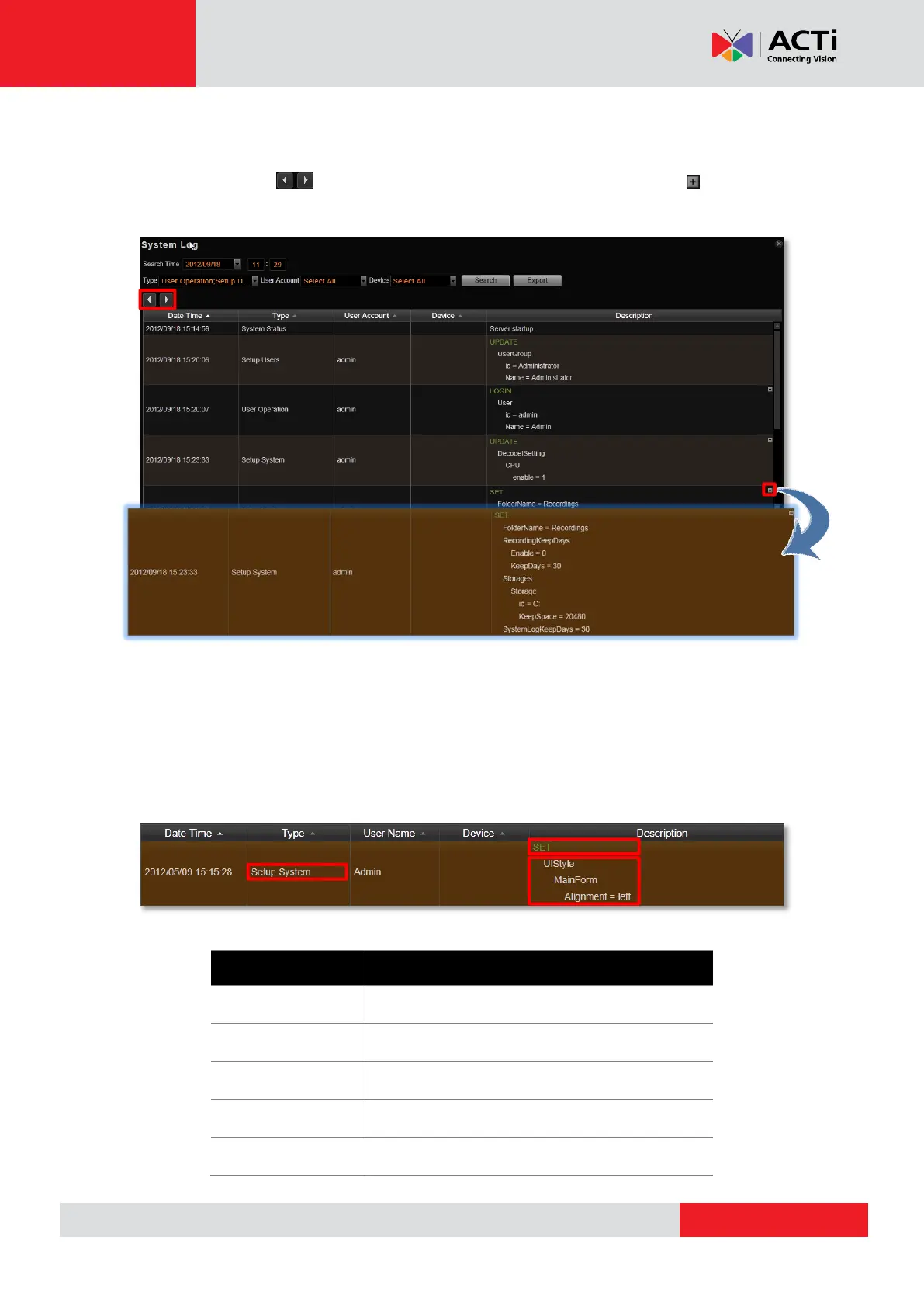
The search result will show 1000 records before and after your query time. You may click the
pagination buttons to navigate earlier or later records. If there is an icon on the right
top corner of an entry, click it to view the full description content.
6
A log entry contains several kinds of information including Date Time, Type, User Account,
Device and Description. Check Type and Description fields to know what the user has done
or what happened to the whole system. Type field shows what major functions user engaged
in, and Description field narrates how the change was done (in green font color, uppercase)
and the result (in white font color).
The following user behaviors are recorded in the NVR server:
Login, Logout, Manual Record,Trigger DO
Recording Configure, Storage System Setting
User – Add, Delete, Modify
User Groups – Add, Delete, Modify



 To Next Page