MNR-310 System Administrator’s Manual
129
2. After the fisheye mode is selected, click the entire channel or a region of interest.
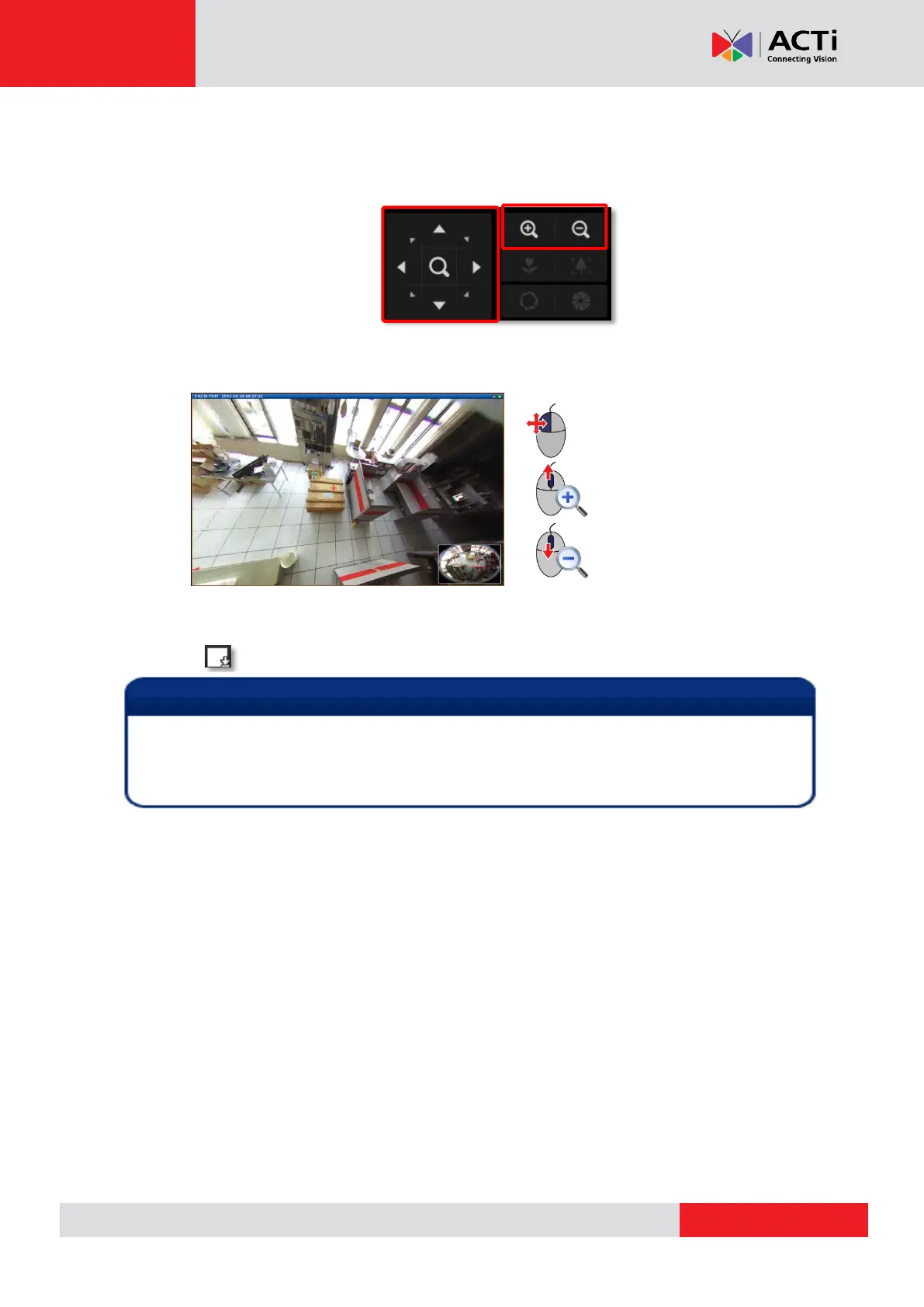
Use PTZ Panel controls to operate PTZ movements:
Click the mouse anywhere on the view to pan/tilt, and scroll the mouse wheel to zoom
in/out.
To reset the ePTZ navigation area back to default viewing angle, right-click to bring up
channel menu, and then click “Reset”.
3. click on View Toolbar to save the configuration.
ePTZ Controls on PTZ Panel
Once a channel is changed to any of the following fisheye modes, Dewarping, Panorama,
Double Panorama, Panorama/Focus or Quad, the resolution of this live stream will become
1920x1080, while the NVR server still records the live stream at the resolution you set on Setup
page.



 To Next Page