MNR-310 System Administrator’s Manual
132
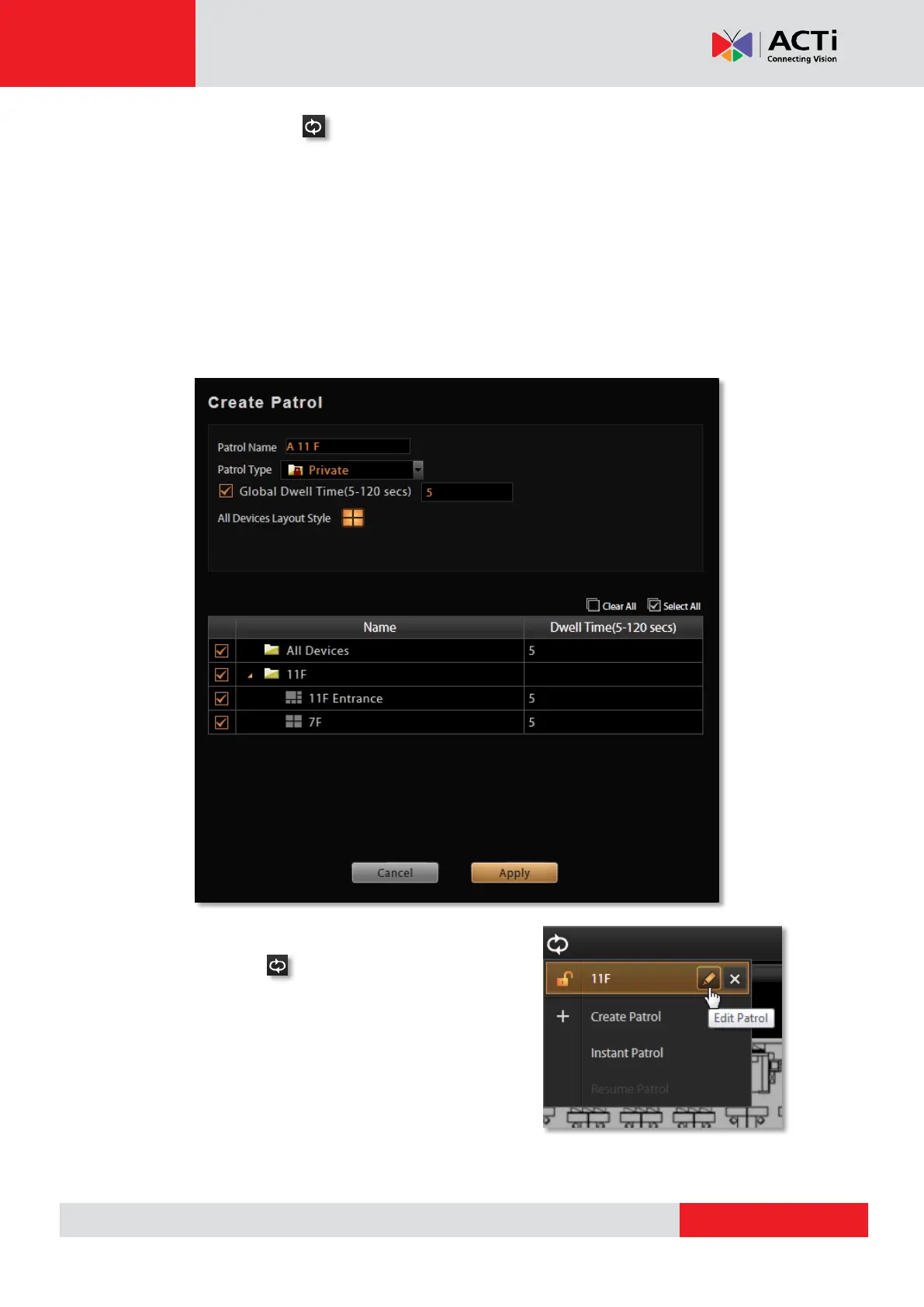
On View Toolbar, click and select Create Patrol.
1. Input the Patrol Name
2. Select the Patrol Type to be either available for all users or to the creator’s account only.
3. Define the Global Dwell Time between the views. If you want to set different dwell time
length for individual Views, do not check this option, and configure them separately in the
table below.
4. Choose the Views to display in patrol. If you select the All Device group, you will also
need to select “All Device Layout Style” for it.
5. Click “Apply” to save the settings.
6. The saved patrols will be shown on the patrol list
after you click on View Toolbar. You may delete
and edit a saved patrol or select it to start patrolling.



 To Next Page