MNR-310 System Administrator’s Manual
143
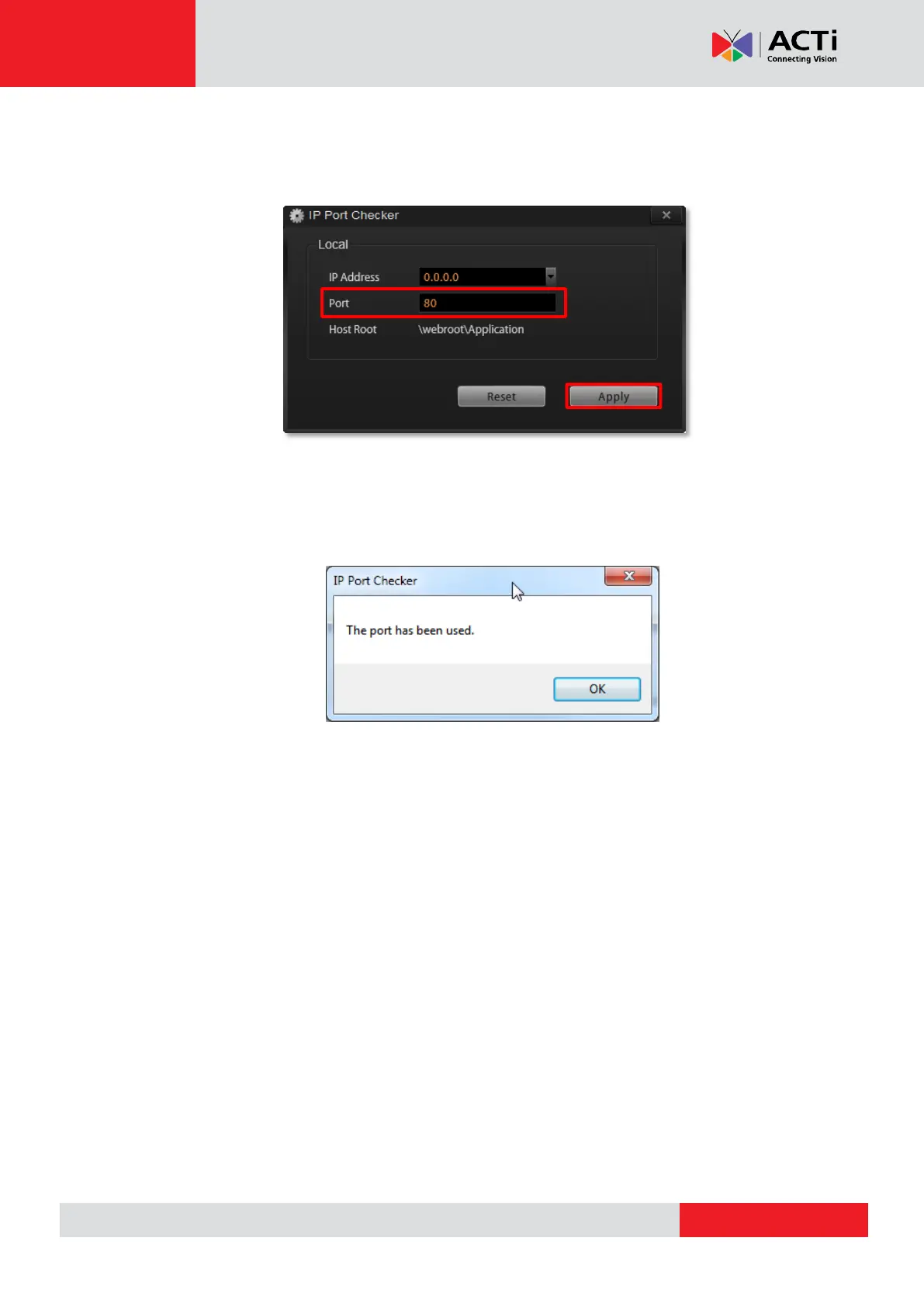
3. The IP Port Checker will pop up to confirm the NVR port number with you. The
installation program will use 80 as default. You may enter another available port
number in “Listen Port” field and click “Apply”.
You may just click “Apply” if you are not sure whether this port has been taken or not.
If the port is being used by another service, you will be asked to input another
available port number.



 To Next Page