MNR-310 System Administrator’s Manual
71
Add Non-ACTi Cameras
In this section, we will guide you through how to add devices of other brands to NVR 3.0
system.
After the required CDP license is activated, please:
1. Use the utility provided by camera the manufacturer to confirm the camera properties:
(1) Protocol, (2) IP Address, (3) HTTP Port, and (4) User Name & Password.
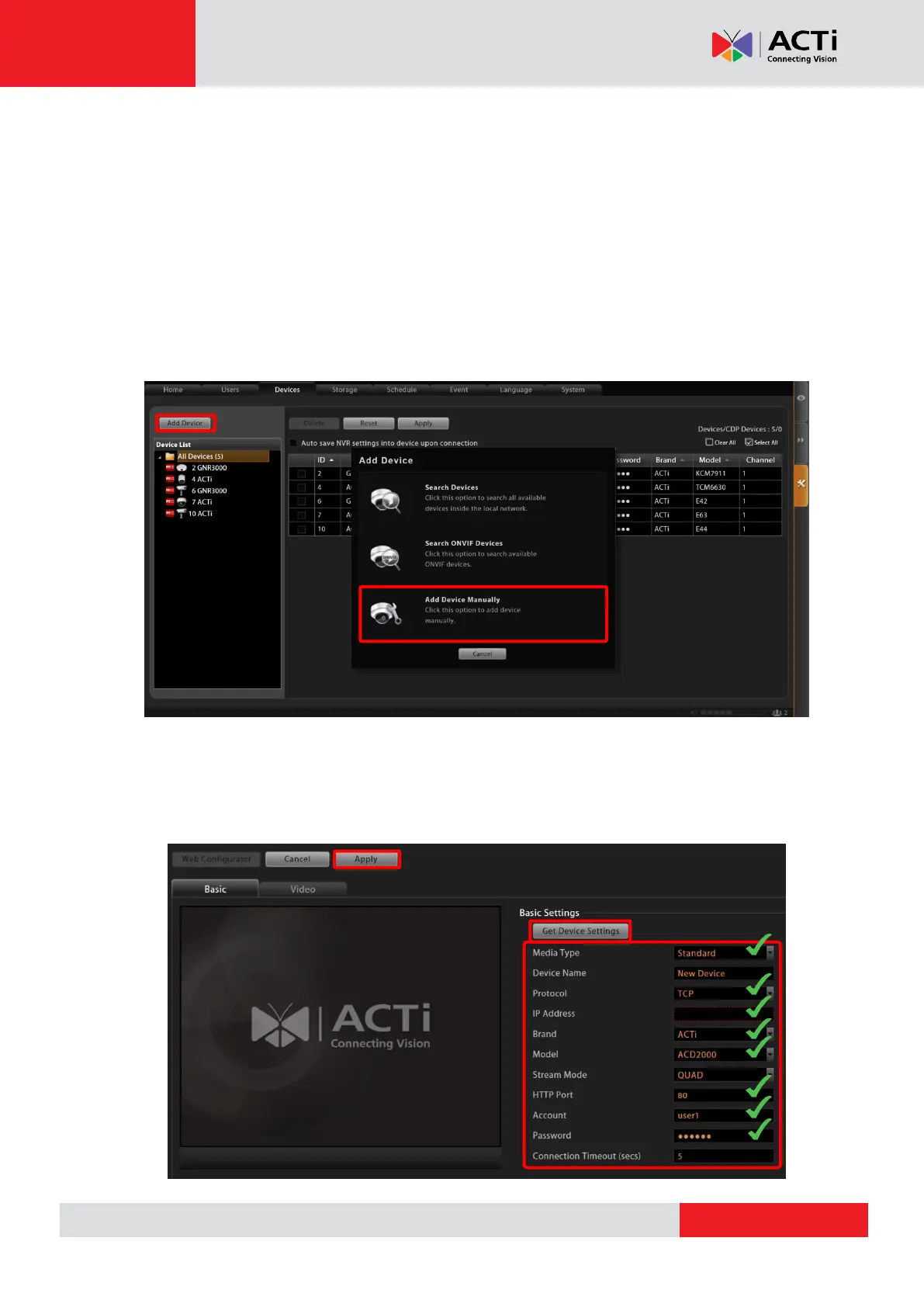
2. Log in to the NVR server, go to Setup page “Device” tab, click “Add Device”, and select
“Add Device Manually”.
3. After selecting “Add Device Manually”, the camera settings page will appear as below.
Please fill in the eight fields marked below that are required to communicate with the
device – Media Type, Protocol, IP Address, Brand, Model, HTTP Port, User Name and
Password, and then click “Apply”.



 To Next Page