MNR-310 System Administrator’s Manual
73
Manage Multiple Devices
After adding several devices to the system, you may get an overview of all devices on Setup
pageDevice tab; this is where you may use certain fast and convenient approaches to
manage a number of devices. In this section, we will guide you through how to quickly add or
delete multiple devices.
Modify Basic Connection Settings
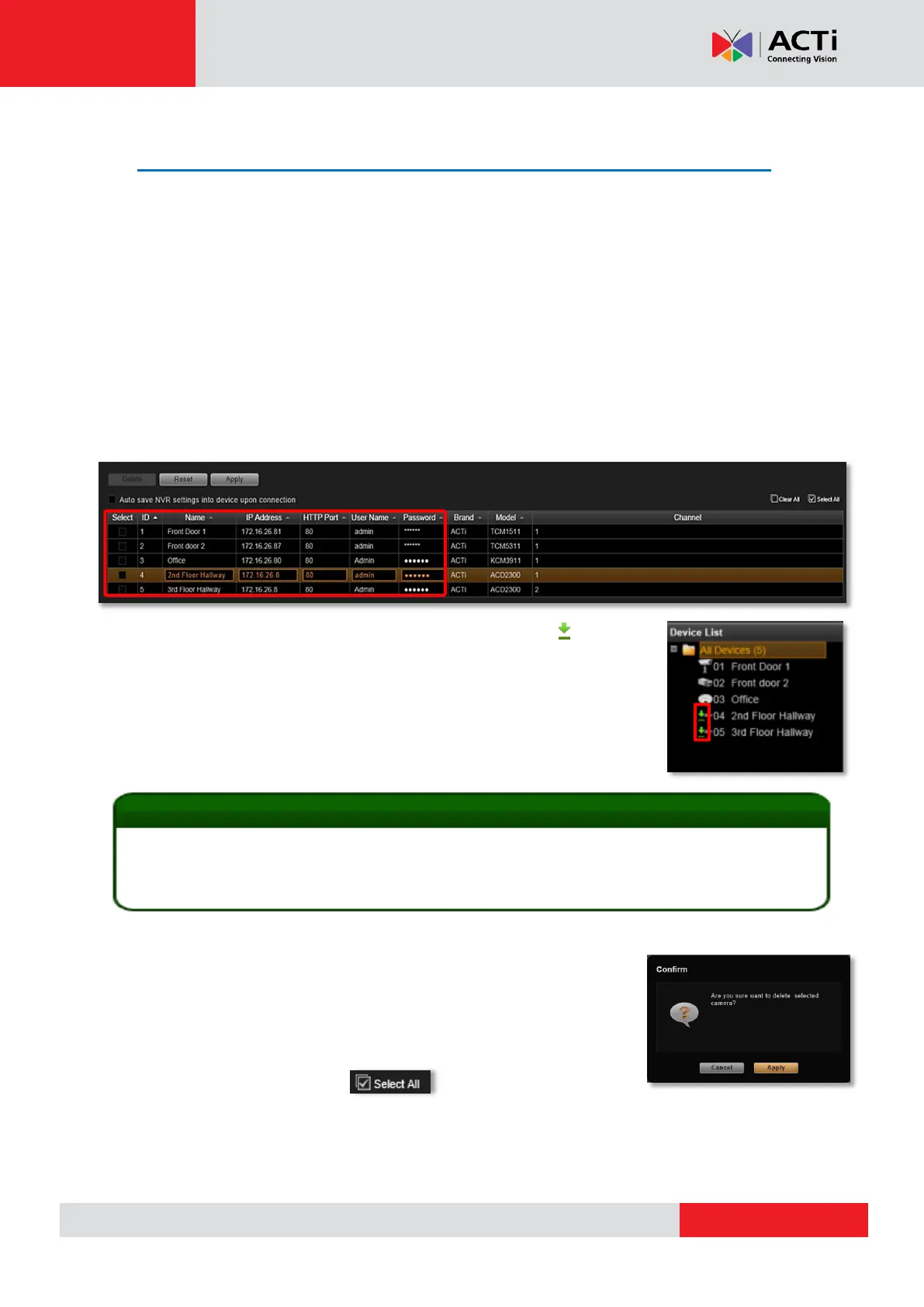
Go to Setup page Devices tab, and click All Devices in Device List to get the devices
overview in the right column. Each basic connection setting field including Name, IP Address,
HTTP Port, User Name and Password, is editable. Simply click in the field to modify it directly.
Every time you modify a property without saving it, an icon will appear
next to the device in Device List. You may click “Reset” to retrieve the
settings you saved last time once you want to abort the current modificaiton.
After changing any field, please remember to click “Apply” before you
leave this page.
Delete Devices
You may delete a single, multiple or all devices on All Devices List. The
logs and video files of the devices will be kept until deleted by server
storage deletion rule. Select the device(s) you wish to delete, click
“Delete” button and confirm the deletion. If you want to delete all the
existing devices, simply click on upper right to select them
all at once. To validate if you have successfully deleted a device on the NVR system, simply
check the Device List on the left of Setup page Devices tab to see if the device name is
removed from the tree.
The NVR server will sync with devices upon connecting to them. To make sure the settings on the
NVR side are prior to and always overwrite those on device sides, please check “Auto save NVR
settings into devices upon connection”.



 To Next Page