EasyManua.ls Logo

Adtech iMASTER – A1 Series - Page 47

Default Icon
198 pages
Print Icon
To Next Page IconTo Next Page
To Previous Page IconTo Previous Page
Loading...
A1-User’s Manual
43
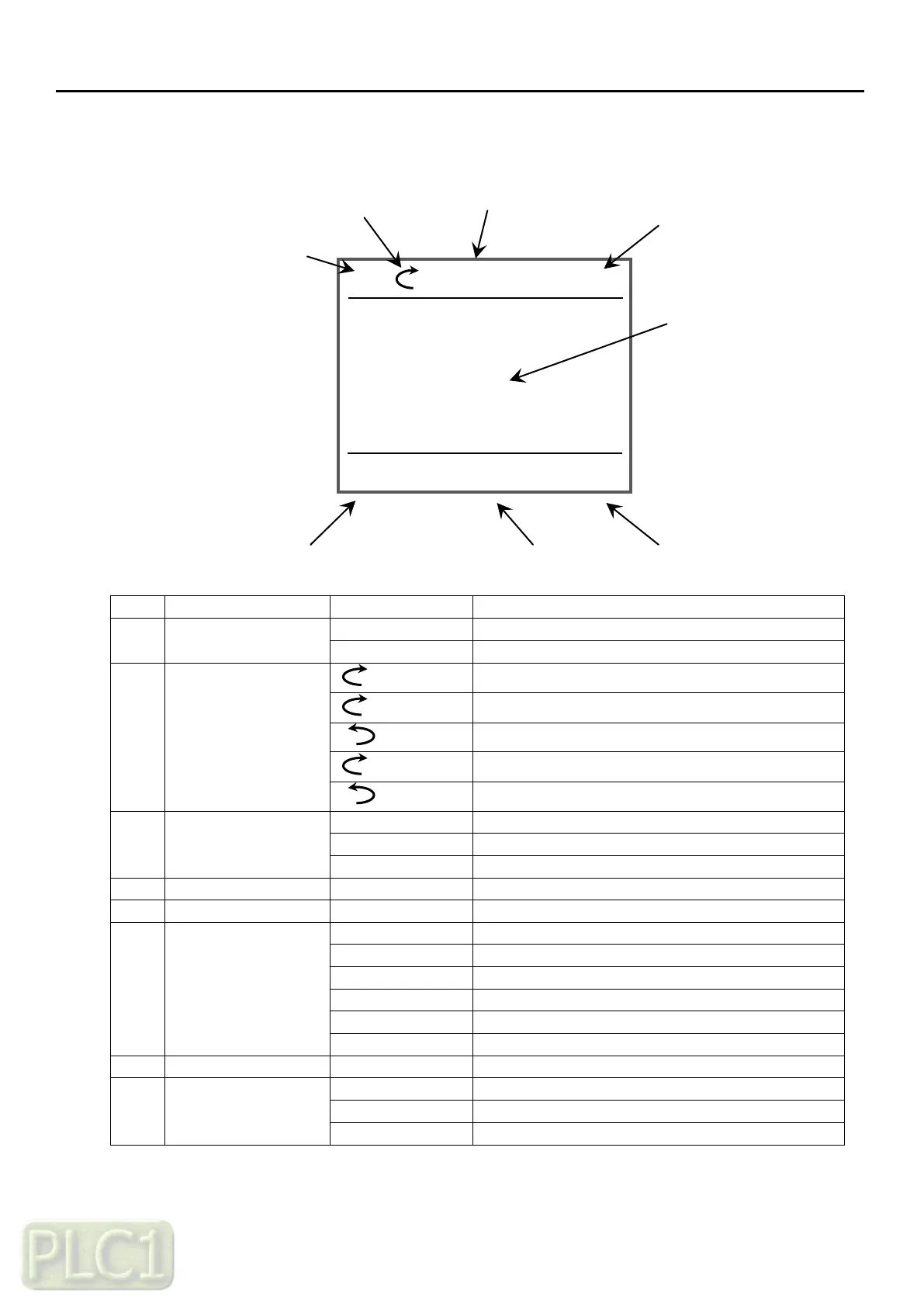
4) LED keypad Control method
(1) LCD keypad monitor
No
Function
Display
Description
1
Control location
LOC
VFD is controlled by VFD Keypad
REM
VFD is controlled by terminal block
2
Running Status
Rotation
VFD is stop
Rotation
VFD is running to forward
Rotation
VFD is running to reverse
Flickering
VFD is stopping from forward
Flickering
VFD is stopping from reverse
3
Current Status
Home
Home mode
Menu
Menu mode
Fault
Fault status
4
Reference Value
00.00Hz
Display referenced value
5
Current View
-
Display selected item
6
Multi Right Key
Menu
Move to menu view
Select
Select the item
Save
Save the parameter data
Reset
Reset the fault when fault is occurred
Read
Read all parameters for copy
Write
Write all parameters for copy
7
Time
00:00
Display the current time
8
Multi Left Key
Back
Move to previous view
Cancel
Cancel at parameter view
Fault
Move to fault view
09:40
REM
MEN
FAULT
HOME
Output frequency
Hz
60.00
Motor RPM
rpm
1800
Output current
A
13.1
60.00Hz

Table of Contents