AESFill AF1C Machine Manual 32/58 Screens
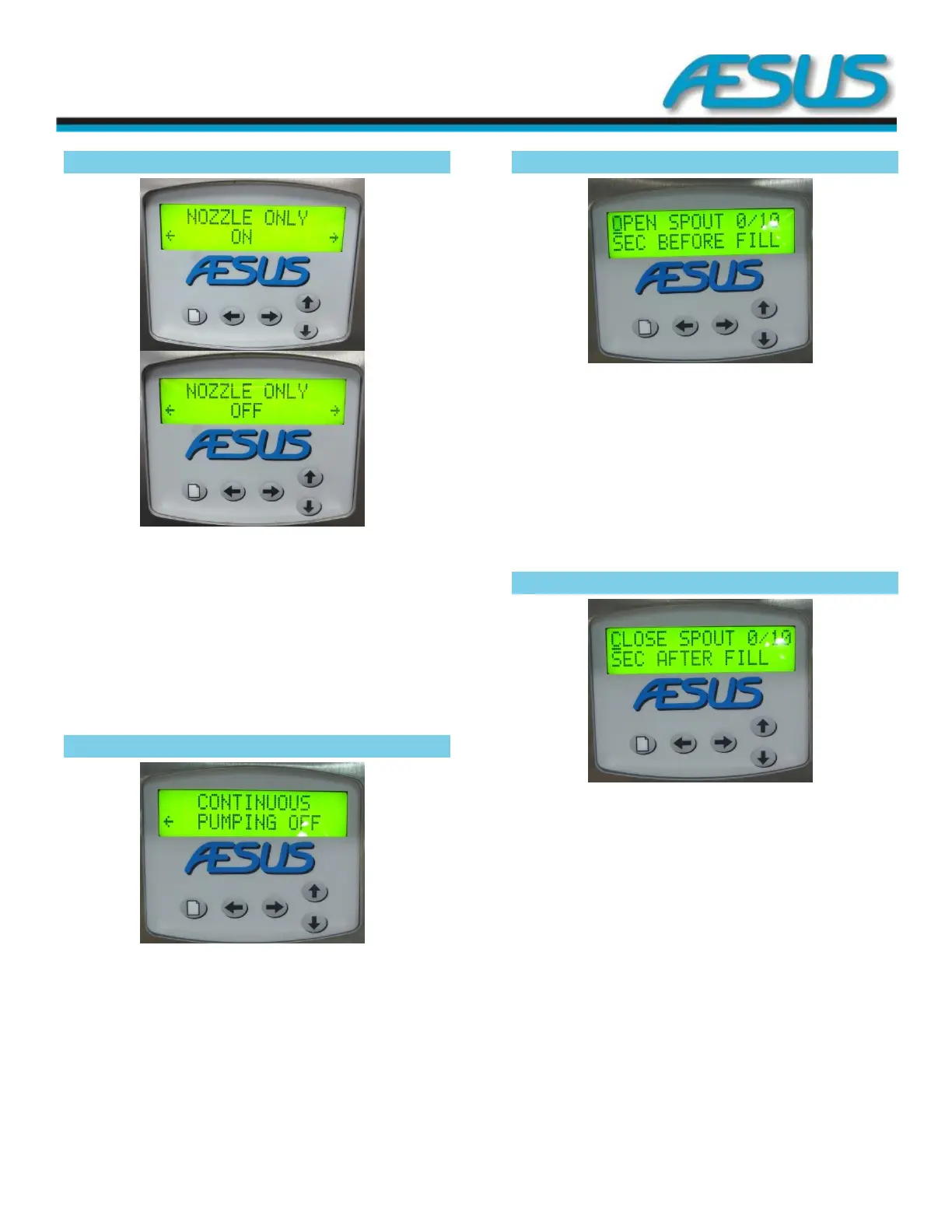
Nozzle only 7.8
Figure 7-10: Nozzle Screen
Use up and down arrow keys to open and shut alternately the
nozzle.
Press arrow to the right key to go to continuous pumping.
Press arrow to the left to go to continuous pumping main
menu.
Continuous pumping 7.9
Figure 7-11: Pumping Screen
Use the arrow up or arrow down keys to turn alternately on
and off the continuous pumping function. The foot pedal can
also be used for remote action.
Open spout 7.10
Figure 7-12: Spout
Use the up and down arrow keys to adjust a pre-opening
delay to allow the nozzle to be fully open before starting the
pump. For most liquids, a setting of 1/10 seconds is desired.
Keep fingers pressed for rapid action. Change is
instantaneous.
Press the Menu key to access more Settings
Close spout 7.11
Figure 7-13: Close Spout
Use the up and down arrow keys to adjust a close delay for
the nozzle. This will allow any built up pressure to evacuate
prior to shutting the nozzle. This is mostly used for very thick
products and is usually set to 0 for most liquids. Keep fingers
pressed for rapid action. Change is instantaneous.
Press the Menu key to access more settings


 To Next Page