AESFill AF1C Machine Manual 45/58 Cleaning & Accessories
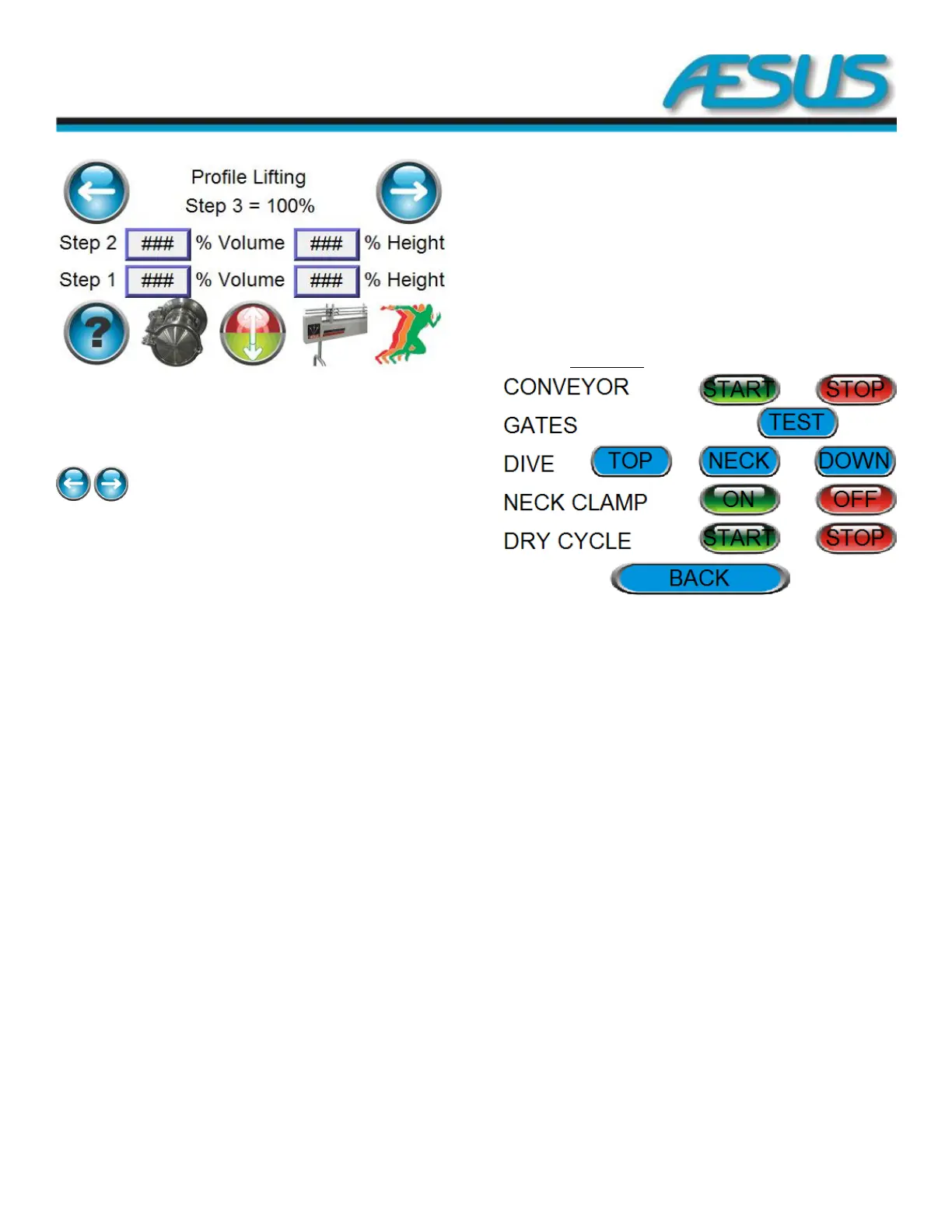
Figure 8-18: Profile Lifting Setup Screen
Step 3: Is always 100% of volume at 100% neck height.
Step 2: Settings are always equal to or greater than step 1.
Step 1: It will only start once the bottom delay is over.
: Allow to go back to the previous page or go to
the next.
Bottom Banner: Change menu
Example:
Step 3 100% volume at 100% heights
Step 2 90% volume at 25% heights
Step 1 40% volume at 45% heights
The sequence of events will be:
1. Container(s) presence confirmed.
2. Nozzle(s) go down.
3. Start filling.
4. The bottom delay will take place followed by the
steps.
5. Step 1 40% of the remaining volume will be
dispensed during the travelling to the first position
at 25% of the neck height.
6. At the end of step 2, 90% of the volume will have
been dispensed and the nozzles will be at 45% of the
total travelling distance.
The remaining 10% of the volume will be dispensed during
the travelling of the nozzle of the last 55% of the container
neck height (long thin neck).
8.1.9 Test Screen
Figure 8-19: Test Screen
Conveyor START/STOP: Start or stop the testing of the
conveyor alone.
Gates TEST: Test the gates.
Dive TOP: Send the nozzle to the top position to test it.
Dive NECK: Send the nozzle to the Neck position to test it.
Dive DOWN: Send the nozzle to the down position to test it.
Neck clamp ON/OFF: Clamp or UN-clamps the clamps to test
them.
Dry Cycle START/STOP: Start or stop a dry run of the filling
sequence.
Back: Go back to the main menu


 To Next Page