AESFill AF1C Machine Manual 34/58 Screens
Dive (Optional) 7.13
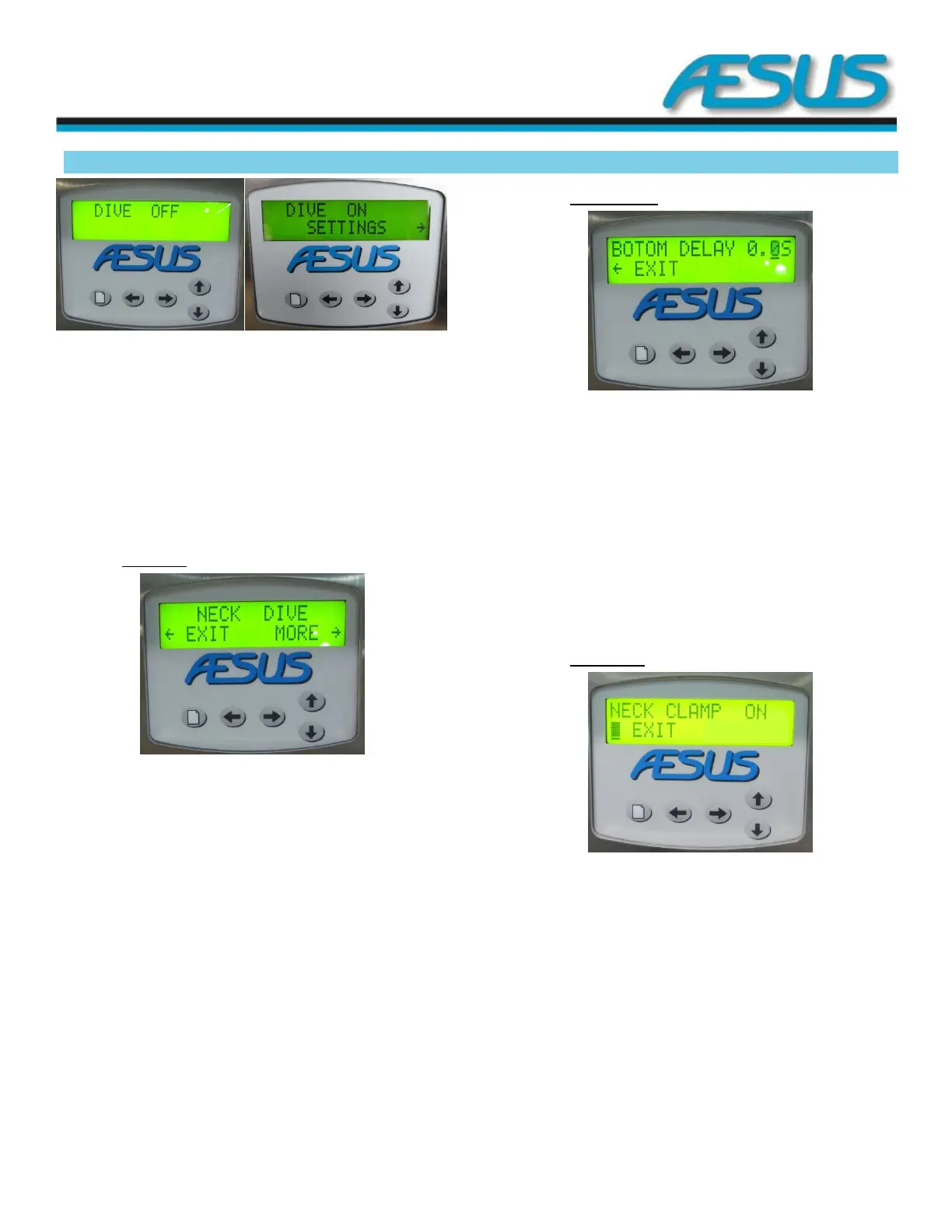
Figure 7-18: Dive Screen
Use the up and down arrow keys to switch the function from
Off to ON in sequence.
When the dive is set to ON settings and timers for the dive
function are made available through the right arrow key.
Press the menu key to access more settings.
7.13.1 Neck Dive
Figure 7-19: Neck dive Screen
Use the up and down arrow keys to toggle between neck and
full dive options.
The Neck dive consists of a 2 inch air cylinder that is activated
for the duration of the fill of all the pumps on. This feature is
only for the optional 2 inch air cylinder.
Press the arrow to the right key to access more dive related
settings.
Press the arrow to the left key to go back to the dive main
screen.
7.13.2 Bottom delay
Figure 7-20: Bottom Delay Screen
Use the up and down arrow keys to adjust the bottom delay
value.
The bottom delay, programmed in 1/10 of a second, is used
at the end of the fill to allow the last drop to exit the nozzle
before lifting the nozzle bar and gating the containers.
Press the arrow to the left key to go back to the Neck / Full-
dive screen.
7.13.3 Neck clamp
Figure 7-21: Neck Clam Screen
Use the up and down arrow keys to toggle on and off the
neck clamp function. The neck clamp is a centring device that
maintains the containers centred under the nozzles before
the nozzle bar dives.
Press the arrow to the left key to go back to the neck delay
screen.


 To Next Page