AESFill AF1C Machine Manual 33/58 Screens
Gating (Optional) 7.12
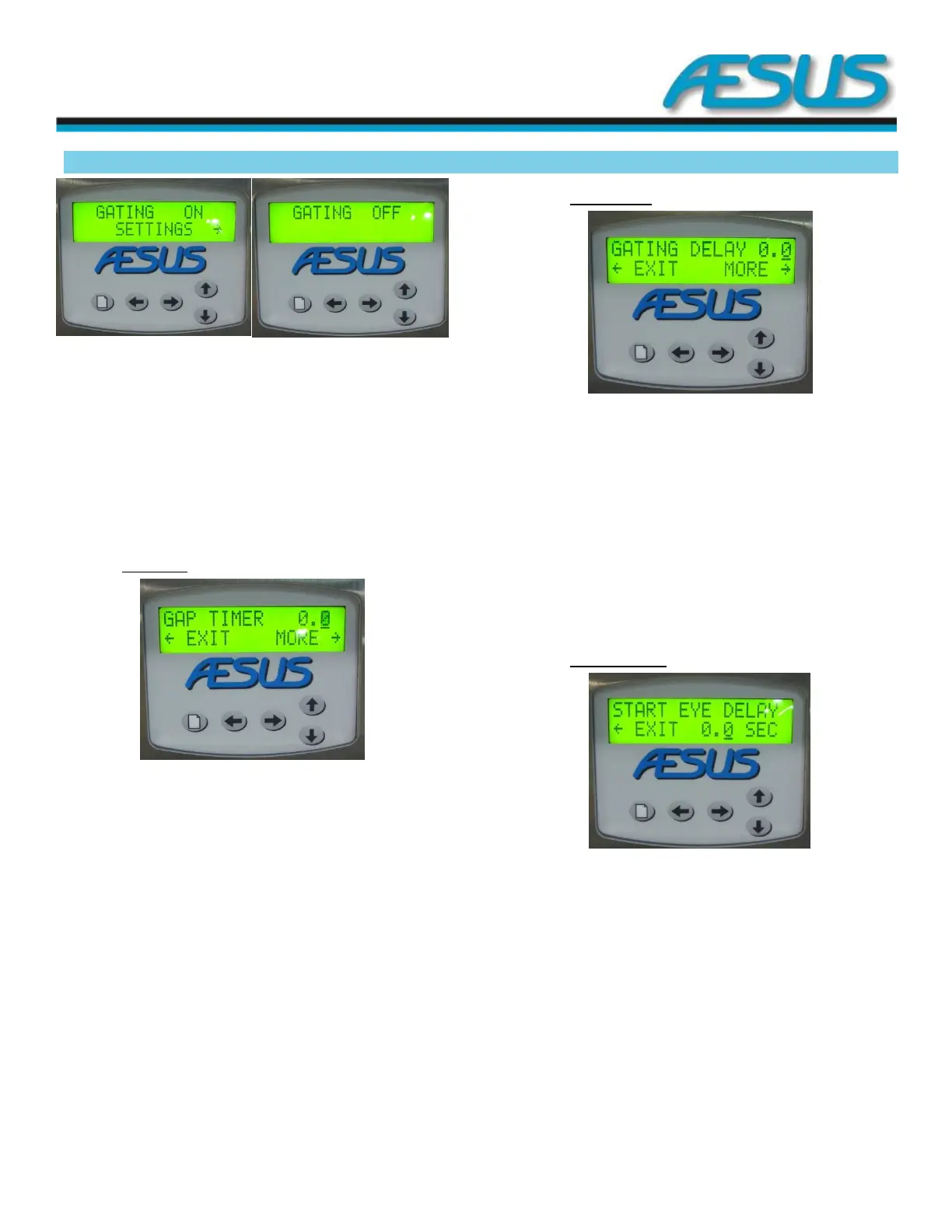
Figure 7-14: Gating Screen
Use the up and down arrow keys to toggle on and off the
gating functions. When networking units together, use this
setting only on the master unit. When gating is set to ON and
timers for the gating function are made available through the
right arrow key.
Press the menu key to access more settings.
7.12.1 Gap timer
Figure 7-15: Gap timer Screen
Use the up and down arrow keys to adjust the gap timer. This
timer will create a gap between filled and empty containers
by activating the gap (upstream) gate for the duration of this
timer. This will create the space required by the downstream
gate to safely intercept the empty containers once the filled
containers have exited the filling area.
Press the arrow to the right key to access more gating related
settings.
Press the arrow to the left key to return to the gating main
menu.
7.12.2 Gating delay
Figure 7-16: Gating Delay Screen
Use the up and down arrow keys to adjust the gating delay.
This will set a timer before activating the gating sequence
after the fill is completed.
Press the arrow to the right key to access more gating related
settings.
Press the arrow to the left key to return to the Gap timer
screen.
7.12.3 Start eye delay
Figure 7-17: Start eye delay Screen
Use the up and down arrow keys to adjust the start eye delay.
This delay is set to allow time for containers to enter the
filling area without starting a fill cycle unless the filling area is
full of empty containers. It should be set a bit longer than the
time taken by a container to travel in front of the start eye
detector.
Press the arrow to the left key to return to the gating delay
screen.


 To Next Page