Chapter 2 Overview
10
shown in Figure 2-1;
Figure 2-5-2 Fixed display
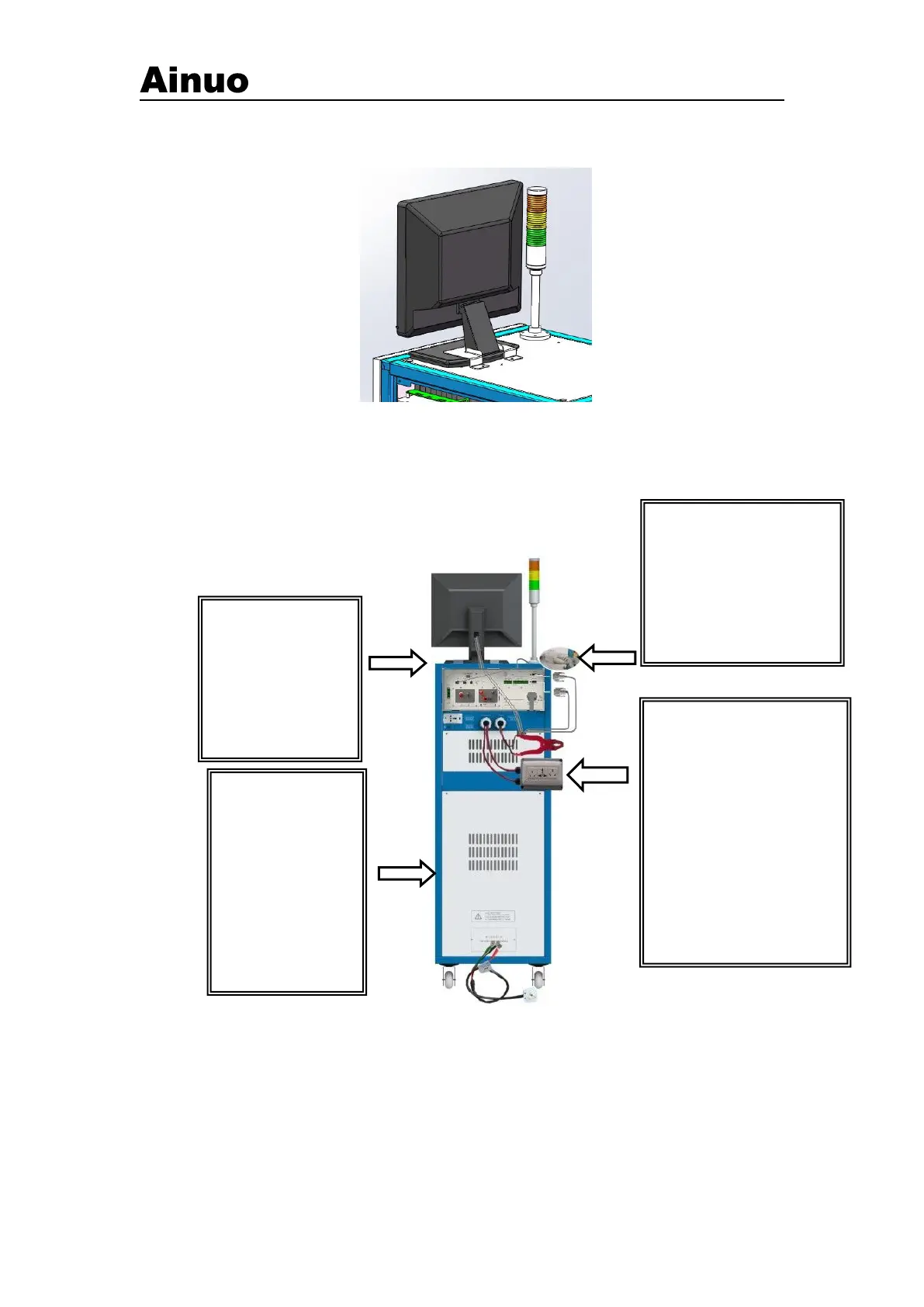
(2) According to the actual wiring diagram of the system, connect each instrument according
to the specified wire, including the power supply line, communication line and test fixture of each
single meter, as shown in Figure 2-5-3, confirm that the power supply is single-phase 220V±10%,
50Hz±5%。
Figure 2-5-3 Wiring diagram of the comprehensive test system
②Install/uninstall ESRS system software: Before you use ESRS system, you must first
install ESRS system software to your computer. In the following chapters, we will tell you how to
install ESRS system software step by step on your computer window environment.
Install the ESRS system software on the Windows environment.
Before you install, the hard disk in your computer should reserve at least 100MB of storage
space.
You can select the SETUP.EXE file in the root directory of the installation file to install.
The installation process is as follows:
Step2:Connect
the instrumentand
monitorpower cord.
Step 1: Connect the
communication cable
▲Reliably connect the
communication lines of the
instrument, display and
industrial computer, and
tighten the fastening
screws.
Step 3: Connect the test
fixture
▲ Pass the A1—A6 test leads
of the test box and test tongs
through the wiring holes, and
connect them one-to-one with
the A1—A6 terminals of the
analyzer, and fasten them;
Note: You need to remove the
top baffle at the top of the
cabinet after connecting.
After the connection is
completed, install the
Step 4: Connect the
device power input
cable and connect to
the power grid.
▲The power supply
line should be
selected according to
the power of the
measured body. The
maximum input
capacity is 6kVA.



 To Next Page