Chapter 5 Interface
45
5.5 COM
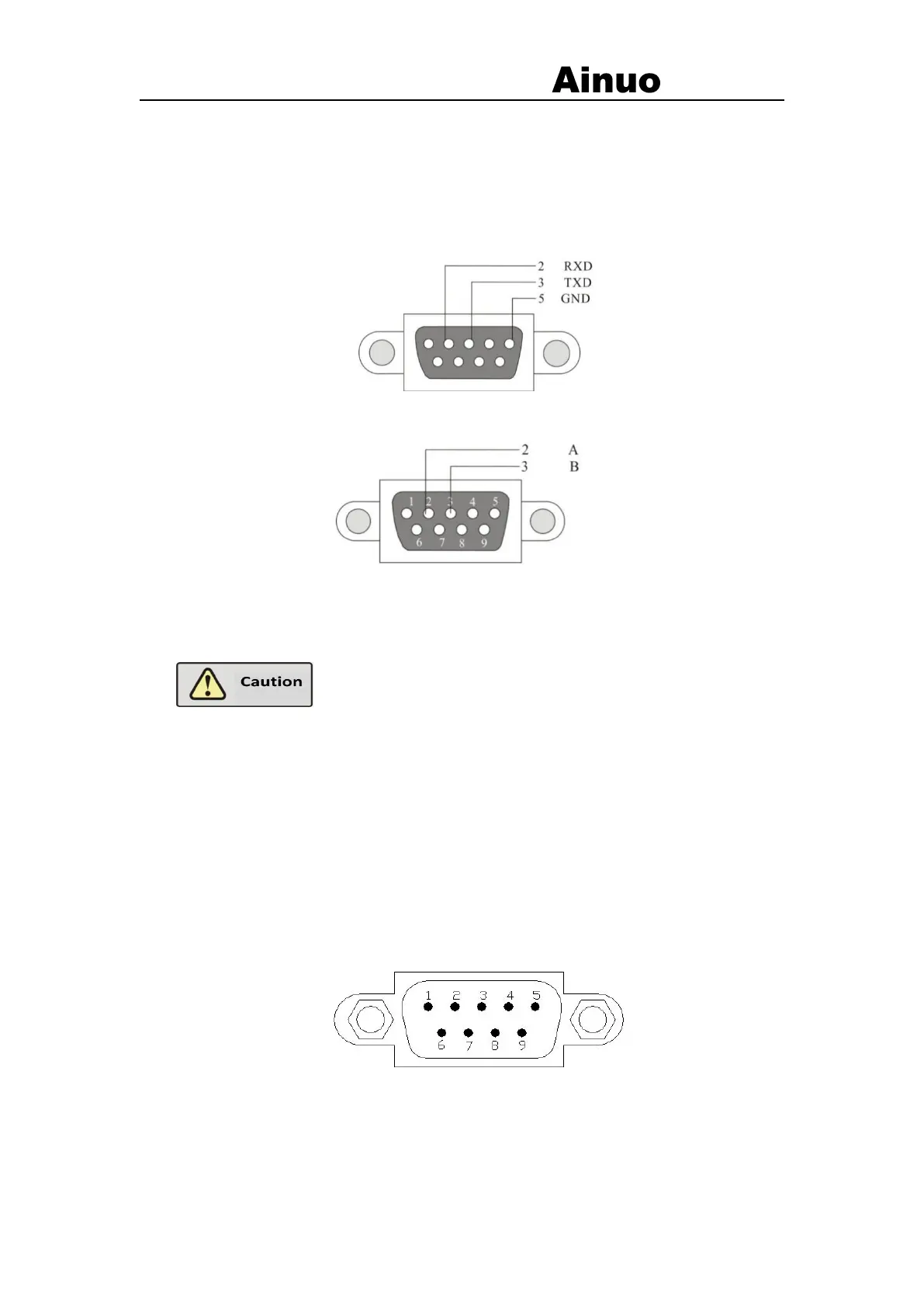
This analyzer uses RS232 port (Optional RS485). The PC is connected with this port for
control of this analyzer. A 9-pin D-sub connector (male) is used with signal definition as
shown in Figure 5-5-1(a) and (b);
(a) Definition of RS232 port
(b) Definition of RS485 port
Figure 5-5-1 Definition of COM port
For communication,connect the PC in the following
order: turn off the power of the analyzer. Connect the communication cable;
turn on the power of the PC, and then start the analyzer after the PC starts.
5.6 U Disk
Standard USB port, at lower in the front.
5.7 EXT-COM
RS232 port, DB9 socket (male), as shown in Figure 5-8-1. Standard RS-232 port for
mutual control with other RS-232 device.
Figure 5-8-1 COM (male)
Pins of RS232 port:
2: RXD, receive data



 To Next Page