Chapter 4 Settings and Test
31
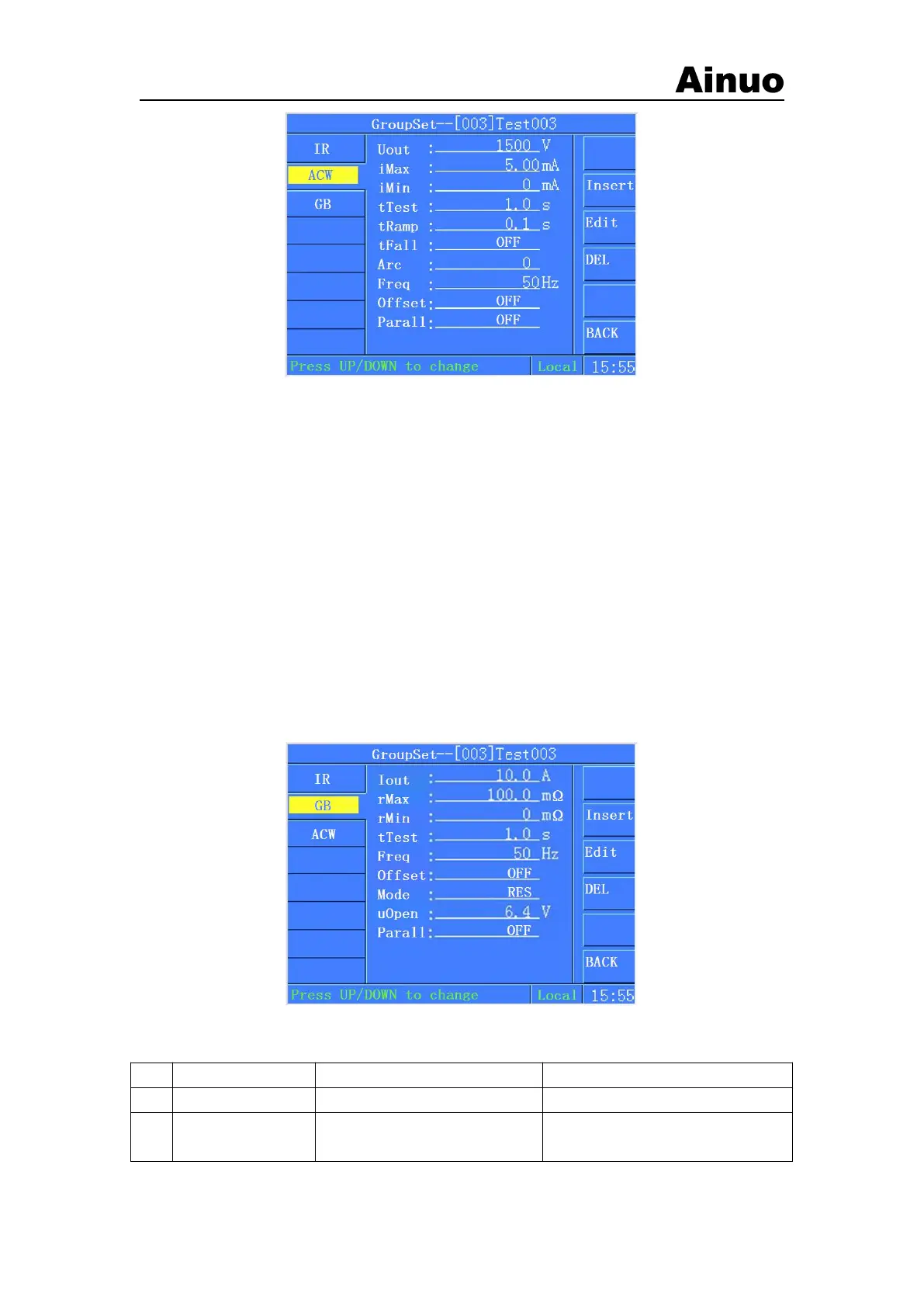
Figure 4-5-1 Group Settings
Remarks: if password function is set to ON, it will prompt the password screen first. Enter the
correct password before enter into the settings screen.
To revise the current test items, move the cursor to the test item at left first. Press the
corresponding key ACW/DCW, GB, IR, Wait, Delete to revise or delete current test items.
To edit current step, move the cursor to the right area to edit the parameters of current step.
Press to change the left or right parameters.
Each group supports up to 8 steps. If do not need 8 steps, just delete the others items. The
parameters range and definition are described as following.
Press to select to save or cancel current settings and return to the main menu.
To abort the current exit operation after press, press STOP button to return to the edit state.
4.5.1 GB settings
Figure 4-5-2 GB Settings
GB Parameters Settings definition:
Output current for GB test
Resistance/voltage
upper limit
Set according to current. Output
voltage shall not exceed 7.5V
Ground resistance/voltage alarm
upper limit



 To Next Page