Chapter 4 Settings and Test
40
In Parameters Settings screen, move the cursor to the compensation
Enalbe/Disenable position. Set compensation test to ON, and then
press START button. The analyzer will get the compensation value
automatically and display the result on the screen.
In Waiting Test screen, press F menu Compensation key to finish wire
connections as prompt on the screen. Press START to complete
automatic group compensation.
4.7 Extended Function
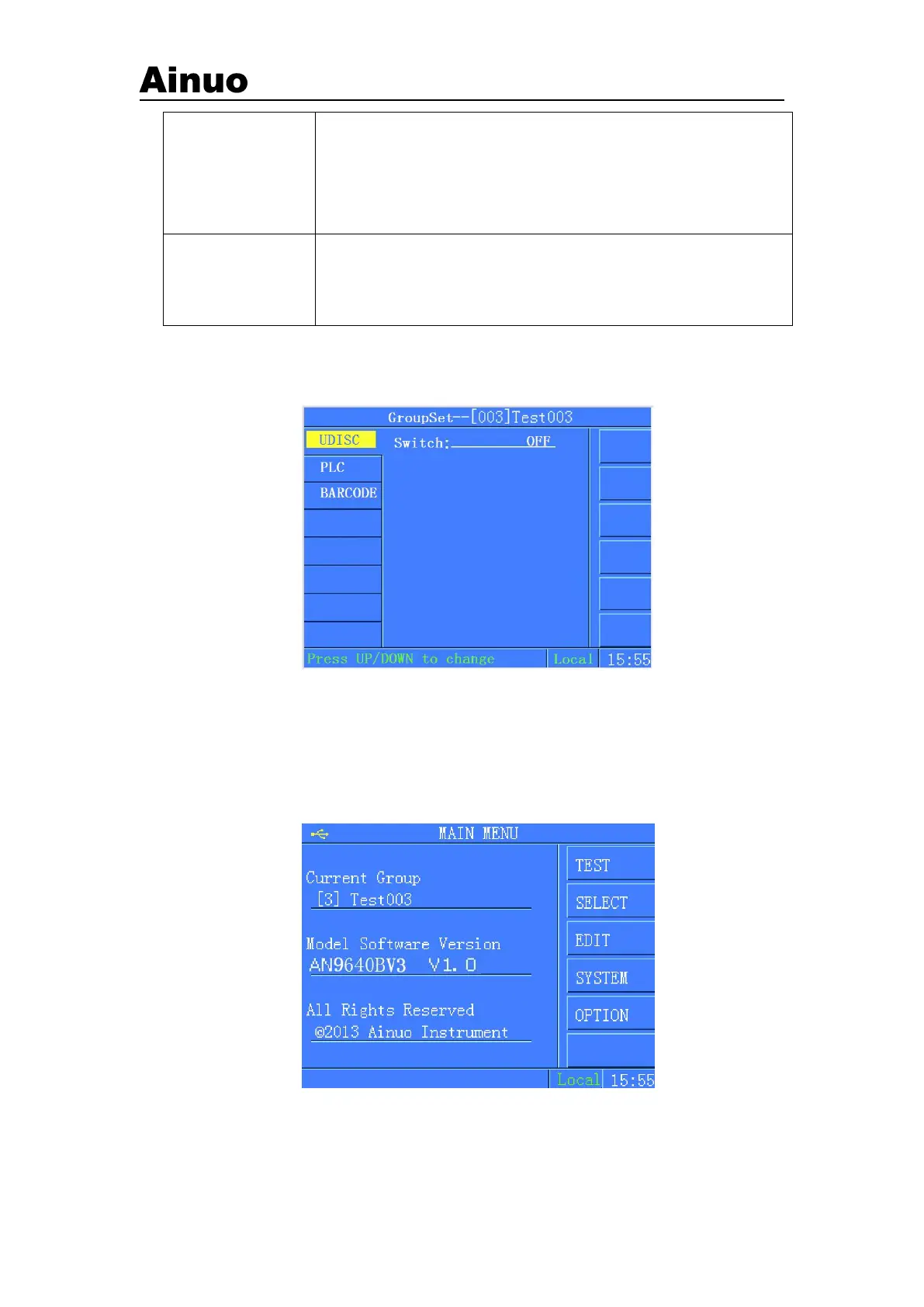
Extended Function: barcode, USB flash disk and PLC functions, as shown in Figure 4-7-1:
Figure 4-7-1 Extended Functions
4.7.1 USB flash disk
USB flash disk function can be set to enable/disenable by F menu.
Around 5s after inserting USB flash disk, the following symbol will appear at the left upper
corner of the screen.
Figure 4-7-2 Screen after inserting U-disk
If there is no respond after inserting USB flash disk, try to insert USB flash disk again. If
USB flash disk has been inserted before starting analyzer, please wait for the analyzer finds



 To Next Page