Page 110
aero Flight Mode Menu
Choosing a Flight Mode Delay
1) Press the Navigation Pad
56
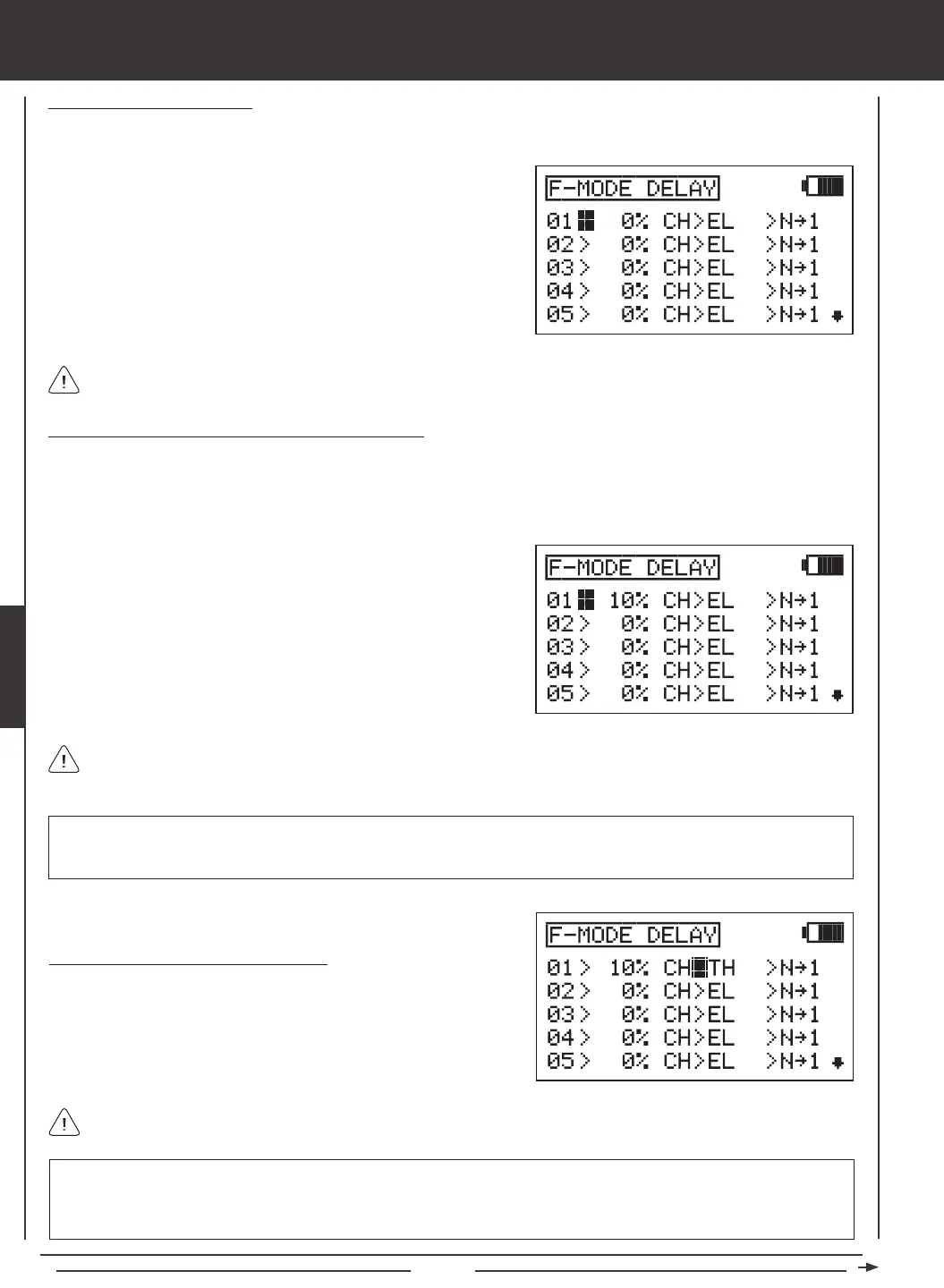
to highlight F-MODE DELAY, then press the ENTER key to display the F-MODE DELAY
menu. The cursor will default to 01>0% CH>EL >N
4
1.
Flight Mode Delays do not have to programmed in sequence (e.g., 01, 02, 03), but programming them in sequence does
make it easier to keep track of them.
Changing the Flight Mode Delay Rate Percentage Value
The Rate percentage value changes the speed of the servos as they move to their new positions when you switch between Flight
Modes. For example, if you're ying at half throttle in Flight Mode N (Normal) and your throttle servo is at 50% travel, but in Flight
Mode 1 at half throttle your throttle servo is programmed to be at 70% travel, increasing the Rate percentage value will slow the
speed at which the servo will move to 70% travel when you Activate Flight Mode 1. This allows the throttle to smoothly rise to the
new travel position instead of instantly jumping to the new travel position.
RATE setting range is 0% to 100%. The default setting is 0%. When the Rate percentage value is set to 0%, there is no Delay
when switching between Flight Modes. When the Rate percentage value is increased, the Delay when switching between
Flight Modes is increased.
The Rate percentage value is displayed as a percentage of Delay time and is based on the amount of change in servo
travel when switching between different Flight Modes. When the Rate percentage value is set to 100%, the servo will take
approximately 15 seconds to travel from neutral to 100% or -100%.
1) Press the YES/+ and NO/- keys to change the Rate percentage value
for the selected Flight Mode Delay.
IMPORTANT Channels that use two servos, such as dual aileron servos or dual elevator servos will be displayed separately
(e.g., RE, LE, RA, LA, etc). In this situation, the Flight Mode Delay function will affect not the whole channel, but the individual
servo. In most cases, you will want to program a second matching Flight Mode Delay for the second servo, so that both servos
are affected equally.
Choosing the Flight Mode Delay Channel
1) Press the Navigation Pad
4
to highlight CH>EL.
2) Press the YES/+ and NO/- keys to choose which channel you would
like the Flight Mode Delay to affect.
The channels options displayed will vary based on Model Type and Model Type selection options currently selected. For
example, if your model features dual elevator servos, LE or RE will be display as an option.
2) Press the Navigation Pad
56
to highlight the Flight Mode Delay you
would like to program. If this is the rst Flight Mode Delay that you're
programming, choose 01>0%



 To Next Page