Page 74
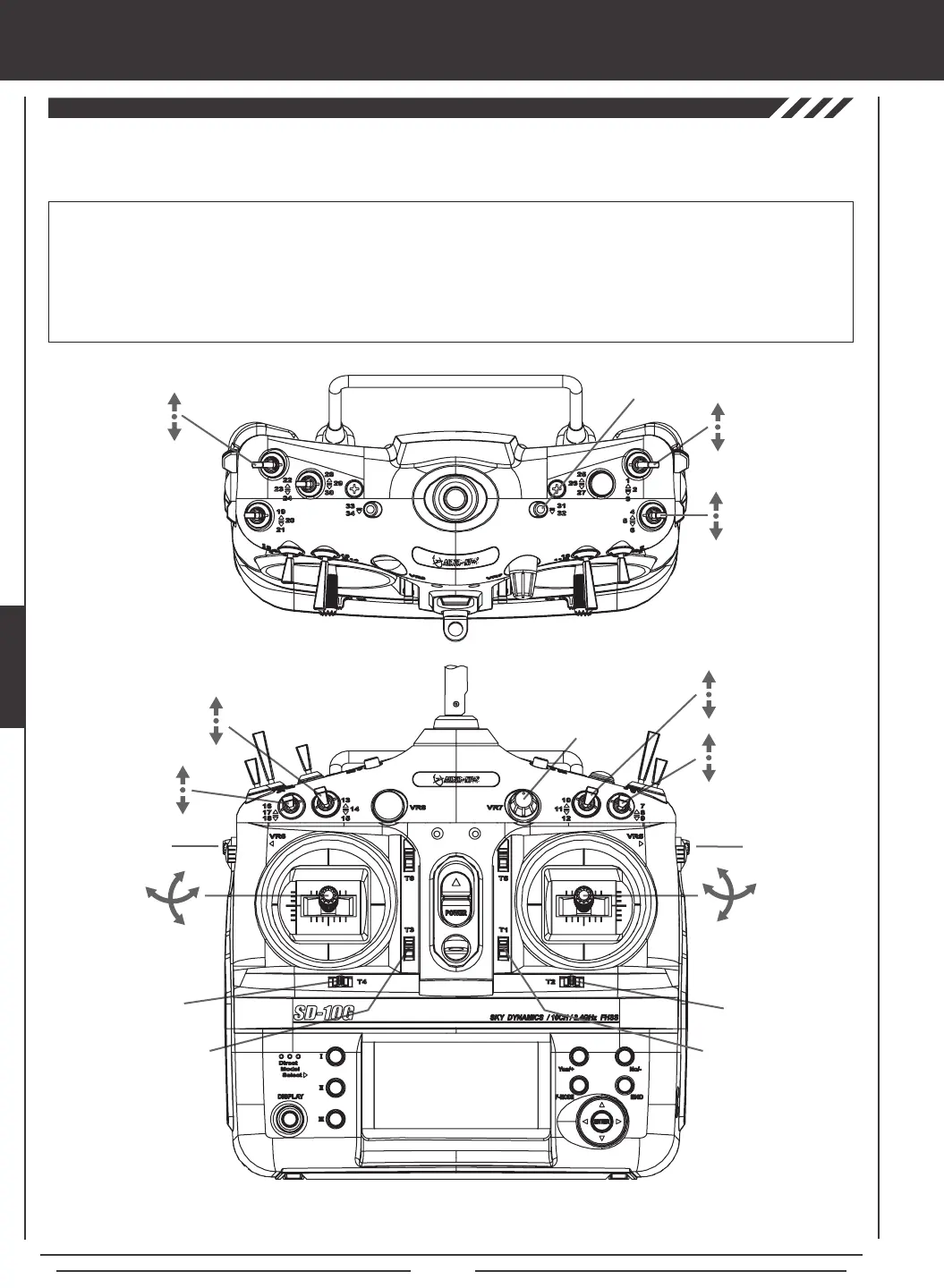
The diagrams below show the default transmitter control stick and switch layout in the AERO Model Type Flight Mode N (Normal)
conguration. This is the base from which you can start to change or add functions to switch assignments, modify Flight Modes, and
change or assign functions or channels to the Auxiliary Levers (VR5 and VR6) and the Auxiliary Dial (VR7).
Throttle Trim Switch
Rudder Trim Switch
Rudder
Control Stick
Throttle
Control Stick
Elevator Dual
Rate 1,2,3
Flap N,1,2
Flight
Mode N,1,2
Aileron Dual
Rate 1,2,3
Aileron
Control Stick
Elevator
Control Stick
Aileron Trim Switch
Elevator Trim Switch
Gear
Auxiliary 3L
Auxiliary 3H
Rudder Dual
Rate 1,2,3
Auxiliary
Lever (VR6)*
Flap 1 Trim
Auxiliary
Dial (VR7)
AUX1
Auxiliary
Lever (VR5)
AUX2
*Auxiliary Lever (VR6) controls the Variable Flap Trim when the flap switch is in Switch Position 1. For more information,
see page 91.
IMPORTANT Since each of the ve Flight Modes can be programmed separately, before making programming changes,
verify that you are in the Flight Mode you want to make programming changes to. To avoid confusion, we suggest leaving the
Flight Mode Switch (10,11,12) in the N (Normal) position and use the F-MODE key from within the programming menus to
choose which Flight Mode you would like to make programming changes to.
Keep in mind that many of the functions, particularly Mixes and Auxiliary functions, MUST be assigned to a Switch Position
Number to be Activated. We suggest that you assign the function to a Switch Position Number prior to programming the
function. This will avoid confusion and make it easier to test your programming values.
aero Flight Mode menu
Throttle Cut



 To Next Page