Page 85
aero Flight Mode Menu
Choosing the Flight Mode
1) Press the Navigation Pad
56
to highlight AI DIFFERENTIAL, then
press the ENTER key to display the AI-DIFF menu. The cursor will
default to LA-L>100%.
2) Press the F-MODE key to choose the F-MODE number you would like
to program the Aileron Differential function for. Choose from N, 1, 2, 3,
or 4. The F-MODE (N) display will change, indicating which Flight Mode
you are programming the Aileron Differential function for.
When Model Type Setting Option AILERON>1 is chosen, the cursor will default to AI-L>100%
Changing the Aileron Differential Percentage Values
Aileron Differential is achieved by reducing the amount of DOWN movement in the required aileron.
Aileron Differential is a percentage of the control throw differential between the
ailerons. For example, if you set LA-R (Left Aileron-Right) to 90%, the Left Aileron
will move Down less than what the Right Aileron moves Up.
1) Press the Navigation Pad
56
to highlight the desired aileron travel
direction you would like to change the Aileron Differential setting for. For
example, if you need the Right Aileron to move Up more than the Left
Aileron moves Down (per the diagram above right), you would decrease
the LA-R>100% (Left Aileron-Right) percentage value.
2) Press the YES/+ or NO/- keys to set the desired Aileron Differential
percentage value.
AI-DIFF setting range is 0% to 100%. The default setting is 100%. Decreasing the AI-DIFF percentage value will decrease
the movement for that specic aileron and direction of travel. The Aileron Differential percentage value is a percentage of
End Point Adjustment.
3) Repeat the previous procedures to set the desired remaining Aileron Differential percentage values.
IMPORTANT Prior to setting the Aileron Differential, you should use the Surface menu EPA Adjustment Option to ensure
that each aileron is moving UP and DOWN the same amount.
The Offset function allows you to shift and hold the neutral position of the desired elevator, aileron, and rudder servo(s) during ight.
For example, if you are ying a large scale aircraft that requires a certain amount of Up elevator trim during descent or landing, you
can use the Offset function to shift the neutral position of the elevator servo Up, so that when the Offset function is Activated when
you change to the Flight Mode you've programmed the Offset function in, the elevator moves Up the desired amount. This prevents
the need to constantly add elevator trim using the elevator trim switch. Offsets can be programmed for one direction of servo travel
on each of the elevator, aileron, and rudder servos independently, and can be programmed separately for each of the ve Flight Modes.
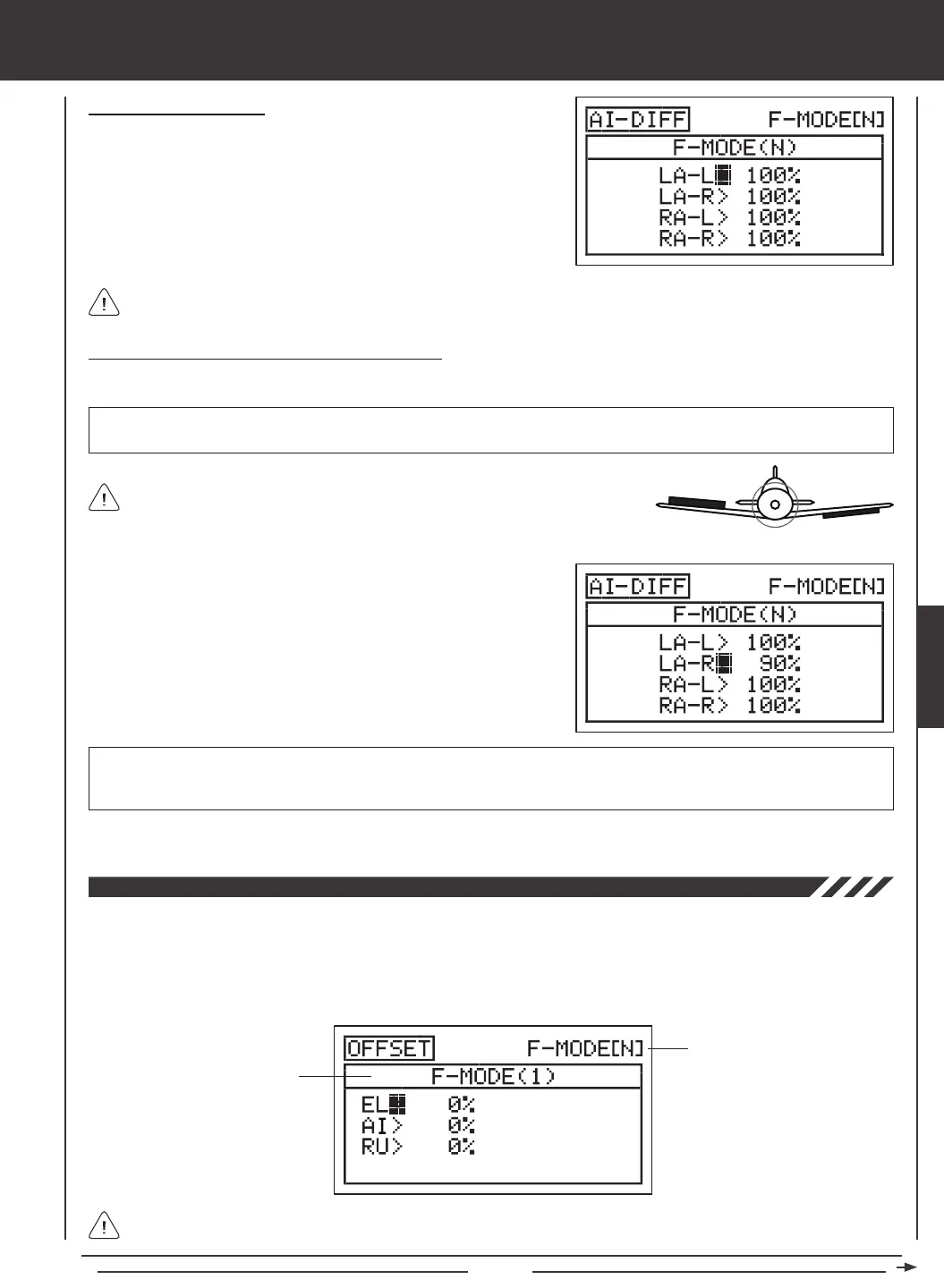
Transmitter F-MODE
Programming F-MODE
Transmitter F-MODE refers to the Flight Mode that the transmitter is currently operating in. Programming F-MODE refers
to the Flight Mode that you would like to change the programming for.
UP = More
Movement
DOWN = Less
Movement
Diagram of Differential
AERO



 To Next Page