Page 52
SYSTEM MENU
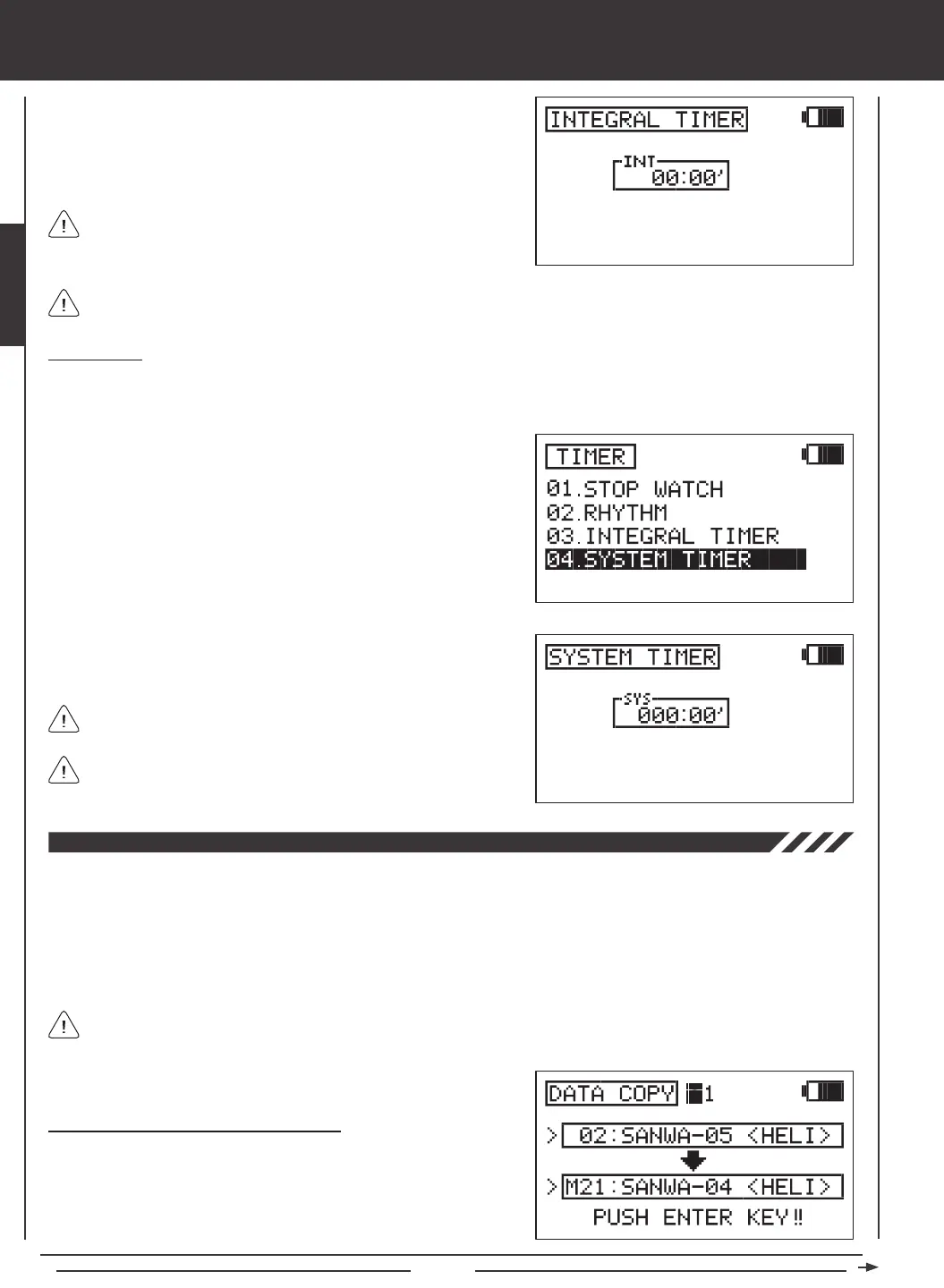
3) The total time that the SD-10G transmitter has been turned ON since
the last time the Integral timer was Reset is displayed in the INT dialog
box. Press the YES/+ and NO/- keys at the same time to Reset the
Integral timer to zero.
System Timer
The System timer is a Count Up timer that displays the total time that the SD-10G transmitter has been turned ON (either via the
Power switch or the Display key) since it was new. The System timer cannot be Reset.
1) Press the Navigation Pad
56
to highlight TIMER, then press the
ENTER key to display the TIMER menu. The STOP WATCH sub-menu
will be highlighted by default.
2) Press the Navigation Pad
6
to highlight SYSTEM TIMER, then press
the ENTER key to display the System timer.
The Integral timer can be displayed in the Timer Display (INT) on the Top menu. For more information, see page 57.
The Integral timer is displayed in Hours and Minutes. 00 (Hours)
00' (Minutes).
3) The total time that the SD-10G transmitter has been turned ON since it
was new is displayed in the SYS dialog box.
The System timer can be displayed in the Timer Display (SYS) on the
Top menu. For more information, see page 57.
The System timer is displayed in Hours and Minutes. 000 (Hours)
00' (Minutes).
The Data Copy function allows you to copy the programming data from one model to another model. This is convenient if you
have similar Model Types. For example, if you have two aerobatic aircraft that are similar, you can copy the programming data
from the rst model to the second model to use as a base to start ne-tuning the programming for the second model. Programming
data can be copied in single-model format or in groups of ten models. Programming data can also be copied from the transmitter
to the Memory Expansion Card and from the Memory Expansion Card to the transmitter* so that you can share programming
data with fellow SD-10G transmitter users in the eld.
Like many SD-10G programming features, Switch Assignments are model-specic. If you would like to keep the same
Switch Assignments from model-to-model for continuity, use the Data Copy function to save the time and effort necessary
to re-program the Switch Assignments for each model.
Copying Model Data (Single-Model Format)
1) Press the Navigation Pad
56
to highlight DATA COPY, then press
the ENTER key to display the DATA COPY menu. The cursor will
default to DATA COPY>1.
*Memory Expansion Card available separately. See your local Airtronics dealer for more information.



 To Next Page