Page 67
surface MENU
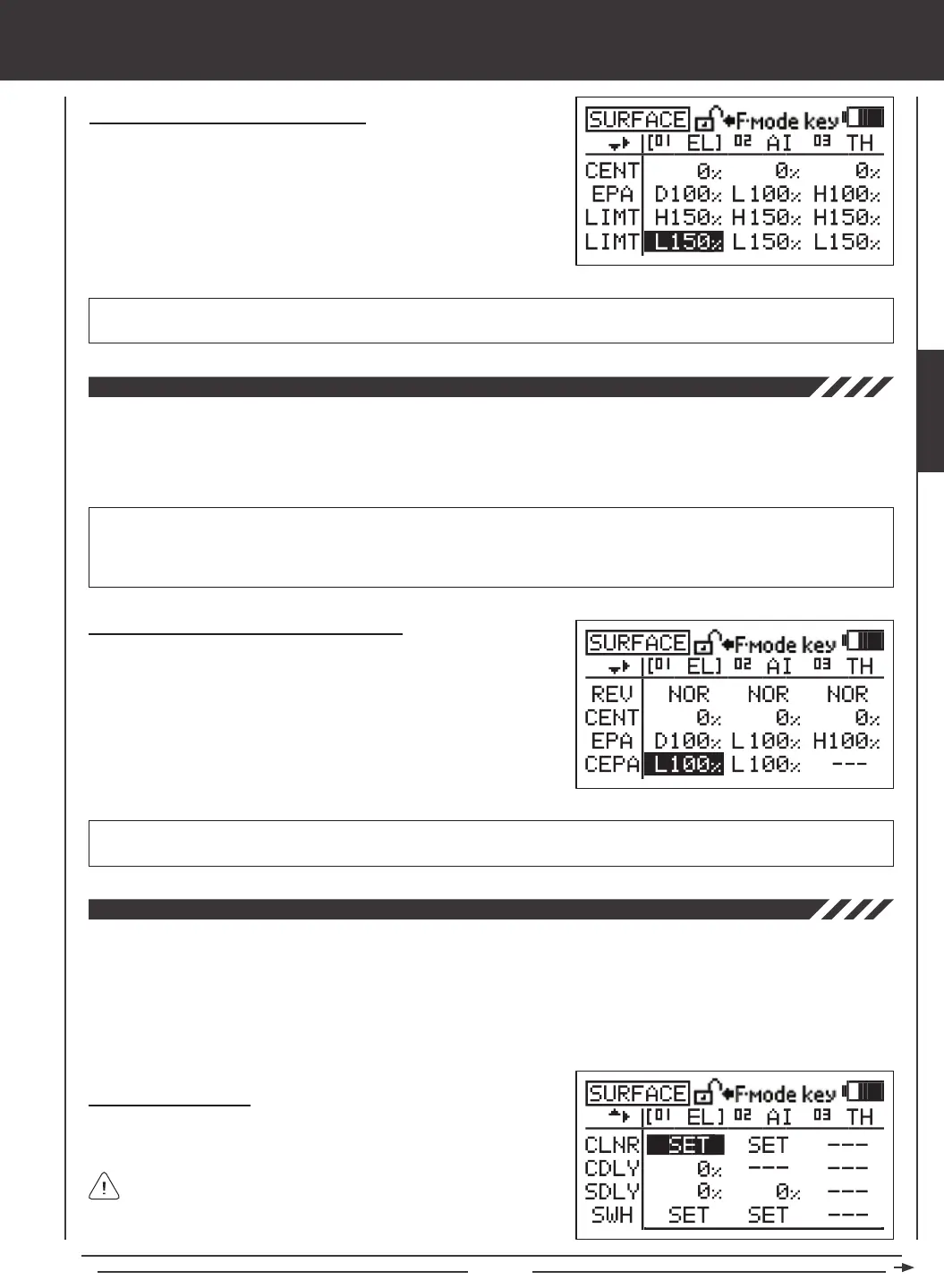
LIMT L setting range is 0% to 150%. The default setting is 150%. Increasing the LIMT L Adjustment Value increases the servo
Low-side travel Limit and decreasing the LIMT L Adjustment Value decreases the servo Low-side travel Limit.
Changing Limit Adjustment Values - Low
1) Press the Navigation Pad
3456
to highlight the LIMT L Adjustment
Value for the channel that you would like to change.
2) Press the YES/+ or NO/- keys to change the LIMT L Adjustment Value.
3) Adjust the desired remaining LMT L Adjustment Value using the same
techniques.
The CCPM End Point Adjustment function allows you to adjust servo travel in each direction for the elevator, aileron, and pitch
servos independently. Unlike standard End Point Adjustment, which affects all the cyclic servos, CCPM End Point Adjustment
allows you to adjust each cyclic servo independently without any affect on the other cyclic servos. For example, you can
change the End Point Adjustment on the pitch servo without affecting the elevator or the aileron servos. This allows for the
utmost control is setting up your swashplate for the most accurate movement.
Changing CCPM End Point Adjustment Values
1) Press the Navigation Pad
3456
to highlight the CEPA Adjustment
Value for the channel that you would like to change.
2) Move the throttle control stick in the direction of servo travel you would
like to change the CEPA Adjustment Value for, then press the YES/+ or
NO/- keys to change the CEPA Adjustment Value.
3) Adjust the desired remaining CEPA Adjustment Values using the same
techniques.
IMPORTANT In front of each CEPA Adjustment Value is a specic H or L icon (High or Low, respectively). To set the CEPA
Adjustment Value for the desired direction of servo travel, the throttle control stick must be moved in the direction of servo travel
you want to change the CEPA Adjustment Value for. For example, if you want to change the CEPA Adjustment Value for the
High side Elevator, push the throttle control stick all the way forward. 'H' will be displayed in front of the EL CEPA Adjustment Value.
CEPA setting range is 0% to 150%. The default setting is 100%. Increasing the CEPA Adjustment Value increases servo
travel and decreasing the CEPA Adjustment Value decreases servo travel.
The CCPM Servo Linear function converts the rotary output of the servo(s) to a Linear approximation and helps correct any
abnormal cyclic movement caused by off-center control arms when at full positive or negative End Points and allows you to
adjust the overall Rates for the elevator, aileron, and pitch servos independently. For example, if you were to take a measurement
of the cyclic when the servos are at their neutral positions and you moved the ailerons from right to left, you may see the cyclic
move 15º right and 15º left. Now move the cyclic up to full pitch and make the same measurements. The cyclic may no longer
move 15º right and 15º left. The CCPM Servo Linear function can be used to set the cyclic at 15º when at full pitch while ensuring
adequate servo travel.
Setting Channel Offsets
1) Press the Navigation Pad
3456
to highlight the CLNR SET option
for either the elevator, the aileron, or the pitch channel.
CLNR values can be changed for the elevator, aileron, and pitch
channels at the same time, regardless of which CLNR SET option
you highlight.
SURFACE



 To Next Page