Page 112
aero Flight Mode Menu
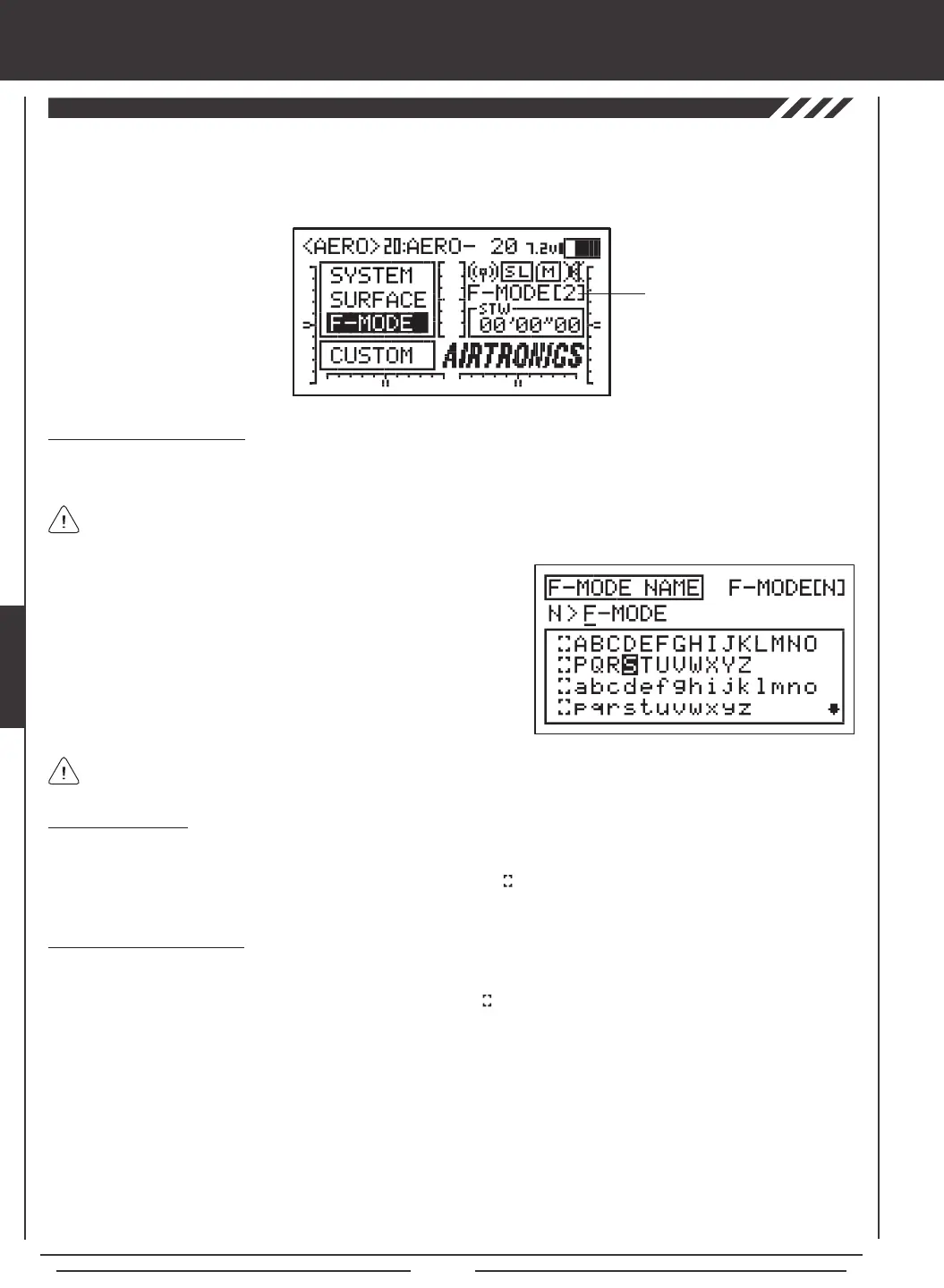
The F-Mode Name function allows you to name each of your individual F-Modes. This makes it easier to keep track of which
F-Mode is currently in use. The currently Active Flight Mode name is displayed, along with the corresponding Flight Mode number
on the Top menu and on the various F-MODE programming menus. The F-Mode Name can consist of up to 6 letters, numbers,
or symbols. Choose from capital letters, lower case letters, numbers, and various symbols.
Entering a Flight Mode Name
1) Press the Navigation Pad
56
to highlight F-MODE NAME, then press the ENTER key to display the F-MODE NAME menu.
The cursor will default to the left side of the top row of letters.
Deleting a Character
1) Press the YES/+ or NO/- keys to move the underline under the character you want to erase.
2) Press the Navigation Pad
3456
to highlight the Erase Bracket , then press the ENTER key to erase the underlined
character.
Deleting a Flight Mode Name
1) Press the YES/+ and NO/- keys at the same time to move the underline under the rst character.
2) Press the Navigation Pad
3456
to highlight the Erase Bracket , then press the ENTER key repeatedly to erase the entire
Flight Mode Name.
Press the F-MODE key to cycle through the ve different F-Modes. The F-Mode that you are currently naming is shown to
the left of the Flight Mode Name. For example, N>F-MODE.
2) Press the Navigation Pad
3456
to highlight a character, then press
the ENTER key to select the highlighted character. That character will be
displayed and the underline will move to the next space.
3) Repeat step 2 to enter the rest of the characters. Up to six characters
can be entered.
Press the Navigation Pad
56
repeatedly to scroll up and down the list of characters.
Flight Mode Name
and Number
THIS SPACE INTENTIONALLY LEFT BLANK


 To Next Page