Page 53
SYSTEM MENU
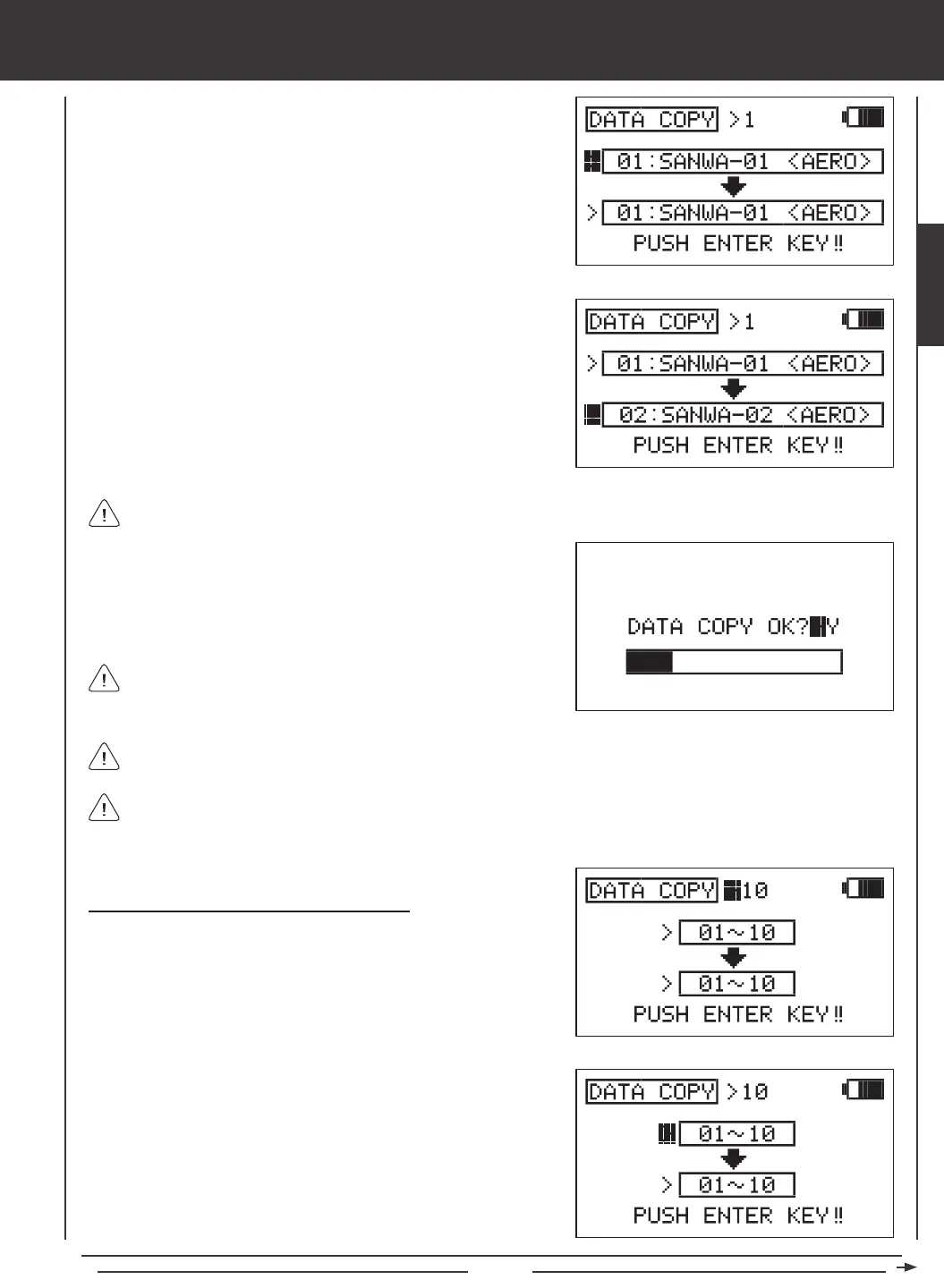
2) Press the Navigation Pad
6
to highlight the upper model dialog box.
The currently selected model will be displayed. Press the YES/+ or
NO/- keys to select the model you would like to copy the programming
data FROM.
3) Press the Navigation Pad
6
to highlight the lower model dialog box,
then press the YES/+ or NO/- keys to select the model you would like to
copy the programming data TO.
4) Press then ENTER key. DATA COPY OK?>Y will be displayed.
5) Press the YES/+ key to begin the Data Copy process. When the Data
Copy process is completed the DATA COPY menu will be displayed,
indicating that the programming data has been copied.
All model-specic programming data, including the Model Name will
be copied to the selected model.
It's not possible to copy the programming data from one model to the same model. If you attempt to execute this, SAME
MODEL?? will be displayed and the process will not execute.
Models stored on the Memory Expansion Card (if installed), are denoted with an 'M' (i.e. M21:SANWA-04).
Copying Model Data (Ten-Model Group Format)
1) Press the Navigation Pad
56
to highlight DATA COPY, then press
the ENTER key to display the DATA COPY menu. The cursor will
default to DATA COPY>1.
2) Press the YES/+ or NO/- keys to select DATA COPY>10.
3) Press the Navigation Pad
6
to highlight the upper model group dialog
box, then press the YES/+ or NO/- keys to select the group of ten
models you would like to copy the programming data FROM.
If you want to go back and change the models or you don't want to copy the model programming data for any reason,
press the NO/- or END keys.
SYSTEM



 To Next Page