Page 80
Changing the Throttle Curve Point Values and the Rate Percentage Values
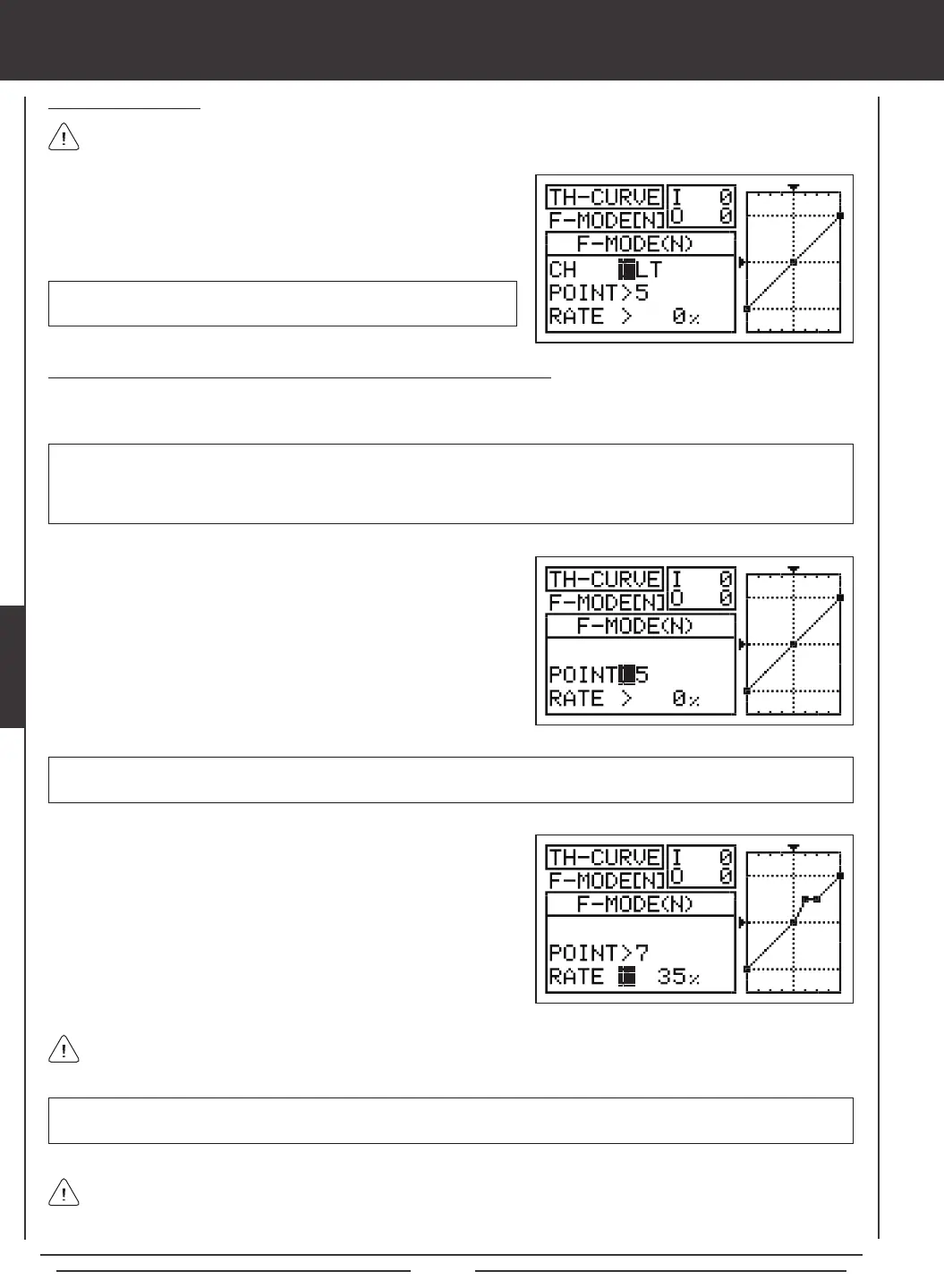
Nine different Points with varying Rates can be programmed onto the Throttle Curve. Each Point will be displayed on the graph to
give you a visual interpretation of the position of the Point on the Throttle Curve. The Point that is currently selected will blink.
WARNING Keep in mind that it's possible to set the Throttle Curve Points higher or lower than the throttle End Point
Adjustment. For example, with the throttle End Point Adjustment set to 100% and POINT>9 set to 150% the servo will move
150%. We strongly recommend that you set your Throttle Curve Points no higher than your throttle End Point Adjustment unless
specically necessary for your particular setup. This will prevent any chance of overdriving your control linkage.
Choosing the Channel
When Model Type Setting Option THROTTLE>2 is chosen, the Throttle
Curve can be set for LT (Left Throttle) and RT (Right Throttle).
This option is only available when Model Type Setting Option THROTTLE>2 is chosen. Unless you are setting up a
multi-engine aircraft, skip to the Setting Throttle Curve Point and Rate section below.
1) Press the Navigation Pad
56
to highlight CH>LT.
2) If you would like to set the Throttle Curve for the Right Throttle, press
the YES/+ or NO/- keys to choose CH>RT.
aero Flight Mode menu
As you change the Point and Rate percentage values, you can use the graph and I/O numbers to visualize the ratio
between control stick movement and servo travel throughout the entire deection range.
RATE setting range is -150% to 150%. POINT 1 default RATE percentage value is -100%, POINT 5 default RATE percentage
value is 0%, POINT 9 default RATE percentage value is 100%.
3) Press the Navigation Pad
6
to highlight RATE>.
4) Press the YES/+ or NO/- keys to set the desired Rate percentage value.
1) Press the Navigation Pad
56
to highlight POINT>5.
2) Press the YES/+ or NO/- keys to choose which Point you would like to
set a Rate percentage value for.
POINT setting range is 1 through 9. Point 1 is at the low end of the Throttle Curve and Point 9 is at the high end of the Throttle
Curve. Point 5 is a the center of the Throttle Curve.
5) Repeat the previous procedures to change the desired remaining Point and Rate percentage values.
When you change the Rate percentage value for Points 2, 3, 4, 6, 7, and 8, INH will be displayed. When you press the
YES/+ or NO/- keys, INH will change to the default percentage value (e.g., POINT>4 RATE -25%).



 To Next Page