10
InitialInstallation
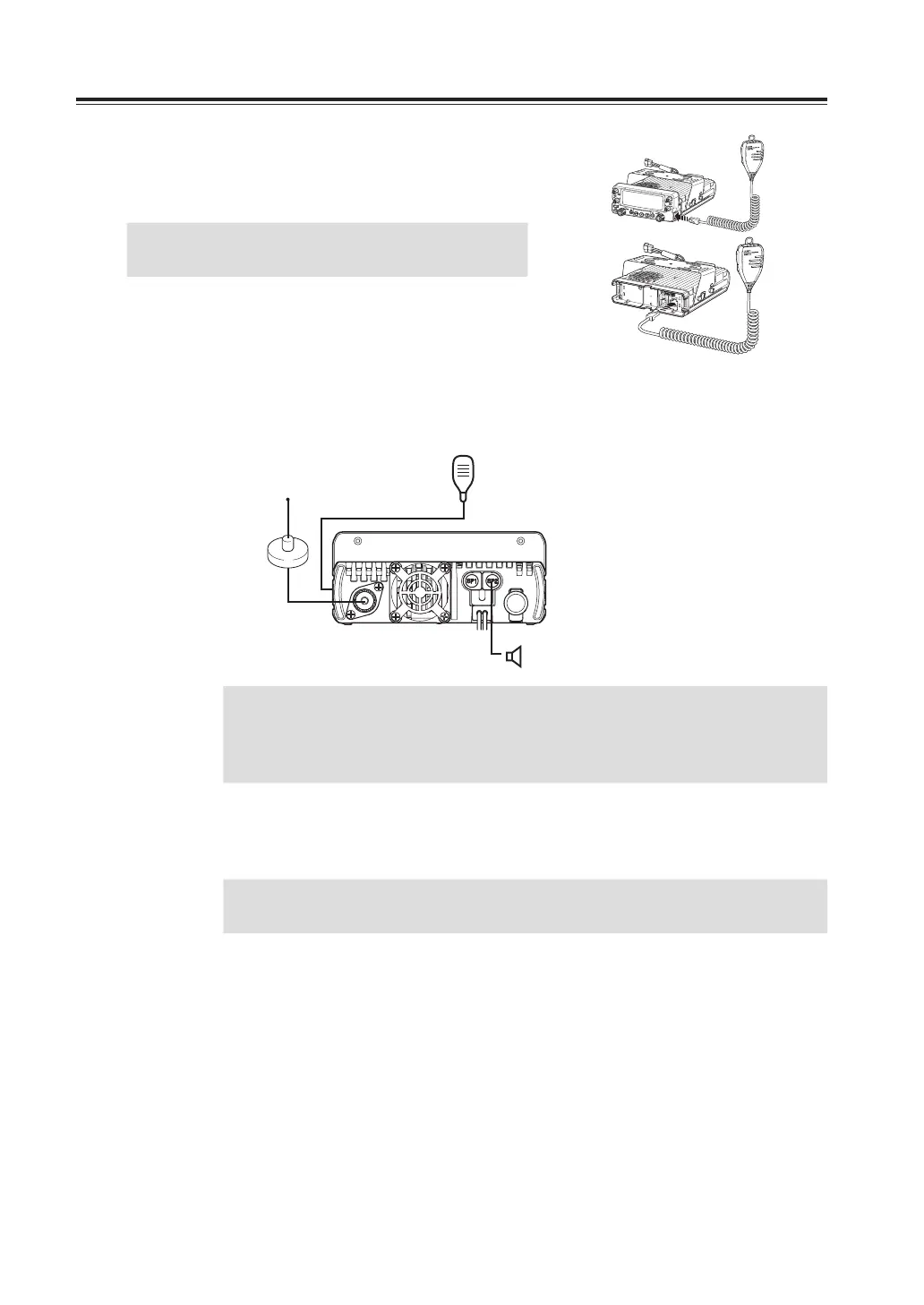
Microphoneconnection
Connect the microphone plug into microphone terminal on the
right side of control panel or into other microphone terminal in
front of MAIN unit. Insert the plug until hearing a click.
IMPORTANT
When connecting, be mindful to the modular
plug direction.
AntennaConnection
Connect 50Ω antenna that covers 2m/70cm bands, using good quality 50Ω coaxial cable.
rear panel
External speaker
(if used)
Microphone
Antenna
IMPORTANT
Coupling the antenna to the radio via feed-lines having impedance other
than 50Ω reduces the efficiency of the antenna system and can cause
interference to nearby televisions, radio receivers and other electronic
equipment.
Forabasestationsetup
IMPORTANT
• Before connecting, be sure to turn off the radio and DC power supply.
• Be certain to use DC cable provided with unit.
The radio requires 13.8V DC negative grounded power supply.
Use a regulated power supply capable of providing continuous current of 12A or more.
Power supplies that do not meet specifications may cause malfunction and/or damage to the
radio and will void the warranty. Alinco offers excellent communication-grade power supplies
as optional accessories. Please contact your local authorized Alinco dealer.
VOL



 To Next Page